Verify Token Acquisition and API Access using REST Client
Before testing your custom application, you can verify that you are able to obtain an
access token from IDCS and call a WMS API with the token using a REST client tool. For
example, if you are using Postman, update the Redirect URL in IDCS (refer to Configure WMS IDCS ) to
https[:]//oauth.pstmn.io/v1/callback.
Note: This is just an example for Postman. For the actual custom
app, the actual redirect URL will be different and must be determined by the
customer.
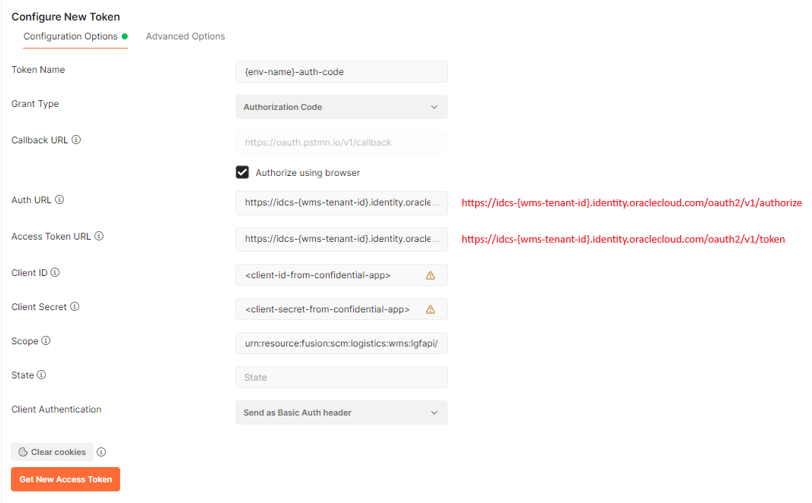
Create a new request in Postman as shown in the screenshot below. Clicking “Get New Access Token” should open a browser window with the IDCS login page. After you login with your IDCS credentials, you should be redirected back to Postman with a valid token. Use that token to make the API request from Postman.