Switch Between States for a Deployment and Microservices
Learn about managing the status of the deployment and the Microservices.
Change the State of a Deployment
The state of a deployment is visible from the Status column of the Deployments section of the Service Manager home page. It is either in Running or Stopped state.
Note: If the Service Manager is registered as a system daemon, then the Service Manager along with the other servers are automatically started when the host server is (re)started.
To change the state of a deployment:
-
Log in to the Service Manager using the administrator account credentials.
-
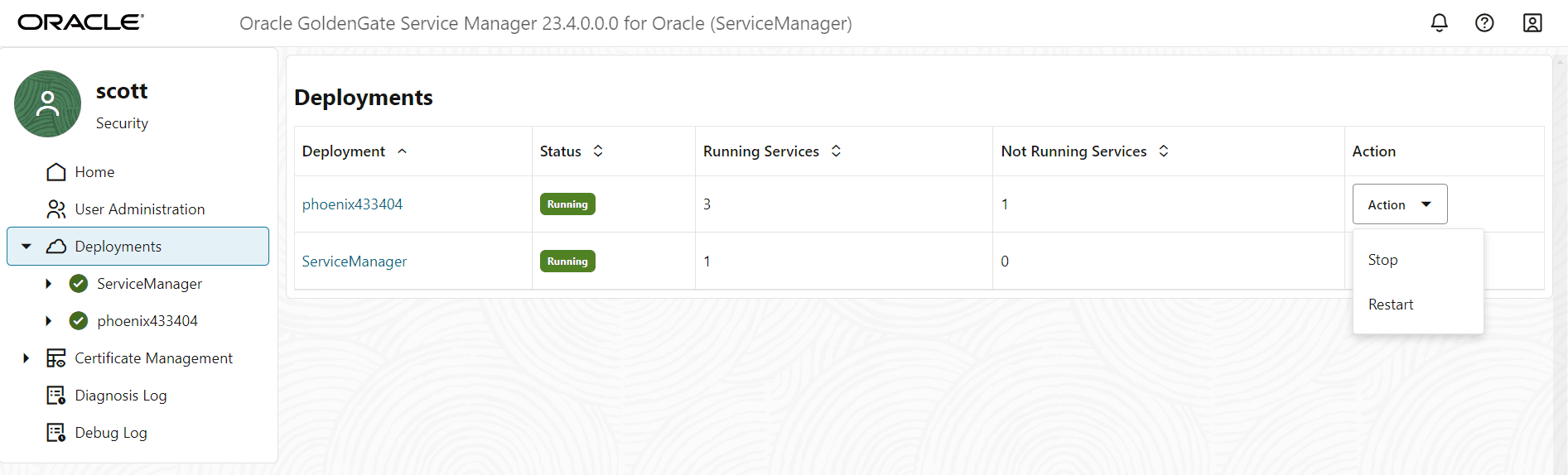
In the Deployments section, click the Action button for the deployment that you need to start or stop.
-
Select from the available options for the deployment state change:
-
Start: If the deployment is in stopped state, this option allows you to start the deployment.
-
Stop: If the deployment is running, this option allows you stop it.
-
Restart: If the deployment is running but there are certain changes that are applied upon restart, then this option allows you to restart the deployment.
The option displayed depends on the current state of the deployment.
-
-
Verify that all the microservices associated with the deployment are in the same state as the deployment. By default, all microservices are in Running state after the deployment process is successful.
Change the State of Microservices in a Deployment
You can toggle between the states of microservices, to manage errors or apply changes to a deployment configuration in microservices. The microservices can be in the following states:
-
Running
-
Stopped
-
Disabled
To change the state of the microservices associated with a deployment:
-
From the Service Manager home page, click the Deployment name from the left navigation pane. The Microservices for the deployment show in the right pane.
-
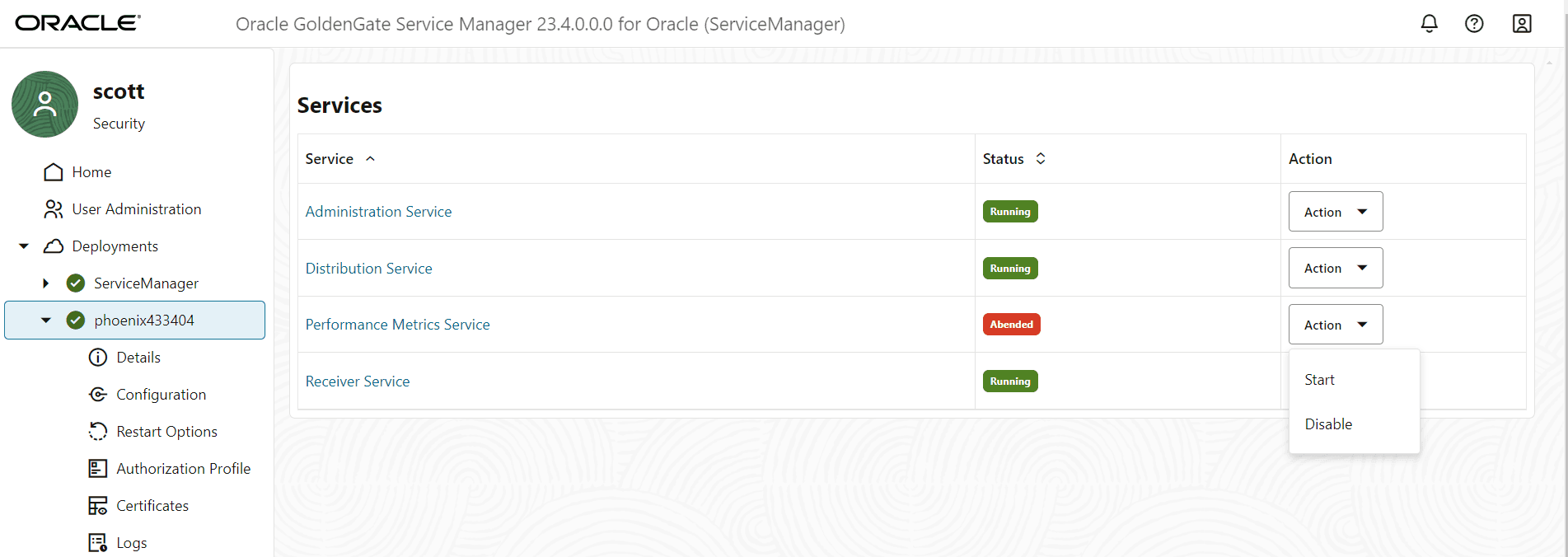
Click the Action button for the microservice for which the state needs to be changed.
-
Choose from the available options to change the state of the microservice:
-
Start/Stop: If the microservice is running, then the Stop option is available, and if its stopped, then the Start option appears.
-
Disable/Enable: If the microservice is in Stopped state, only then you can use theDisable option to disable the service. When a microservice is disabled, then the Action button changes to the Enable button, which implies that to change the state of the microservice, you would first need to enable it.
-