Silent Installation
-
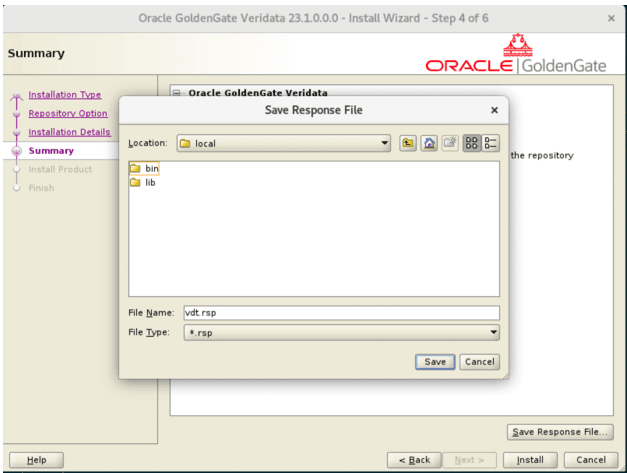
In the Summary page of the Installer, click Save Response File to save the response file. The default name of the Installer’s response file is
vdt.rsp. The content of a samplevdt.rspis as follows:oracle.install.responseFileVersion=/oracle/install/rspfmt_ogginstall_response_schema_v23_1_0 INSTALL_OPTION=SERVERAGENT/SERVER/AGENT IS_NEWREPO=true/false SOFTWARE_LOCATION=<> INVENTORY_LOCATION=<>Note:
Set
INSTALL_OPTIONas:SERVERAGENT: To silent-install both the server and agent components.SERVER: To silent-install only the server component.AGENT: To silent-install only the agent component.
Figure 16: Silent Installation - Save Response
-
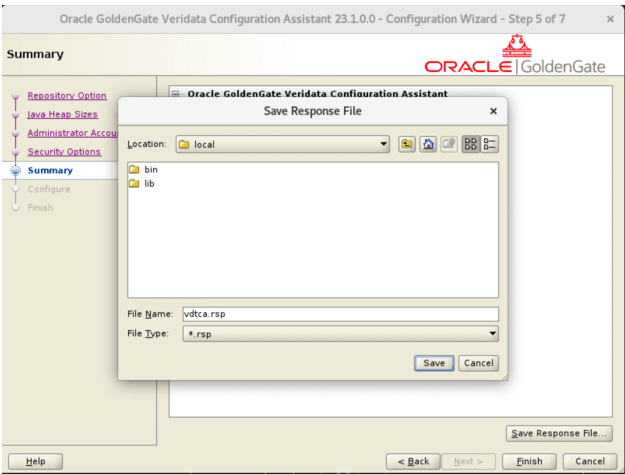
In the Summary page of the Configuration Assistant, click Save Response File to save the response file. The default name of the Configuration Assistant’s response file is
vdtca.rsp.Figure 17: Silent Install - Summary Page
The content of a sample
vdtca.rspfile is as follows:oracle.install.responseFileVersion=/oracle/install/rspfmt_oggca_response_schema_v23_1_0 IS_NEW_MYSQL=true MYSQL_INSTALL_USER_TYPE=sudo/ non-sudo EXISTING_MYSQL_HOST= EXISTING_MYSQL_PORT= EXISTING_MYSQL_USERNAME= EXISTING_MYSQL_PASSWORD= NEW_MYSQL_ROOT_USERNAME=<root-username> NEW_MYSQL_ROOT_PASSWORD=<password> NEW_MYSQL_VERIDATA_USERNAME=<username> NEW_MYSQL_VERIDATA_PASSWORD=<password> SCHEMA_PREFIX=VDT MIN_HEAP_SIZE=4g MAX_HEAP_SIZE=14g ADMINISTRATOR_USER=<admin_username> ADMINISTRATOR_PASSWORD=<password> STRONG_PWD_POLICY_ENABLED=true IS_SSL_ENABLED=false IS_SELF_SIGNED_CERTIFICATE= IS_PEM_FILES= CERTIFICATE_LOCATION= PRIVATE_KEY_LOCATION= CA_CERTIFICATE_LOCATION=Silent installation supports the following additional response-file parameters for MySQL repository security:
MYSQL_CA_CERTIFICATE_LOCATION=
MYSQL_CLIENT_CERTIFICATE_LOCATION=
MYSQL_PRIVATE_KEY_LOCATION=
MYSQL_PRIVATE_KEY_PASSWORD=
MYSQL_SECURITY_PROTOCOL=
MYSQL_SSL_MODE=
Note: Setting the user type to non-sudo means that the installation process will deploy and configure MySQL without asking for root/administrator operating system privileges.
-
The following is the command to make a silent installation of the Installer:
-
If Java location is set:
./fbo_oggvdt_linux_services_shiphome/Disk1/runInstaller -silent -responseFile /scratch/vdt.rsp -
If Java location is not set:
./oggvdt_linux_services_shiphome/Disk1/runInstaller -jreloc <java location> -silent -responseFile /scratch/vdt.rsp
If the silent installation was successful, the console will display the following information.
The installation of Oracle Veridata Services was successful. Please check '/scratch/oracle/app/oracle/product/oraInventory/logs/silentInstall2024-10-09_08-18-05PM.log' for more details. Successfully Setup Software. -
-
To install and configure the built-in MySQL, run the
install_configure_mysql.shwith the following sudo command:sudo <VERIDATA_HOME>/script/vdtca/install_configure_mysql.shNote: When using non-sudo user, it is not required to run the
install_configure_mysqlscript, the MYSQL deployment will happen internally as part of thevdtcascript. -
The following is the command to make a silent installation of the Configuration Assistant:
-
If Java location is set:
./<VERIDATA_HOME>/bin/vdtca.sh -silent -responseFile /scratch/vdtca.rsp -
If Java location is not set:
./<VERIDATA_HOME>/bin/vdtca.sh -silent -jreloc <java location> -responseFile /scratch/vdtca.rsp
If the silent installation was successful, then the console will display the following information:
Successfully Setup Software. -