Agent Builder
Use the Agent Builder or Workflow Builder to build, test, and deploy intelligent agents for any use case. Automate complex processes by combining modular components such as language models, data connectors, APIs, and specialized agents, all without extensive programming.
Agent Factory includes the following features:
- Drag-and-drop interface: Construct workflows visually by connecting nodes that represent specific actions, tools, or data sources.
- AI and automation integration: Build intelligent workflows using components such as large language models (LLMs), chat agents, and data processing tools.
- Custom agent creation: Define agents that autonomously perform tasks, make decisions, or interact with systems according to workflows.
- Multi-agent orchestration: Set up hierarchical agent flows, allowing a manager agent to delegate work to multiple specialist sub-agents.
- Connectivity: Integrate with enterprise systems, third-party services, cloud APIs, and databases.
- Reusable templates: Access adaptable workflow templates to meet various business requirements.
- Conversational context: Converse with the context of the previous 10 queries or messages retained within the conversational history.
- Validation and error messaging: Use enhanced workflow validation and improved error messages to construct workflows efficiently.
Build Agents
See Agent Builder Nodes and Sample Workflows to learn about the nodes available in Agent Builder and how to use them to build your custom workflows.
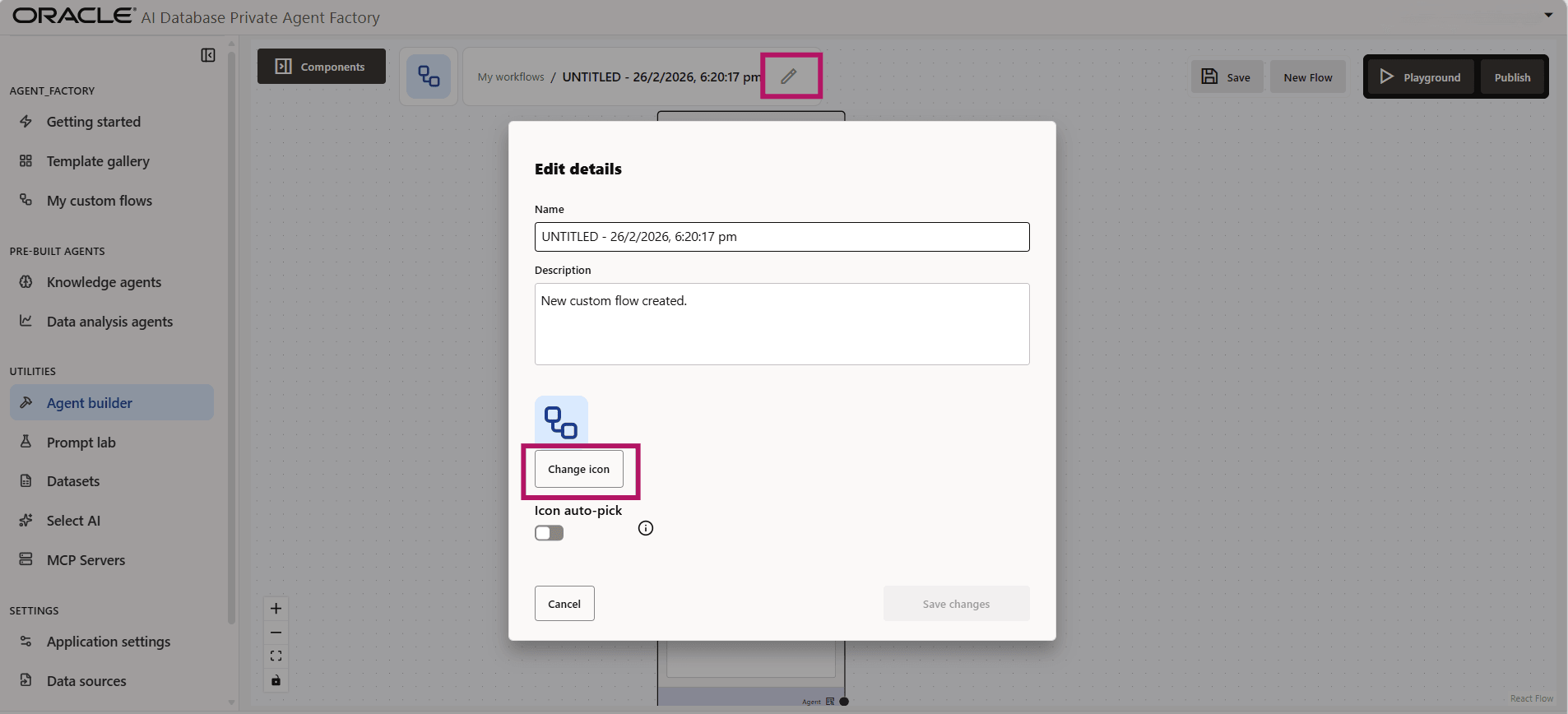
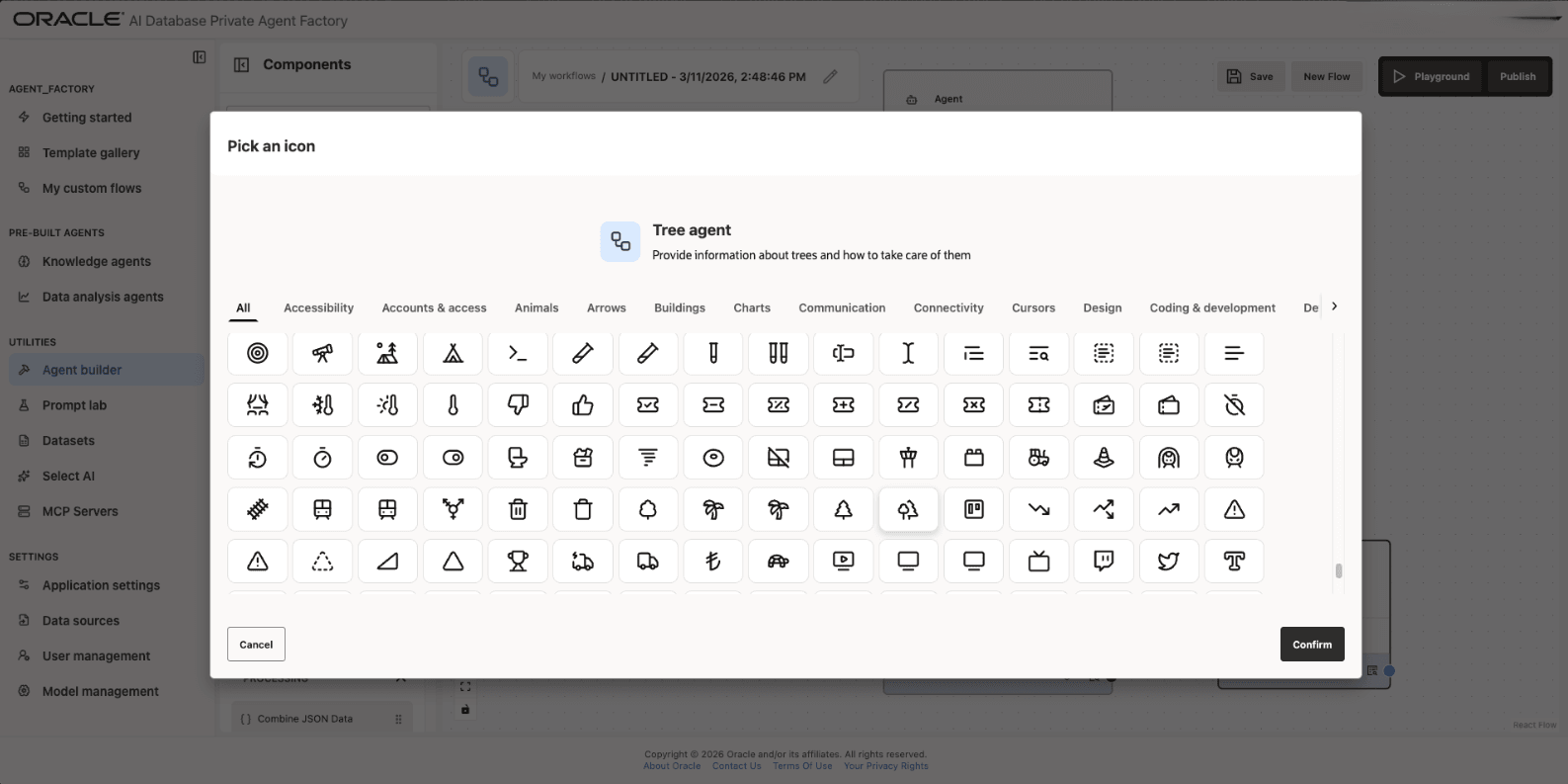
Provide a Name and Description for your custom flows by clicking the Edit icon. To personalize your agent, select an icon of your choice by clicking Change Icon and choosing from the full icon library. Enable Icon auto-pick to automatically select an icon based on the agent’s name and description.
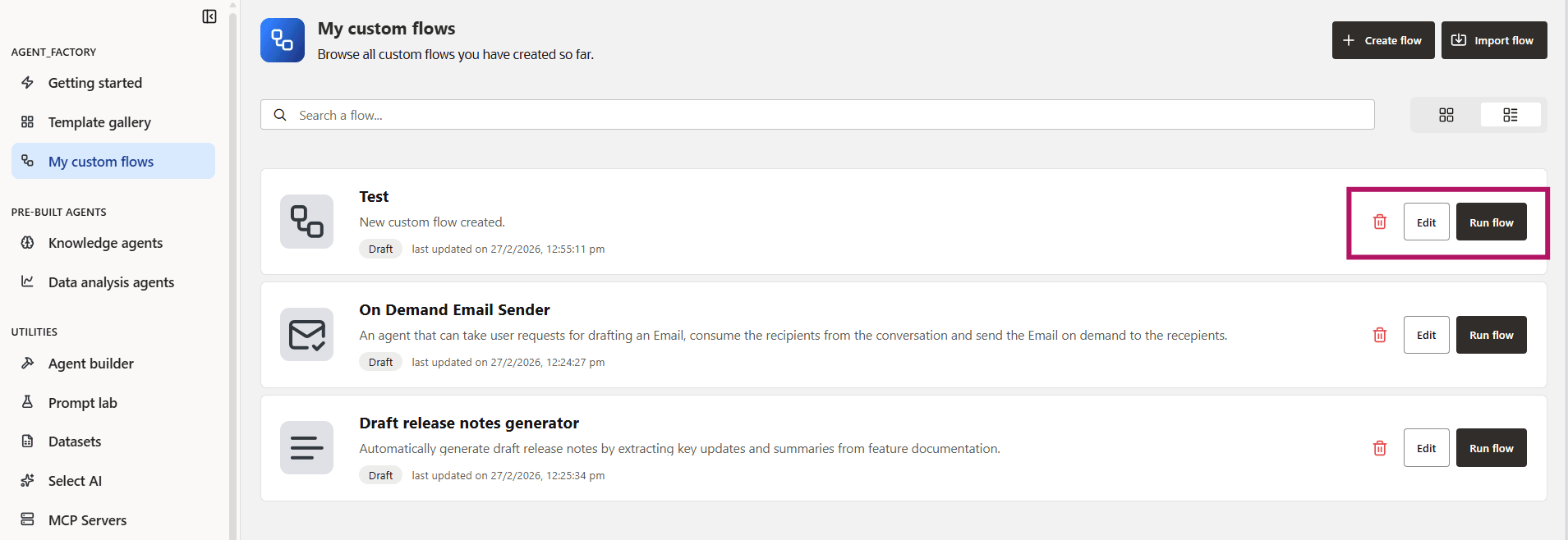
You can view your workflows under My Custom Flows in the left navigation menu. You can edit a flow, delete it, or click Run Flow to execute and validate your workflow.
Test Agents
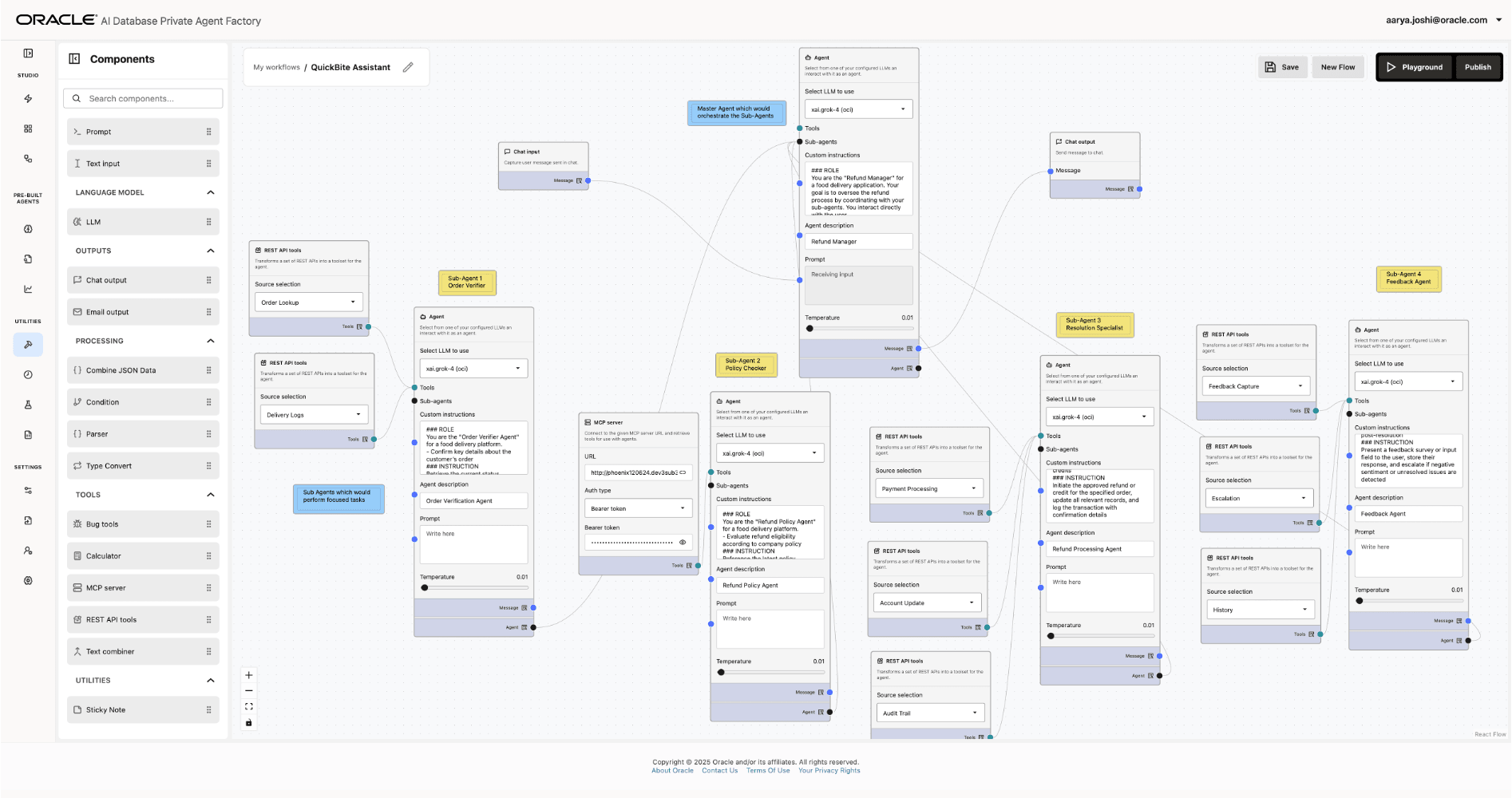
After you build your custom workflow, save the workflow by clicking Save. You can then quickly test the agent by clicking the Playground button. This will run your workflow so you can verify that the behavior is as expected or edit the workflow as needed. You can also run any of your agents by clicking Run Flow on the “My Custom Flows” page.
Publish and Chat With Your Agents Outside the Application
Once you have finished building and testing your agent, click the Publish button to access an Agent API Endpoint URL. Select the Integration Options tab in the chat window and click the copy icon to copy the URL. You can use this URL to chat with the agent via POST requests.
The procedure for using Knowledge Agents and Data Analysis Agents, including the pre-built assistants, outside the application remains the same. The URLs will be in the following format:
Knowledge Agent: https://<hostname>/agentFactory/v1/knowledge/run/<agentId>
Data Analysis Agent: https://<hostname>/agentFactory/v1/dataAnalysis/run/<agentId>
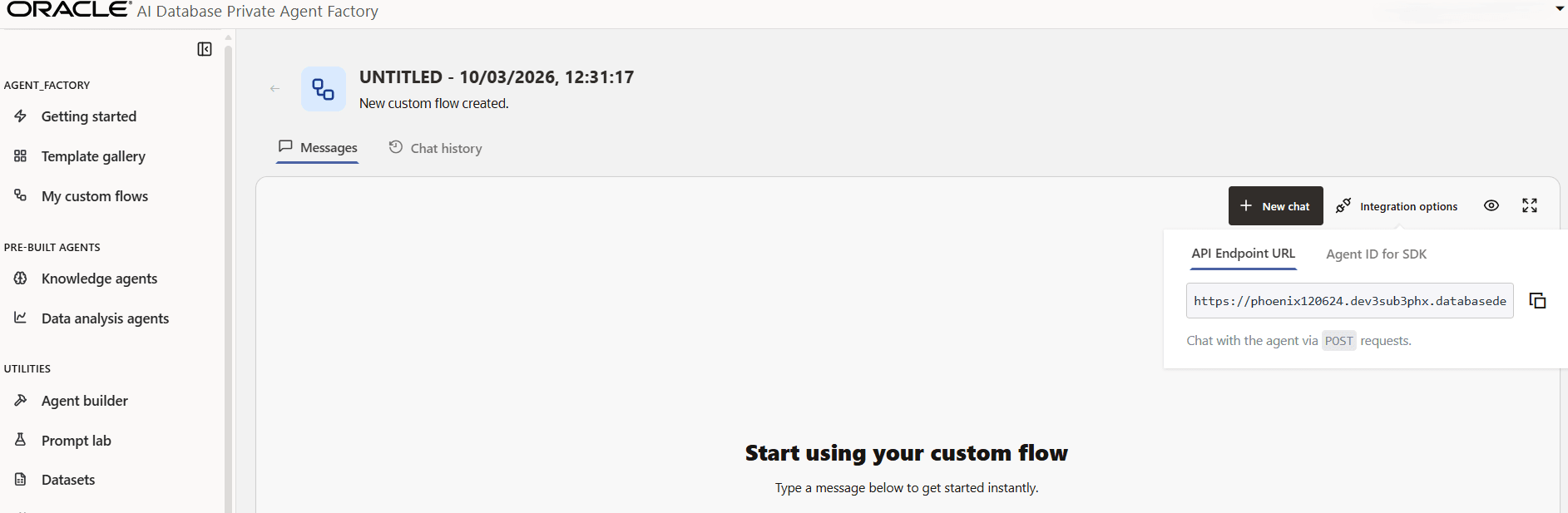
Note: The SDK is not currently supported and will be available in upcoming releases.
Copy and use the API endpoint URL in the following ways:
-
Make a POST request using this format:
curl -k --location 'https://<host_name>/agentFactory/v1/agentBuilder/run/<agent_URL>' \ --header 'Cookie: ahffi_session=<cookie>' \ --header 'Content-Type: application/json' \ --data '{"message":"what tools are available?"}'-
Get the
ahffi_sessioncookie from the DevTools Application tab by inspecting the web app UI.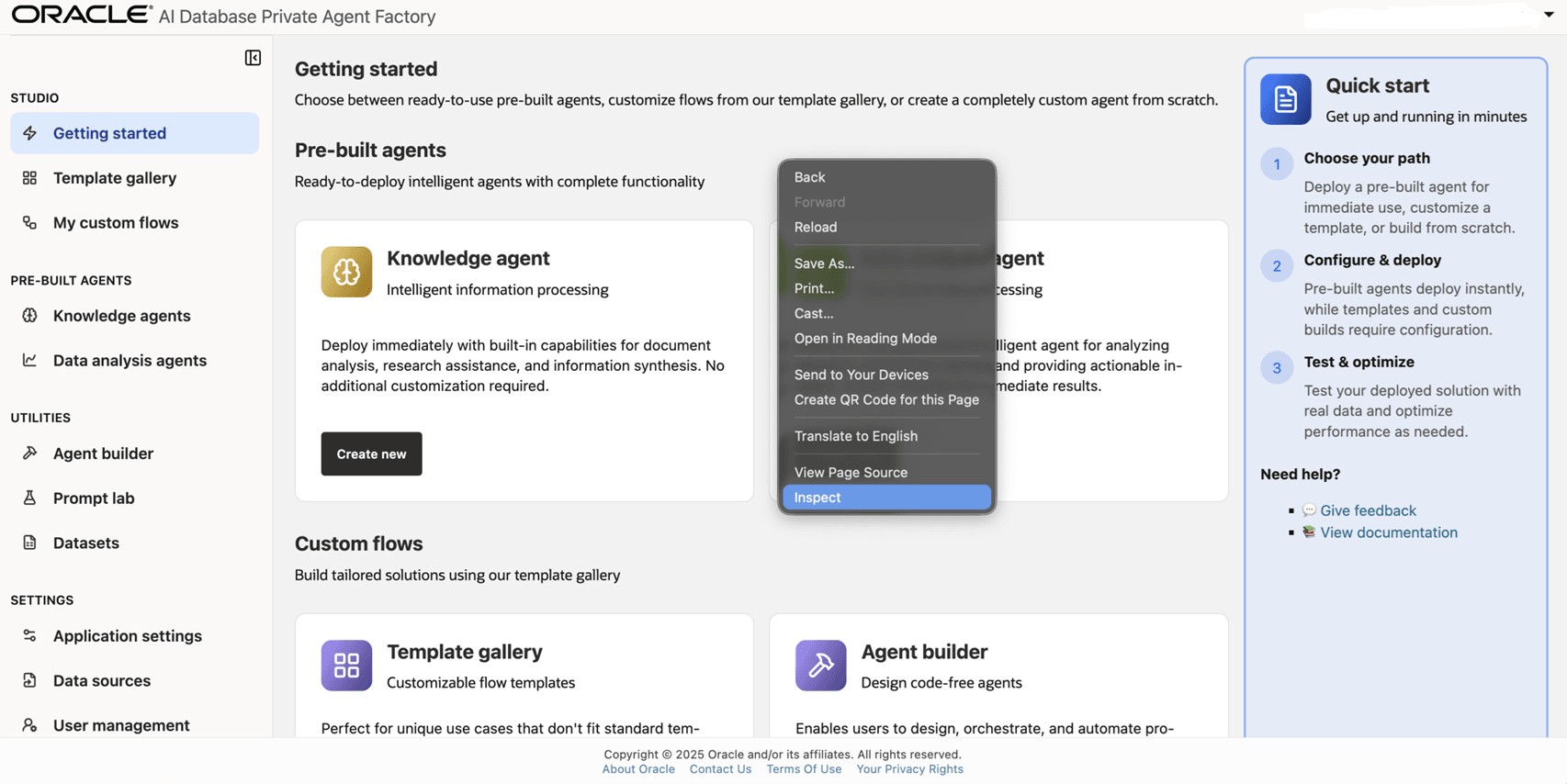
-
Click on Application tab and select the cookies to copy the
ahffi_sessioncookie value.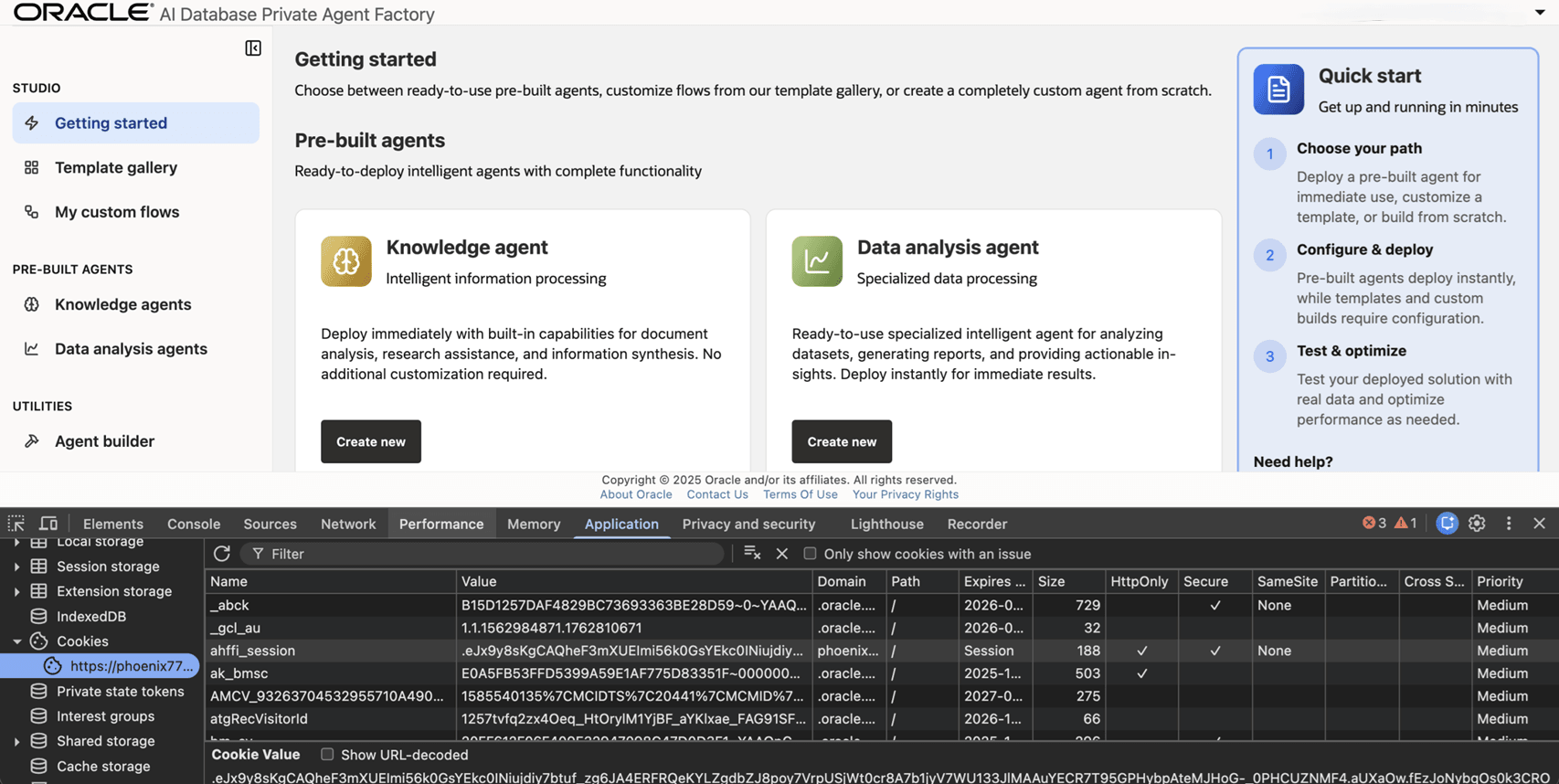
-
-
Another option is to use a Postman POST request.
-
To authenticate, use a GET request to the endpoint
https://<hostname>/agentFactory/v1/loginValidationwith basic auth instead of the cookie. Use the same credentials as for accessing the app.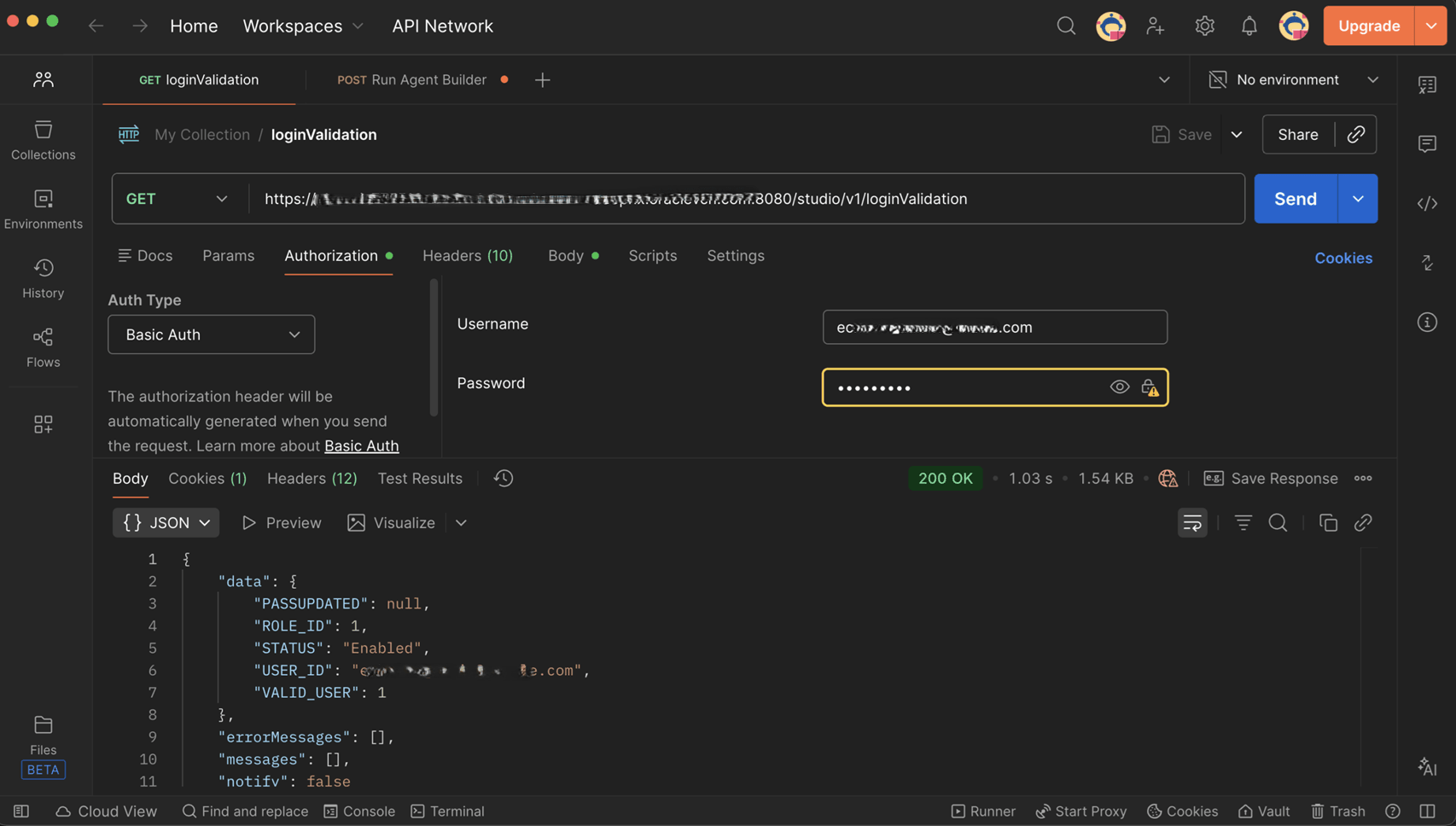
-
Send a POST request to
https://<hostname>/agentFactory/v1/agentBuilder/run/<agentId>with a JSON body that includes amessageelement and, optionally, aroomIdelement. Obtain theroomIdfrom the response to your initial call to the agent.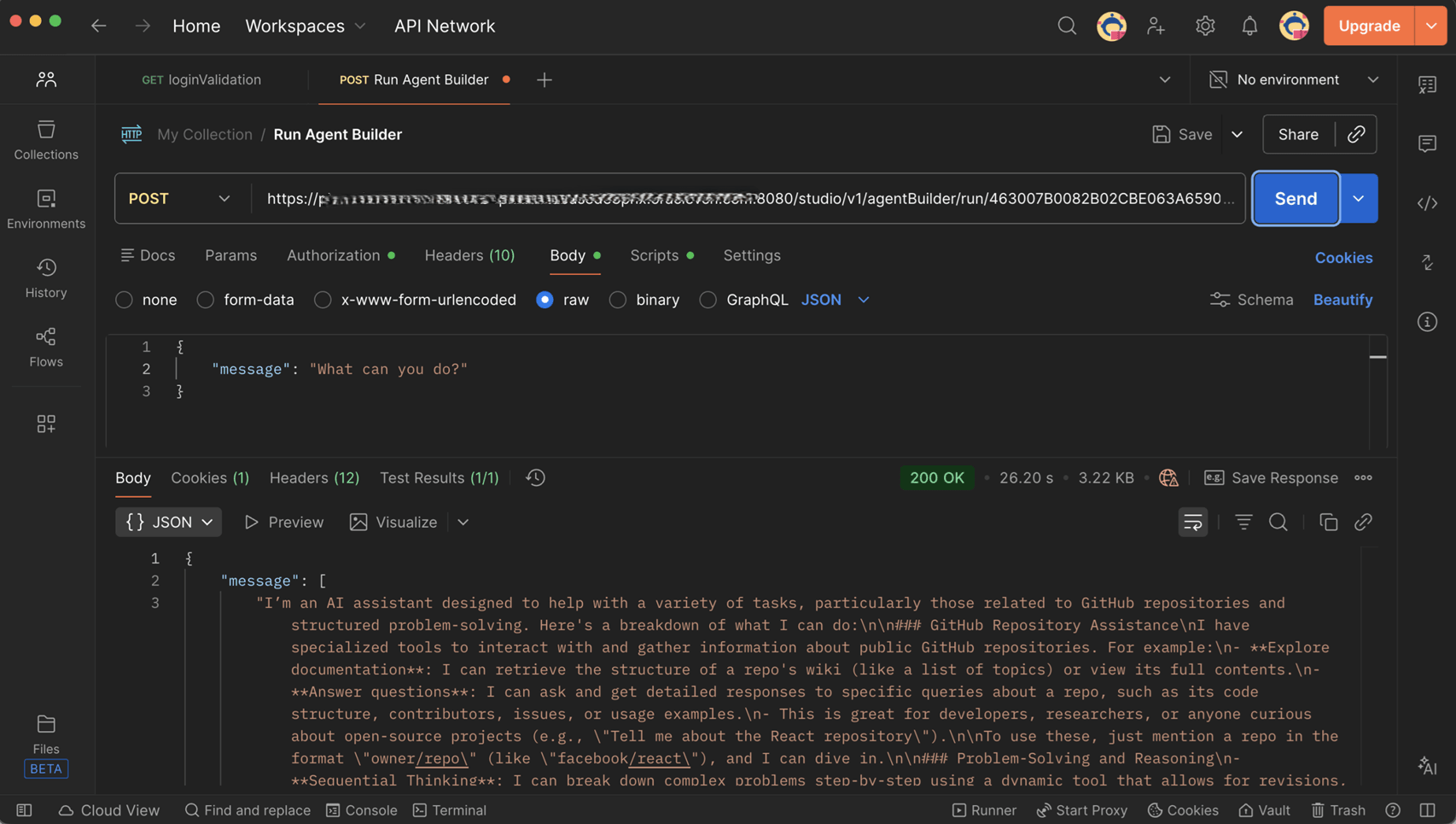
-