Download Installation Kit
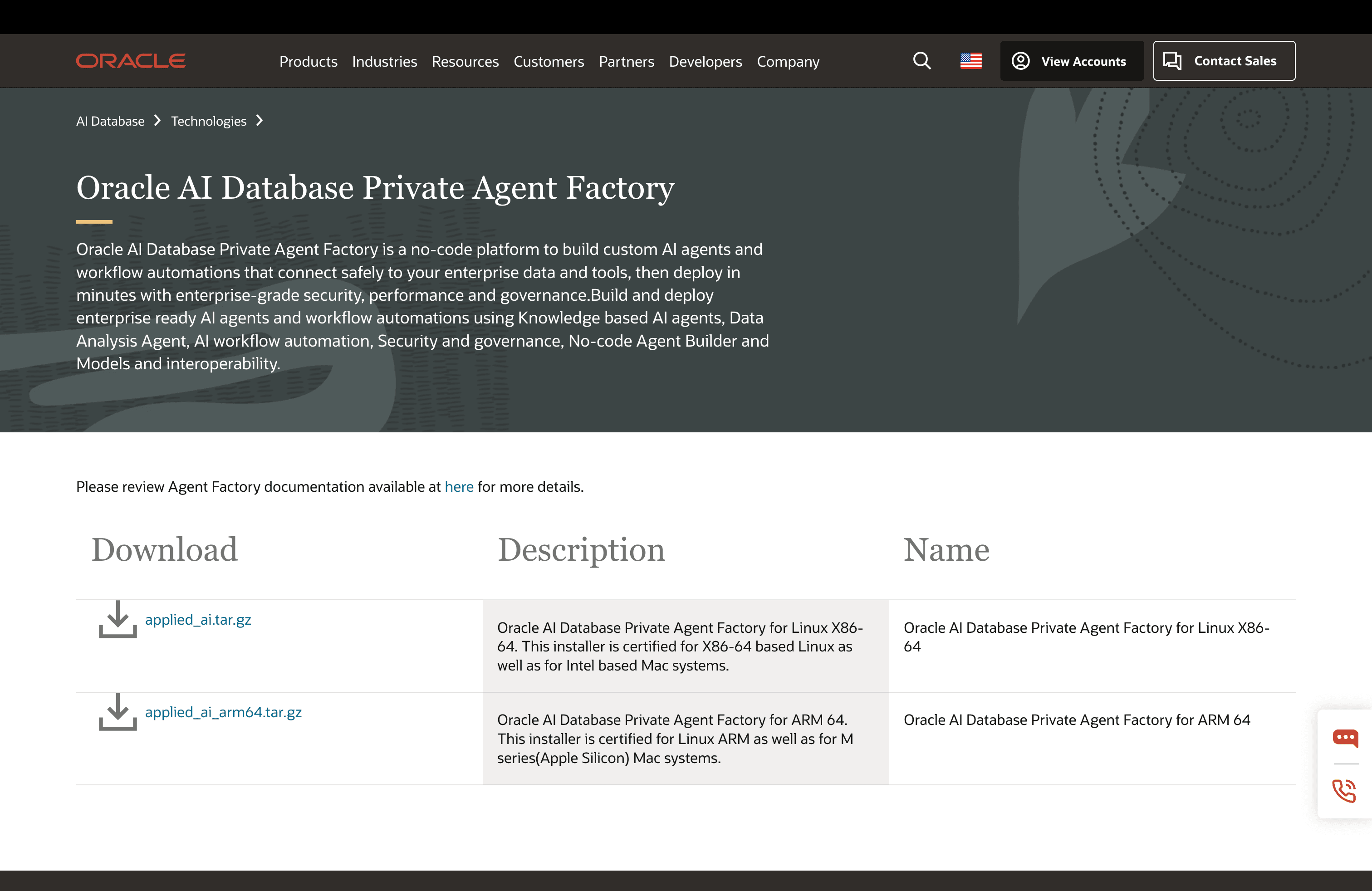
Visit the official download website and get the installation kit.
-
Choose the Linux ARM 64-bit platform installer kit
oracle_agent_factory_arm64_26.4.0.tar.gzfor Apple Silicon (M-series) Mac systems and Linux ARM-64 environments. -
Choose the Linux x86-64 platform installer kit
oracle_agent_factory_X86_26.4.0.tar.gzfor Intel-based Mac systems and Linux with X86-64 environments.
Select your preferred platform, review and accept the License Agreement and click download.
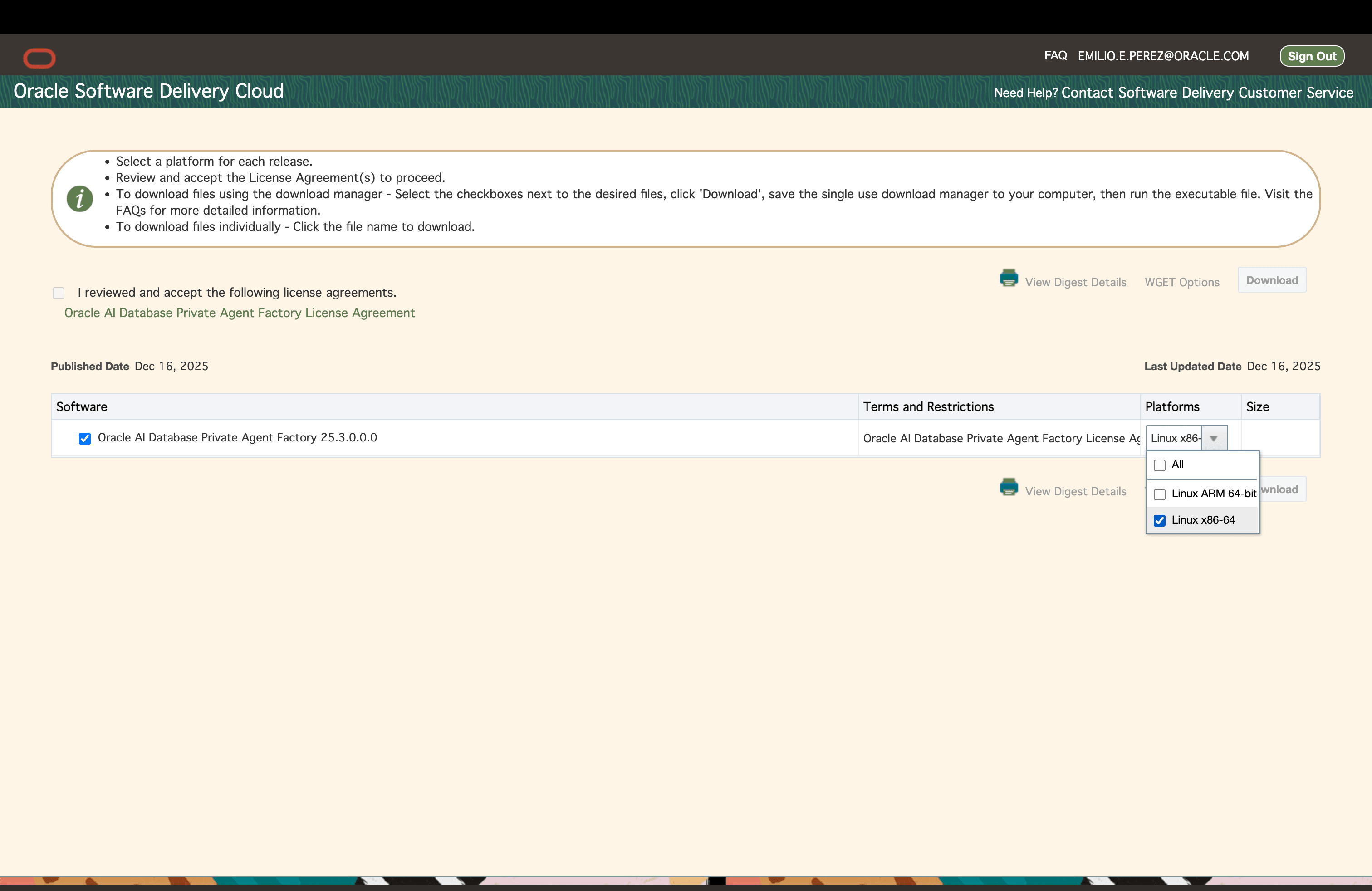
Continue with the setup instructions that better suit your environment.
Verify the Kit Before Installation
Before you run the installer:
- Confirm that the architecture in the file name matches the host where you will run Agent Factory.
- Copy the kit to a new staging directory. Do not reuse the staging directory from an older installation or upgrade attempt.
- Confirm that the host has enough free space for extraction, image build, snapshots, logs, and persistent volumes. See Prerequisites and Installation Modes.
- Extract the archive and review the top-level files. The kit includes installer scripts,
Makefiletargets, compose files, application artifacts, and diagnostics utilities.
mkdir -p <new_staging_directory>
cp oracle_agent_factory_<architecture>_26.4.0.tar.gz <new_staging_directory>/
cd <new_staging_directory>
tar -xzf oracle_agent_factory_<architecture>_26.4.0.tar.gz
ls
Use the extracted staging directory for the remaining setup commands.