File Data Source
File data sources let you create a knowledge base for your agents from supported files. You can upload .pdf, .txt, and .rtf files up to 1 GB each.
Important: Legacy Microsoft Word .doc files and Markdown .md files are not supported for Knowledge Agent data source file ingestion. You cannot upload, parse, index, or retrieve content from these file types in Knowledge Agent data sources.
-
Seamless Integration: Easily add files or directories as data sources to expand the information available to your agents.
-
Asynchronous and Chunked Uploads: File uploads are processed asynchronously and transmitted in chunks.
-
Concurrent Uploads: Upload up to 10 files concurrently improving productivity.
-
Intuitive UI: Track the upload progress in real time with a window that is available across the Agent Factory.
-
Manage Uploads: Cancel uploads or retry them individually or for all files if a network or system failure occurs.
-
Backend Upload for Large Volumes: Upload very large data volumes directly through the backend. Administrators can create directories and subdirectories within the
/scratch/<project-folder>/volume/dataSourcesfolder and add files to configure them as file sources.
See Data Sources Troubleshooting for information about data source-related statuses and errors.
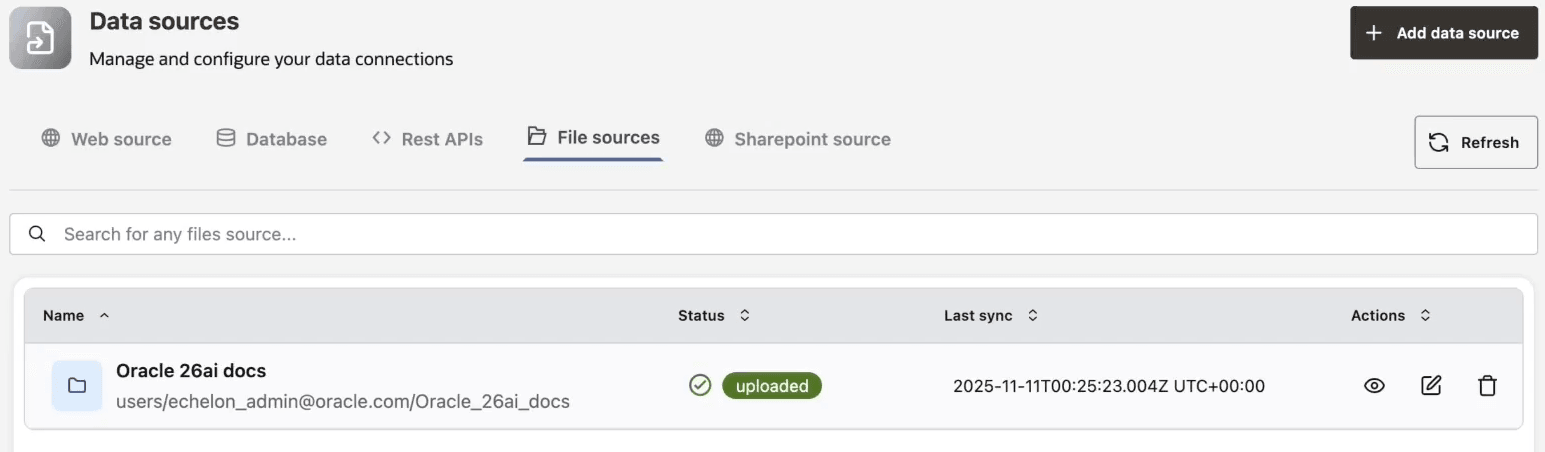
File Upload and Processing
File data sources are processed asynchronously. After upload, Agent Factory stores the file, parses text, chunks content, creates embeddings, and indexes the chunks for retrieval. A file source is not ready for Knowledge Agent selection until processing completes.
Large uploads use upload sessions and chunks. If a network interruption occurs, retry the failed upload from the upload panel instead of creating duplicate sources.
Backend File Sources
Administrators can stage large volumes of files on the host under the Agent Factory persistent data source path. Use this approach when browser upload is not practical.
Before adding backend files:
- Keep files inside the configured Agent Factory data source directory.
- Avoid symlinks to unrelated filesystem locations.
- Use clear directory names that identify the source owner and purpose.
- Confirm that the application container can read the files.
Troubleshooting File Ingestion
| Symptom | Check |
|---|---|
| File does not appear for Knowledge Agent selection | Wait for ingestion to complete and verify the data source status. |
| Upload fails partway through | Retry the failed upload, then check browser network stability and available disk space. |
| File is accepted but answers miss expected content | Confirm the file type is supported and the file contains extractable text. Scanned PDFs may require OCR before upload. |
| Backend staged files do not ingest | Confirm the directory is under the expected data source path and readable by the application container. |