3.1 About Interactive Reports
Learn about interactive reports.
An interactive report displays data in a searchable, customizable report. You can customize the appearance of the data through searching, filtering, sorting, column selection, highlighting, and other data manipulations.
Example Interactive Report
The following is an example of an interactive report.
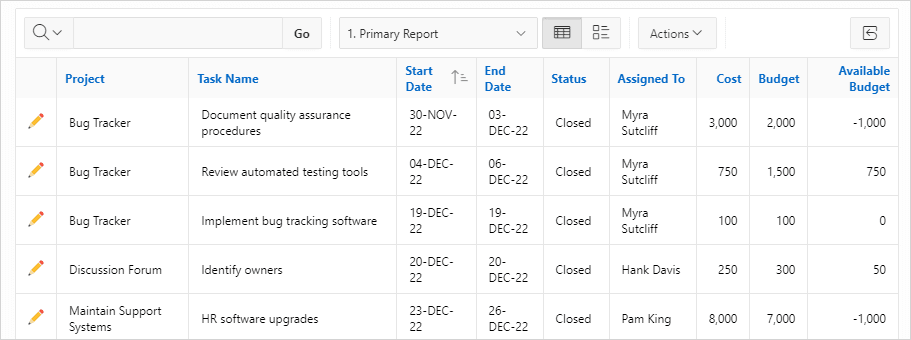
Interactive reports enable you to create highly customized reports. You can alter the report layout by hiding or exposing specific columns and applying filters, highlighting, and sorting. You can also define breaks, aggregations, charts, group data, and add their own computations. Once customized, the report can be saved as either a private or public report. Most interactive reports include a search bar which contains a Columns to search menu, a search field, and an Actions menu. Each row in the report has an Edit icon in the first column and Column Heading menus. In the above example, this report also includes View Report and View Details icons.
Parent topic: Using Interactive Reports