16.6.4 Allowing Embedding from Same Domain
Allow same-origin frames so the PDF Viewer can preview inline PDFs served by your app.
By default, your app disallows iframe content. This ensures you are
always aware of any content your pages embed after ensuring it's from a trusted source.
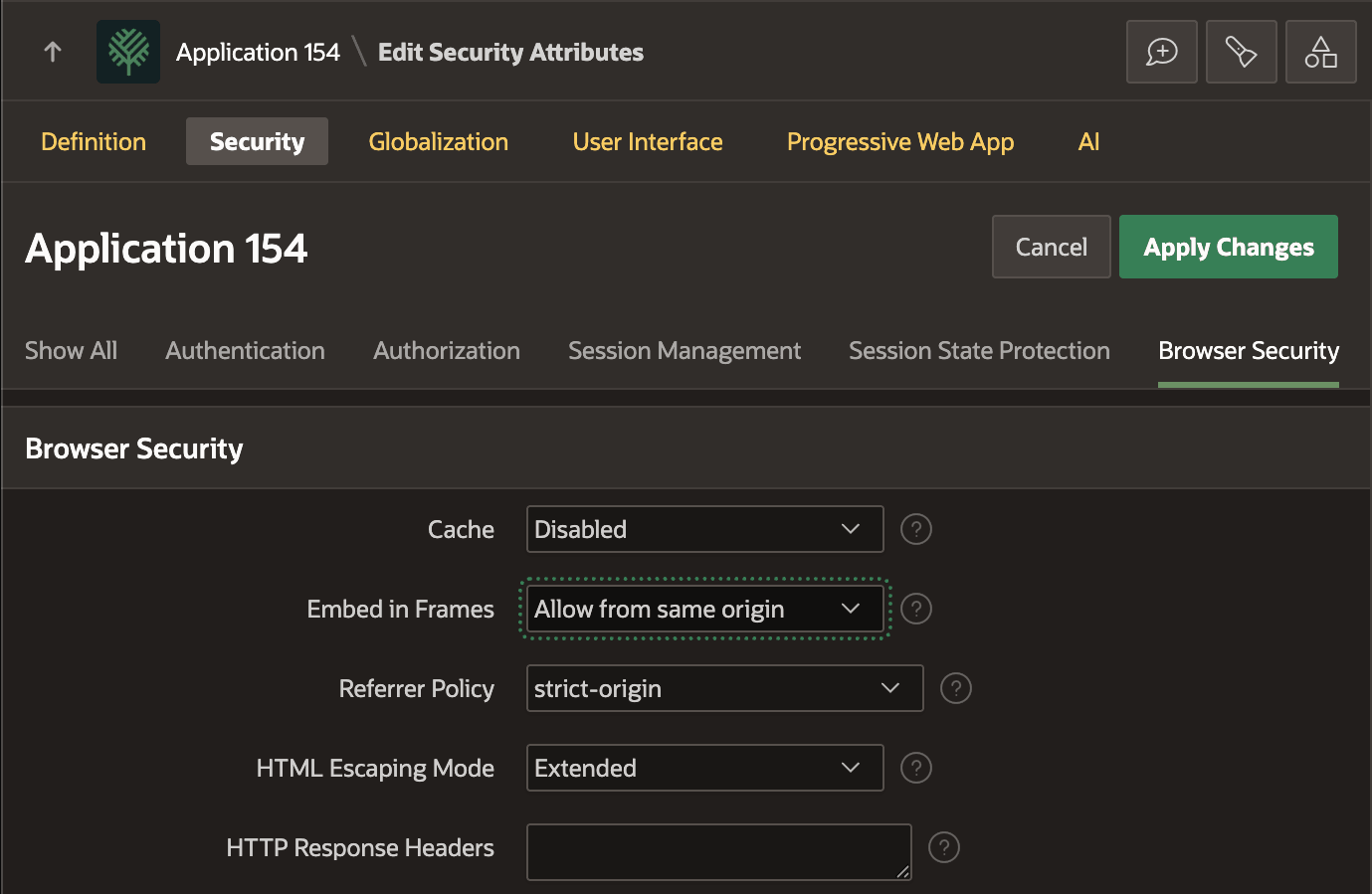
The Shared Components Security > Browser Security >
Embed in Frames property lets you control this behavior.
Leaving this setting at its default of Deny, when the PDF Viewer tries to preview an inline PDF it encounters an error as shown below.
Figure 16-65 Encountering an Error Due to "Embed in Frames" = Deny
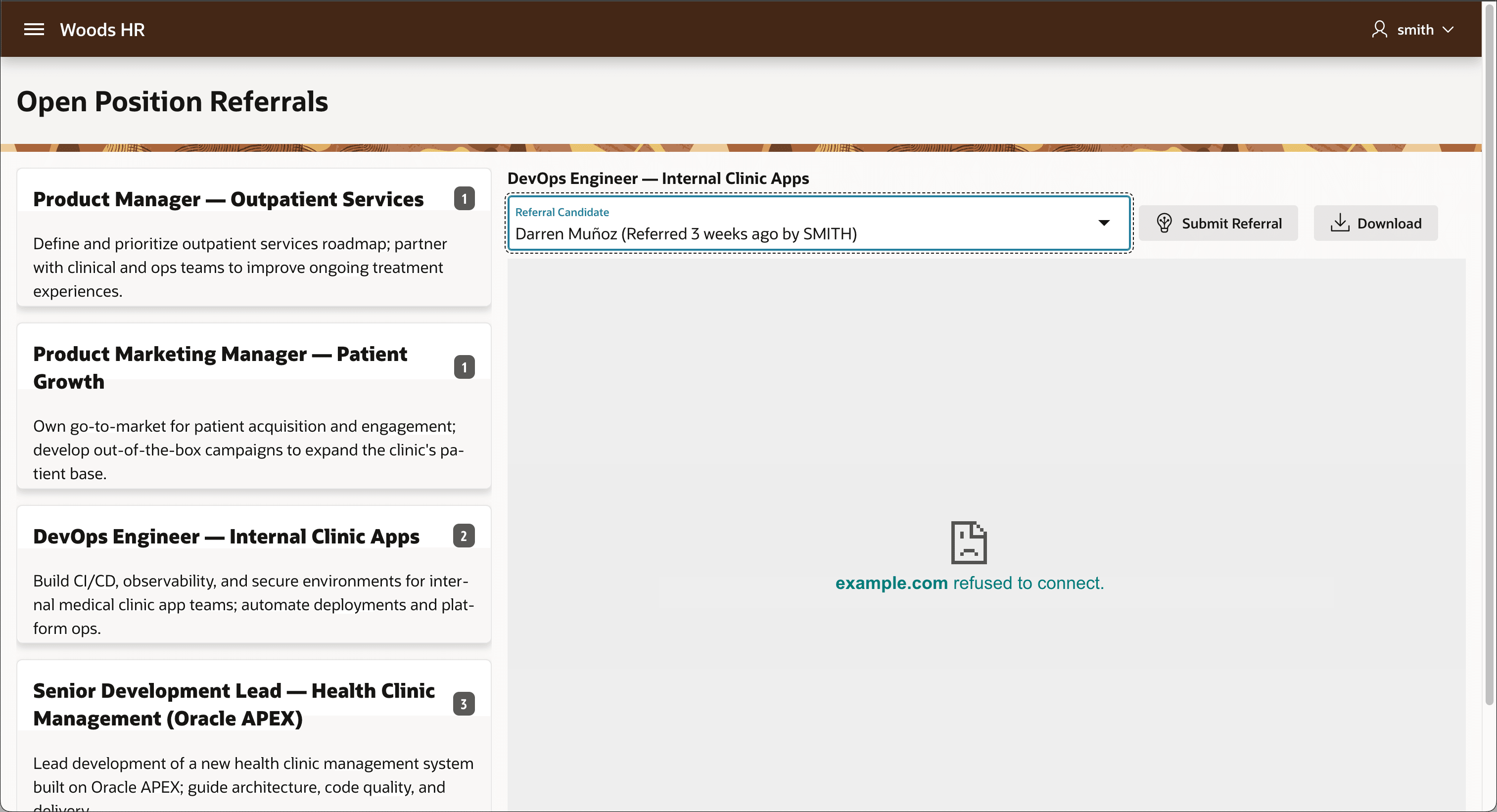
Refused to display 'https://example.com/' in a frame
because it set 'X-Frame-Options' to 'deny'.
The PDF Viewer template component includes the inline PDF BLOB content from a well-known table, and is served by a page that's part of your application. Therefore, it's safe to change the Embed in Frames property to Allow from same origin as shown below. This change makes the PDF preview work as expected.
Figure 16-66 Allowing Embedded Frame Only from the Same Domain
Parent topic: Previewing BLOB Column PDF Files Inline