24.9 APEXlang Inside App Builder
View any page in APEXlang from Page Designer, and efficiently review working copy diffs interactively.
Even if you continue doing all APEX development in App Builder, you still benefit from the readability of APEXlang: it replaces the readable YAML format when reviewing changes.
For example, while working on any page in Page Designer, see an APEXlang view of the page with the new APEXlang View menu option shown below.
Figure 24-14 Accessing an APEXlang View of the Current Page in Page Designer
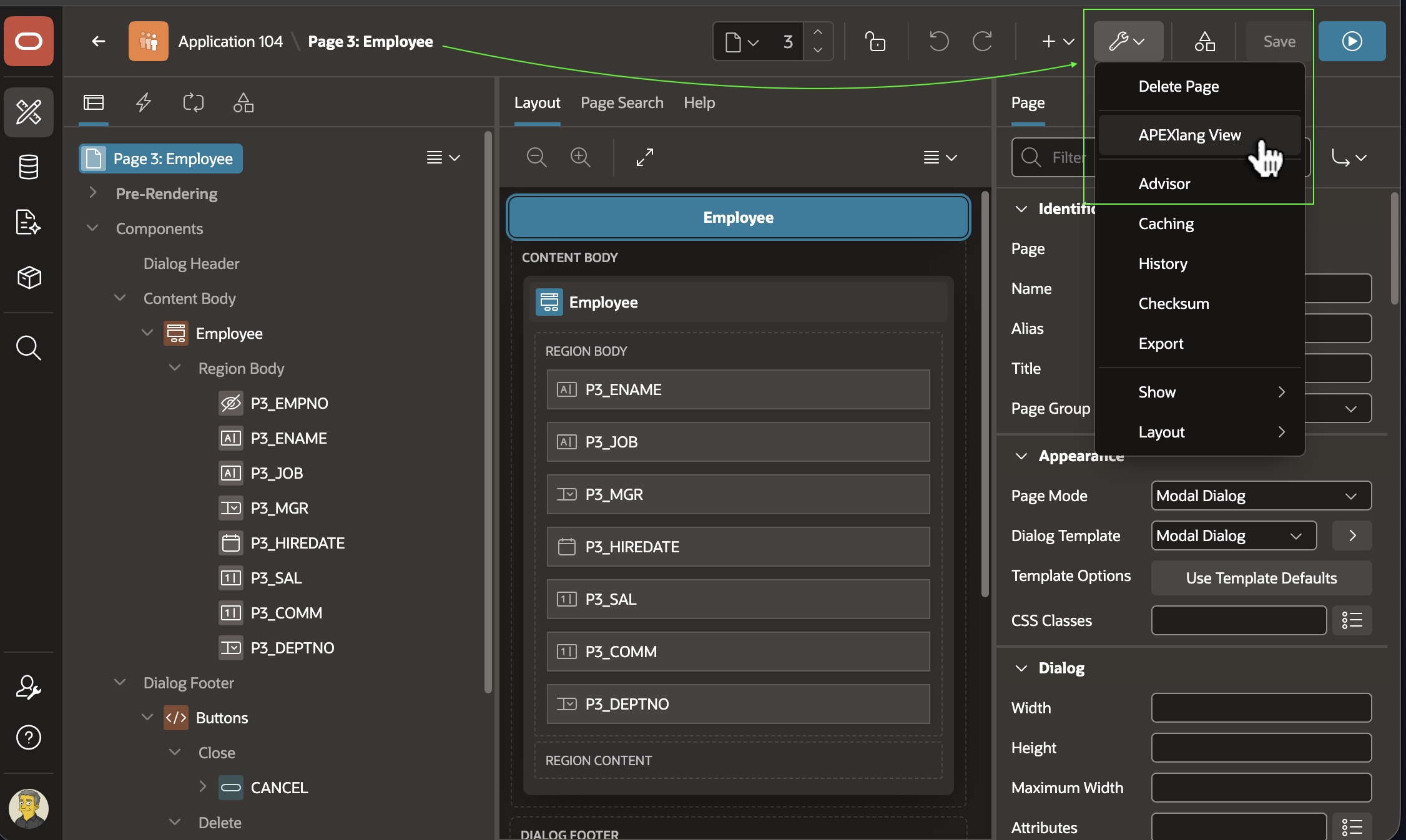
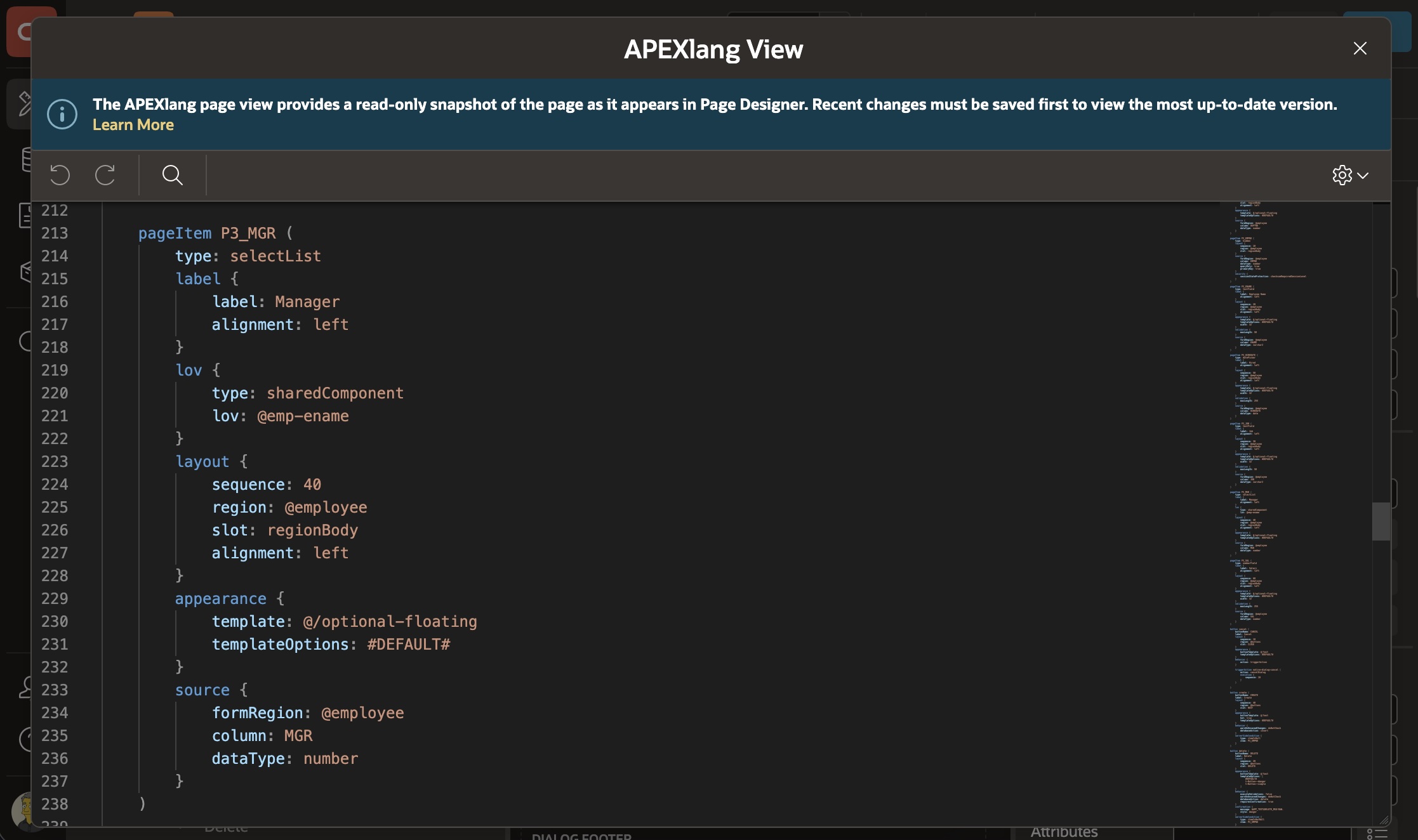
This lets you review and search the page’s APEXlang whenever useful.
Figure 24-15 Reviewing the APEXlang Representation of the Current Page in Page Designer
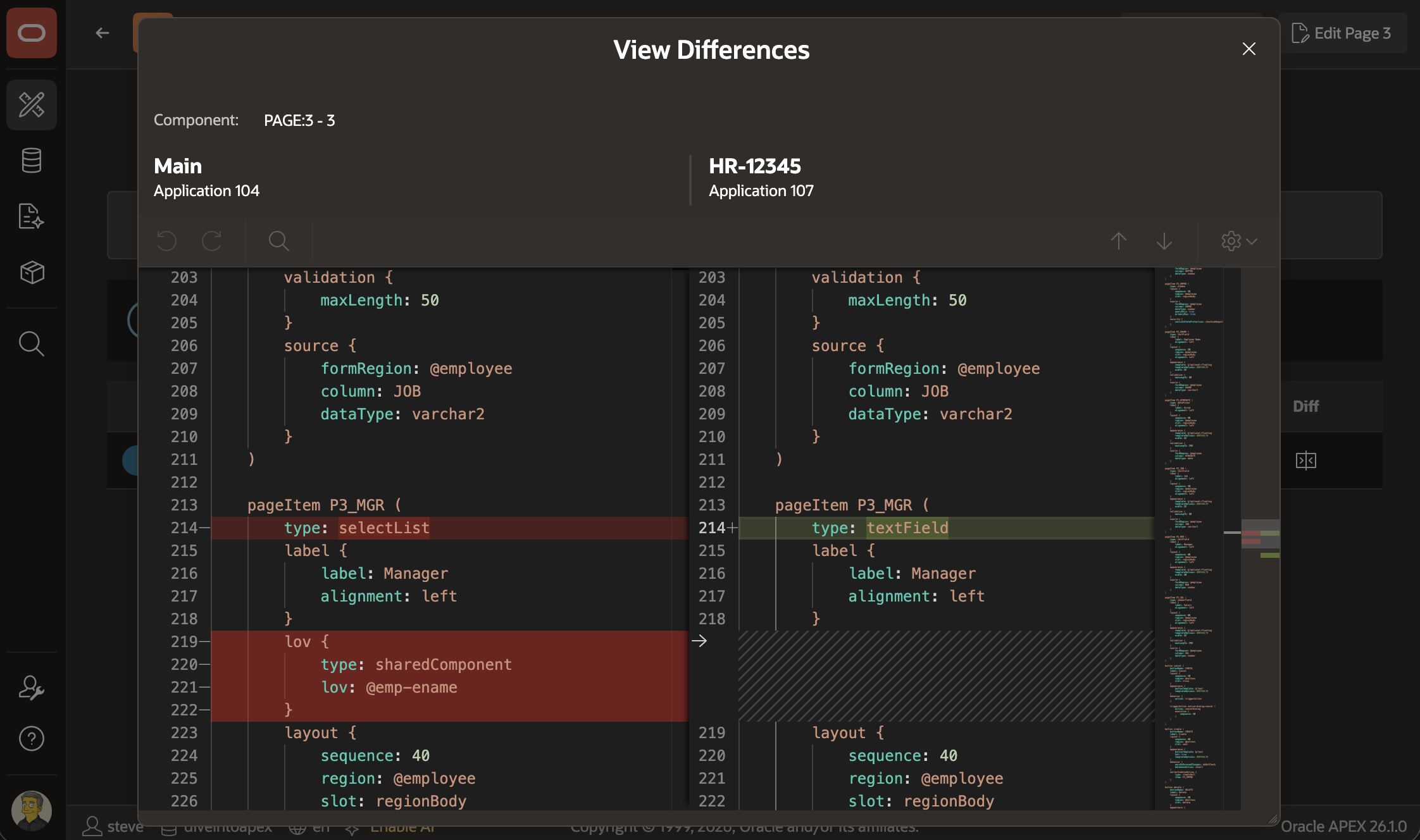
In addition, when reviewing changes between a working copy and the main application, you now see the diffs between APEXlang artifacts. For example, as shown below, it’s easy to see that the P3_MGR page item changed from a selectList to a textField, losing its related lov in the process.
Figure 24-16 Reviewing APEXlang Diffs When Comparing Working Copy with Main App
Parent topic: Working with APEXlang