25.1.9.1.7.6 Assigning Task Parameters to Variables
Store completed task parameter values in workflow variables for later activities.
The workflow pauses after creating the human task instance. When the task's
lifecycle completes, it proceeds to the next activity.
If later workflow activities need to reference the
values of the updatable task parameters acquired during
the human task lifecycle, they can use the
GET_TASK_PARAMETER_VALUE function
in the APEX_HUMAN_TASK package.
Its first parameter expects the unique id of a task,
motivating why it's useful for a Human Task -
Create activity to return its task ID into a
workflow variable. Recall that in this workflow, the
return variable for the task ID is
V_TWO_NUMBERS_TASK_ID.
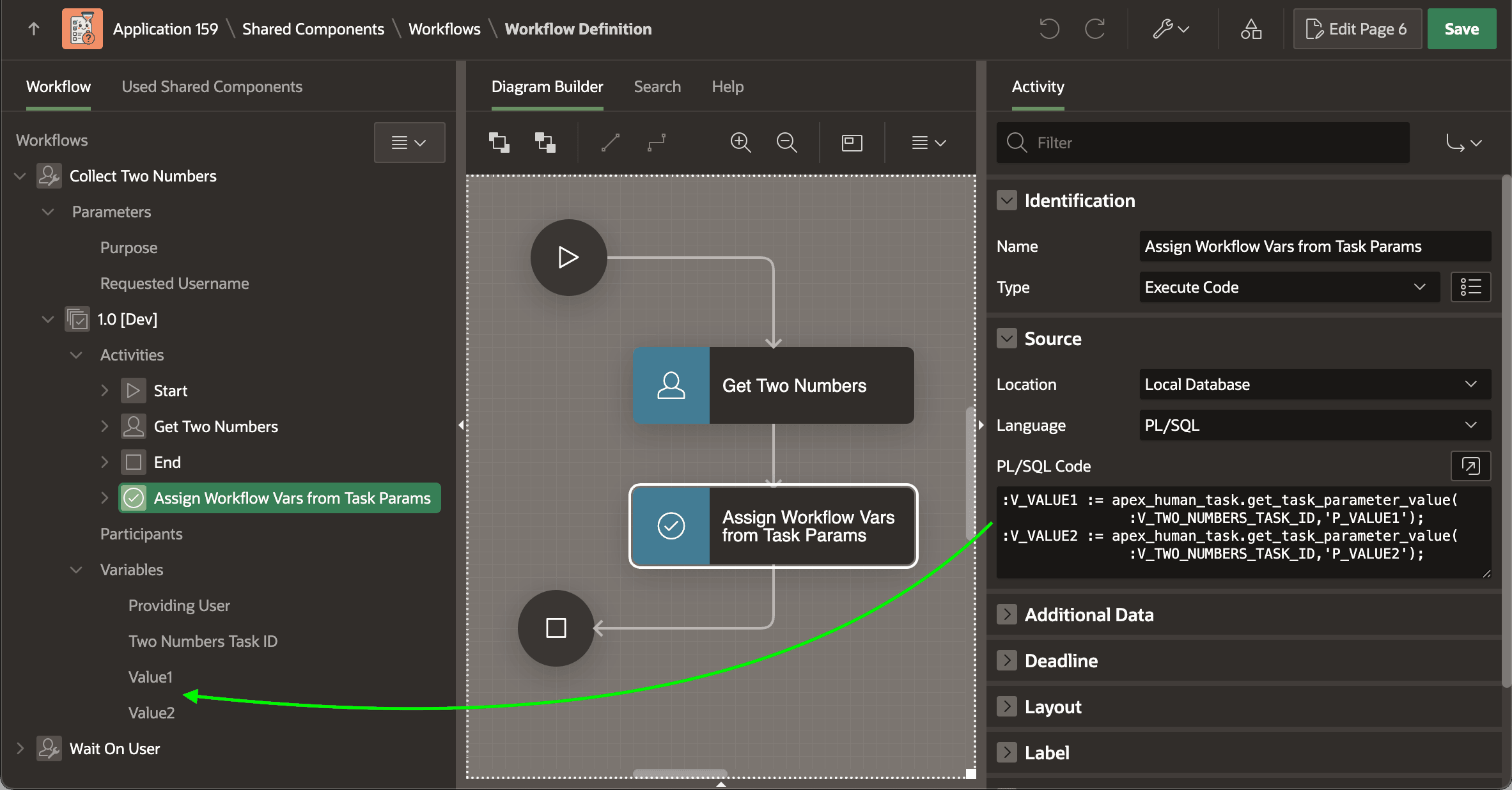
:V_VALUE1 := apex_human_task.get_task_parameter_value(
               :V_TWO_NUMBERS_TASK_ID,'P_VALUE1');
:V_VALUE2 := apex_human_task.get_task_parameter_value(
               :V_TWO_NUMBERS_TASK_ID,'P_VALUE2');
Figure 25-33 Retrieving Task Parameter Values into Workflow Variables
Parent topic: Collecting Data Using a Human Task