2.1.2.1 Basic SQL Statements
You can use SQL productively for Oracle APEX app development by learning a small set of basic operations.
You use SQL's SELECT statement to retrieve data to display in a
page or to reference in custom business logic. Its FROM clause names the
desired table. When a table has a foreign key column, the JOIN clause lets
you also retrieve data from related tables at the same time. Since a SELECT
command is a request for information from your database, it is also known as a query.
It produces results that answer some question about your application data like, "Who are all the employees that meet this criteria?"
Using other SQL statements, you can INSERT new rows of data into a
table, UPDATE existing rows as needed, or DELETE rows no
longer needed. When a logical business transaction requires multiple changes, you either
save them all as a unit with COMMIT or abandon them all with
ROLLBACK.
WHERE clause, you identify the participating rows using
filter expressions. You sort the results with an ORDER BY clause. For
example, the SELECT statement below retrieves the employee name, salary,
and location of the department in which they work from related EMP and
DEPT tables. It returns only employees whose salary is between 800 and
2450 and whose job is either "CLERK" or "MANAGER". The
JOIN … ON clause asks to relate departments to employees
using their respective DEPTNO value. The results are sorted by salary in
descending order, that is, highest salary
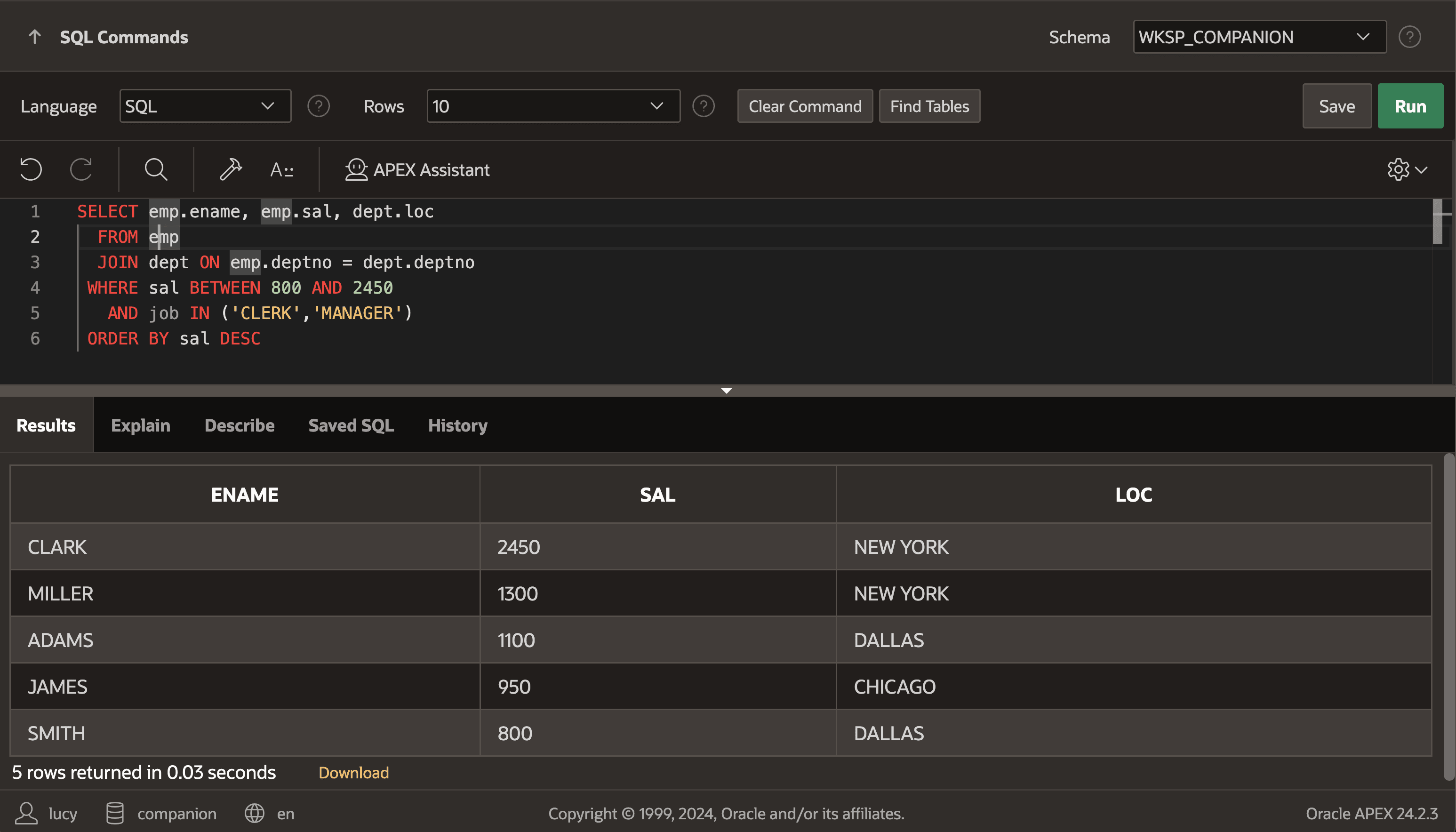
first.SELECT emp.ename, emp.sal, dept.loc
FROM emp
JOIN dept ON emp.deptno = dept.deptno
WHERE sal BETWEEN 800 AND 2450
AND job IN ('CLERK','MANAGER')
ORDER BY sal DESCThe query produces the following result rows:
ENAME         SAL LOC
--------- ------- -----------
CLARK        2450 NEW YORK
MILLER       1300 NEW YORK
ADAMS        1100 DALLAS
JAMES         950 CHICAGO
SMITH 800 DALLASAPEX's native components can formulate SQL statements for you, given just a table name and the set of columns a page references. However, when writing custom business logic or fine-tuning the data for a particular part of a page, knowing SQL basics will be your superpower in daily development. In either case, APEX automatically augments SQL statements for you to add filtering, ordering, pagination, and aggregation to support end-user requirements. SQL Workshop's SQL Commands editor shown below is a simple sandbox for your SQL experiments.
Figure 2-3 Experimenting with SQL in SQL Commands
Related Topics
Parent topic: Structured Query Language (SQL)