16.3.4 Configuring Application-Wide Style Rules
Use a page's CSS > Inline settings to define style rules that target a specific page item or ones that should affect only that page. In contrast, put rules that affect all pages in a Shared Components > Static Application Files CSS style sheet.
Rules that target the :root selector are good candidates if they should affect all pages. CSS defines this pseudo-class to match any page's root element.
app.css file defines one rule using the :root selector to specify values for three CSS variables:
--ut-body-content-padding-y– vertical padding for Universal Theme body content--a-cv-item-width– width of each card in a Cards region--a-cv-body-padding-y– vertical padding for Cards region card body section
Tip:
See CSS Variables in the Universal Theme reference app to learn about others.
:root {
    --ut-body-content-padding-y: 1rem;
    --a-cv-item-width: 16rem;
    --a-cv-body-padding-y: 0.2rem
}
The figure below shows the edit page for the app.css static
application file. Notice its Reference field. It's the URL for this file. The
#APP_FILES# represents base URL for your app's static files.
Figure 16-12 Defining a CSS Stylesheet in Static Application Files
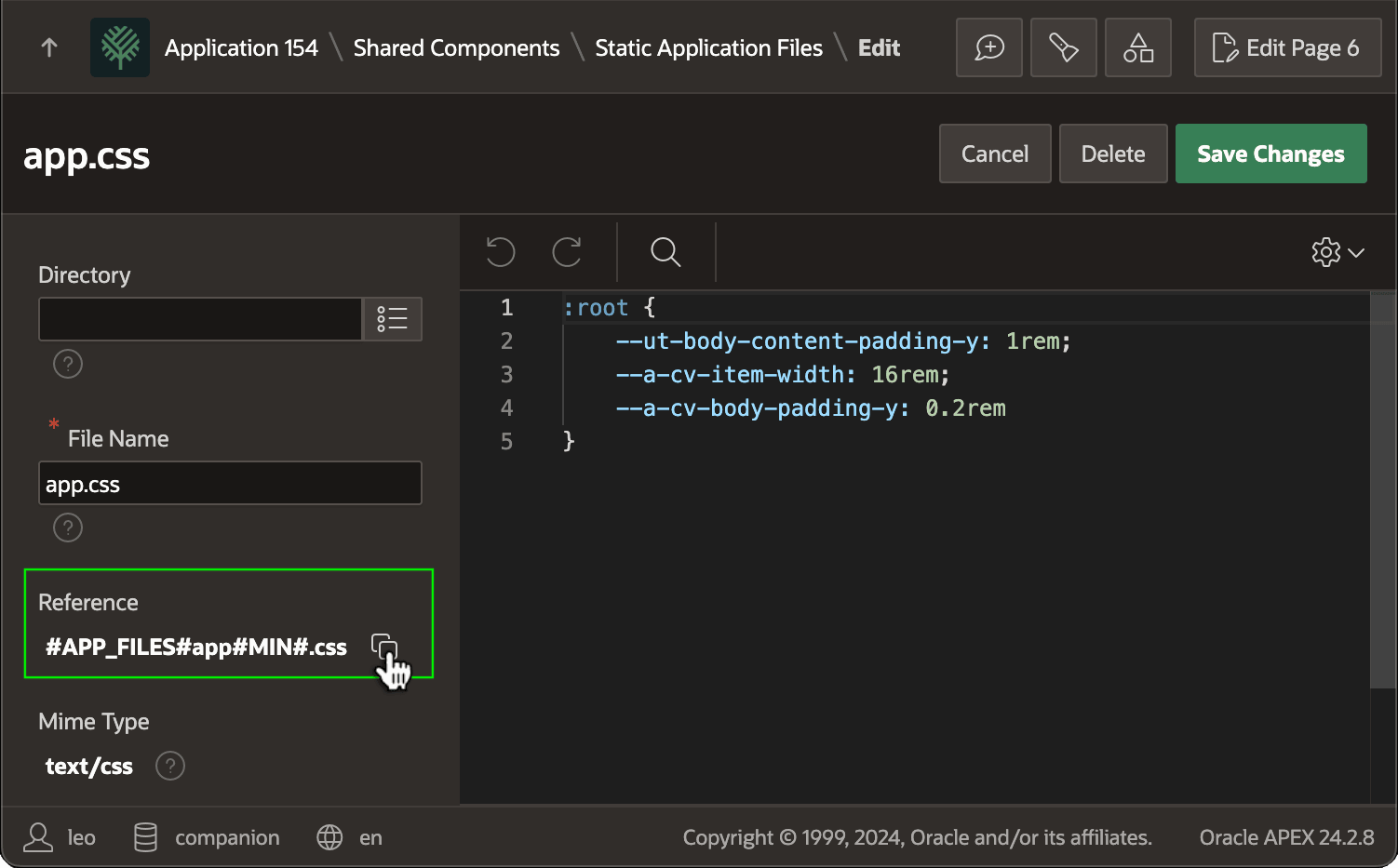
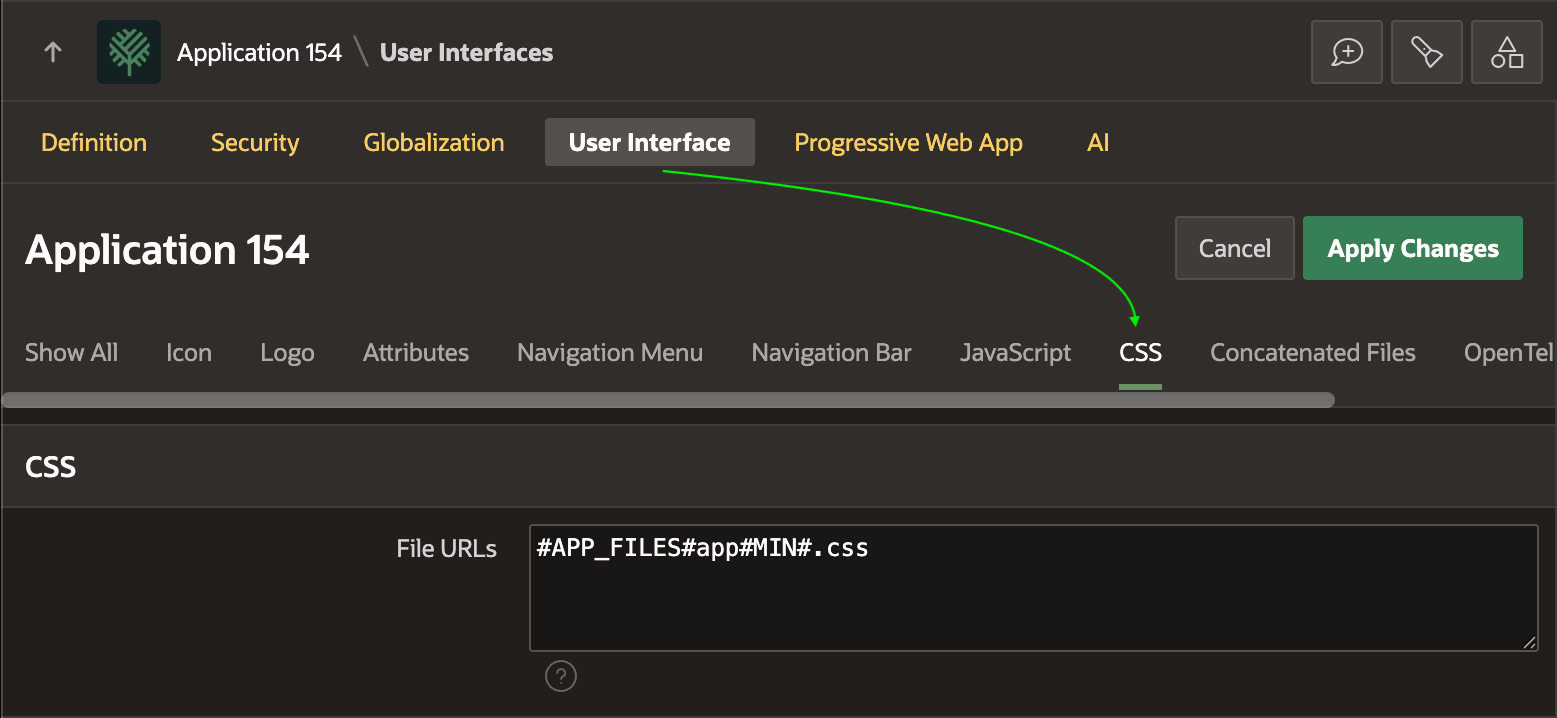
To include this CSS style sheet in all pages of your application, start by clicking the Copy icon next to the style sheet's Reference URL to copy it to the clipboard. Next, go to the User Interface Attributes section of Shared Components. There, select the CSS tab as shown below. Paste the Reference value from the clipboard into the File URLs field. The result: CSS rules in your app.css now apply to all pages.
Tip:
If you need to reference multiple URLs, put each on its own line in File URLs section.
Figure 16-13 Including a CSS Style Sheet in Every Page of Your App
Parent topic: Uploading an Image to a BLOB Column