14.5.4 Configuring a Collection Item Handler
Define a Collection Item
GET handler that returns one action item, given its unique id.
Define the ORDS template handler for the GET method on the
/actionitems/:id template using the Source Type of
Collection Item. This handler type's SQL query returns a single row by
referencing a value provided in the URL. The :id in the template
defines an implicit variable. As shown below, your query uses its value with bind
variable notation. Then, select the top-level attributes you want to include in the
result.
select id as "_id",
       name,
       status,
       team as "{}team"
  from action_items_with_team_jv
 where id = :id
Tip:
Notice two column aliases in use. They affect the JSON response:
"_id"– ensures the ID attribute has the JSON property name_id"{}team"– Uses{}to indicate theteamproperty is already in JSON format
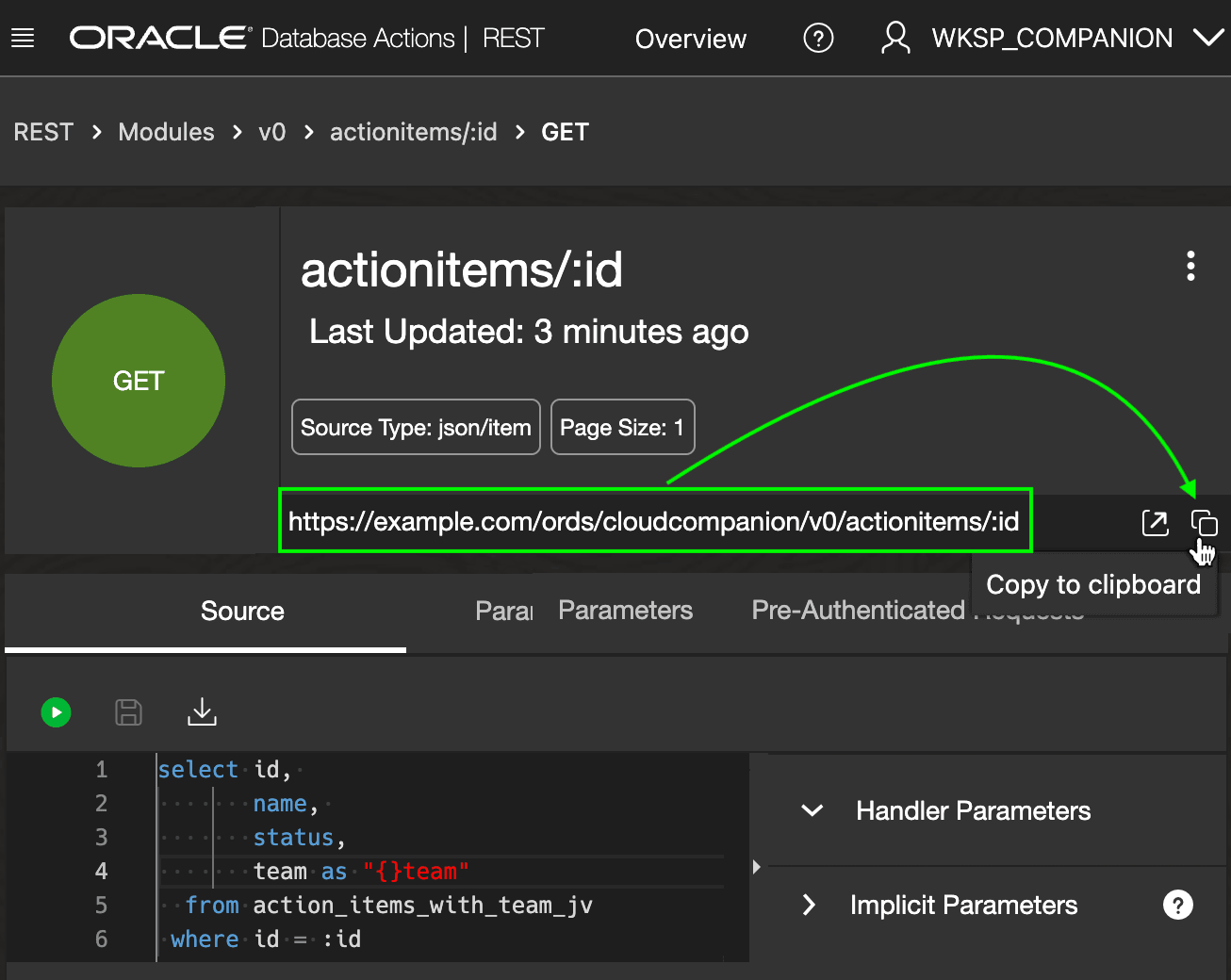
Once defined, your collection item handler for the v0 module's /actionitems/:id template is ready to test out. Click the Copy to Clipboard button as shown below to paste its URL into your favorite testing tool.
Figure 14-15 Defining an Collection Item GET Handler for /v0/actionitems/:id Template
curl to request action item number 14 produces the response below. Since the result is a single action item, notice the response has:
- No
itemsarray - No pagination properties:
count,hasMore,limit, oroffset.
$ curl https://example.com/ords/cloudcompanion/v0/actionitems/14 | jq
{
    "id": 14,
    "name": "End of Year Party",
    "status": "OPEN",
    "team": [
        {
            "team_member_id": 23,
            "name": "David",
            "user_id": 4,
            "role": "MEMBER"
        },
        {
            "team_member_id": 24,
            "name": "Georgia",
            "user_id": 5,
            "role": "LEAD"
        },
        {
            "team_member_id": 25,
            "name": "Jane",
            "user_id": 13,
            "role": "MEMBER"
        }
    ],
    "links": [
        {
            "rel": "collection",
            "href": "https://example.com/ords/cloudcompanion/v0/actionitems/"
        }
    ]
}
Parent topic: Creating and Testing Read-Only APIs