13.5.2.1 Configuring REST Source for Invocation
When a REST API has no GET method or OpenAPI description to
automatically discover, you can define the operations and data profile columns
manually.
After entering the endpoint URL in the wizard, on a following wizard step clicking the (Create REST Source Manually) button creates the data source you can adjust further in the edit pages.
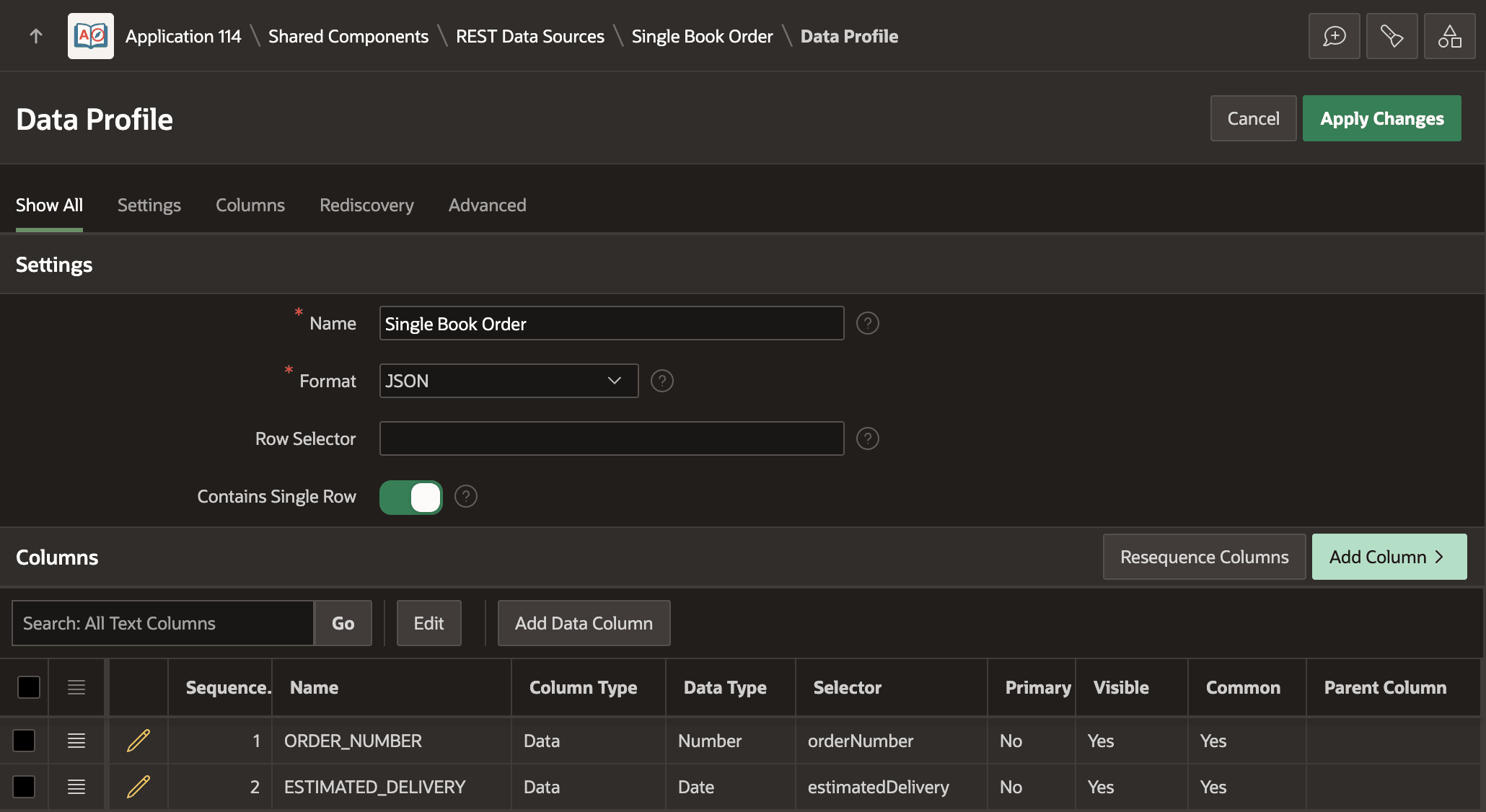
When you create a REST Data Source manually, the wizard creates placeholder operations and data profile columns. Start by adjusting the Data Profile. You can delete the third placeholder data profile column, and edit the two existing ones to adjust the column name, data type, and JSON Selector as appropriate for the current API. As shown below, to access the two values in the response payload the Data Profiles columns are updated to reflect a numeric ORDER_NUMBER column with selector orderNumber and a date column ESTIMATED_DELIVERY.
Figure 13-26 Data Profile for Single Book Create REST API Response Payload
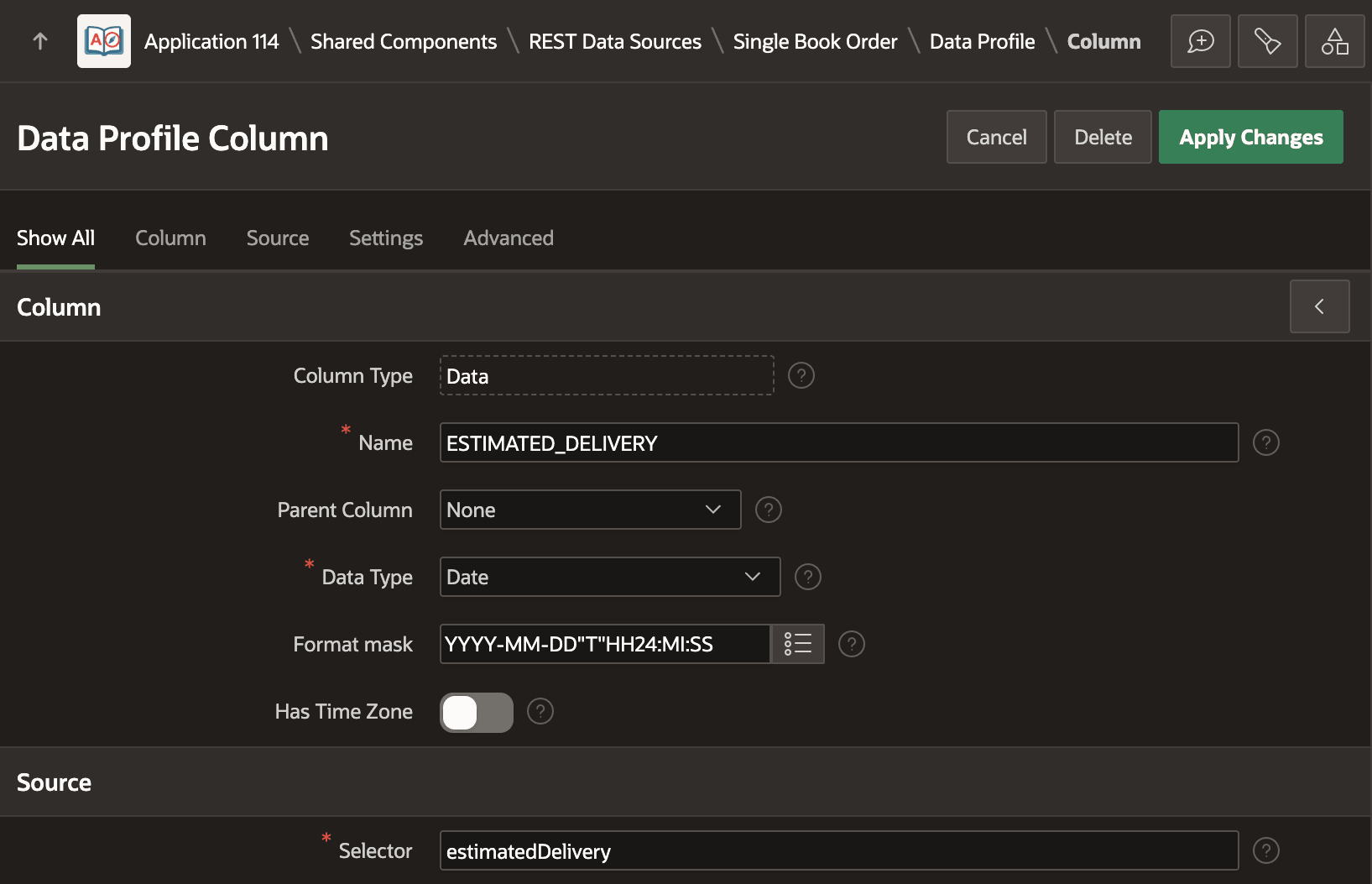
Z at the end: 2025-07-06T00:00:00 So as shown below, the format mask used for the ESTIMATED_DELIVERY data profile column is:YYYY-MM-DD"T"HH24:MI:SSFigure 13-27 Data Profile Column Configuration for Estimated Delivery Date
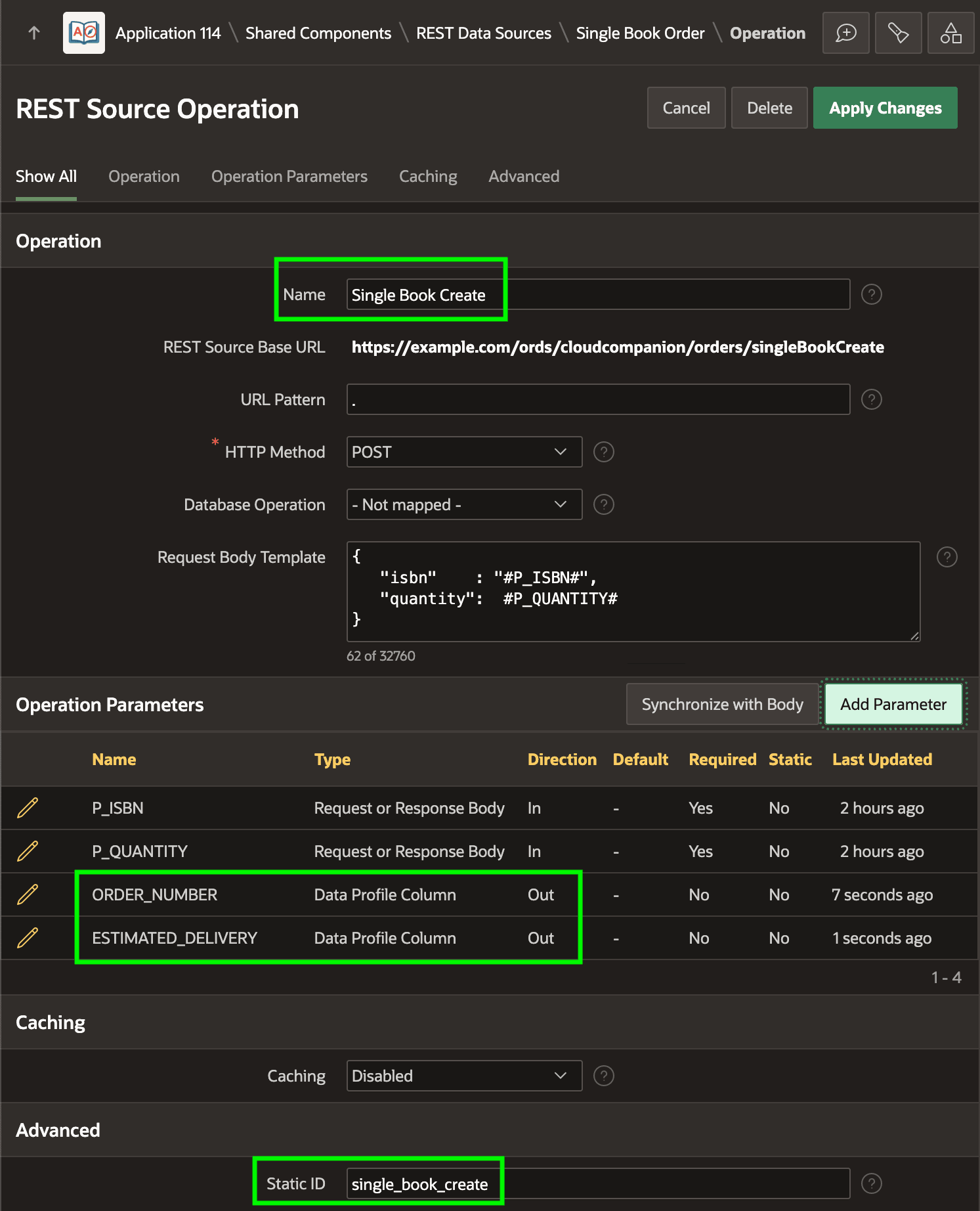
POST operation, you can delete the GET, PUT, and DELETE operations. This leaves a POST operation you can adjust as shown below to have the:
- Name Single Book Create
- Static ID
single_book_create - Appropriate Request Body Template
P_ISBN and P_QUANTITY with appropriate data type and references them in the Request Body Template. When you invoke an operation using Invoke API or programmatically, include the double quotes in the payload template around property value substitutions that need them. For example, the #P_ISBN# substitution does this:{
"isbn" : "#P_ISBN#",
"quantity": #P_QUANTITY#
}You can also include two Data Profile Column type parameters to access the API response payload values as out parameters.
Figure 13-28 POST Operation for Single Book Create REST API
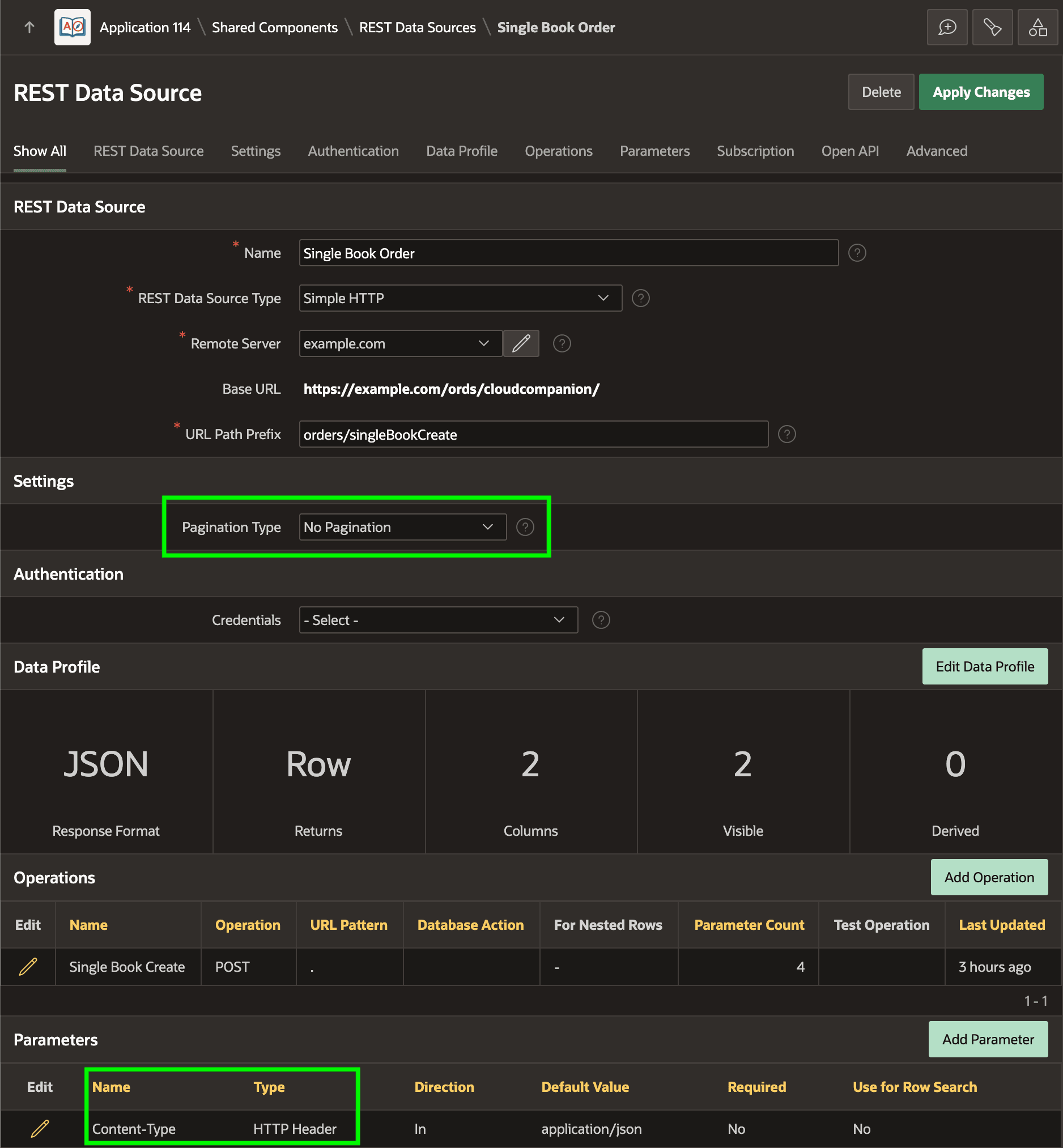
After configuring Data Profile columns and POST operation, the Single Book Order REST Data Source appears below. Some REST APIs expect the Content-Type header with the value application/json so you can add an appropriate static Header-type parameter to send when needed. Since the service returns a single JSON object response instead of an array, notice as well that Pagination Type is set to No Pagination.
Figure 13-29 Resulting REST Data Source for Simple Book Order
Parent topic: Invoking a REST Operation Programmatically