16.9.6.5 Configuring Selection, Paging, and Avatar
Configure avatars, row selection, and pagination for a Content Row file browser.
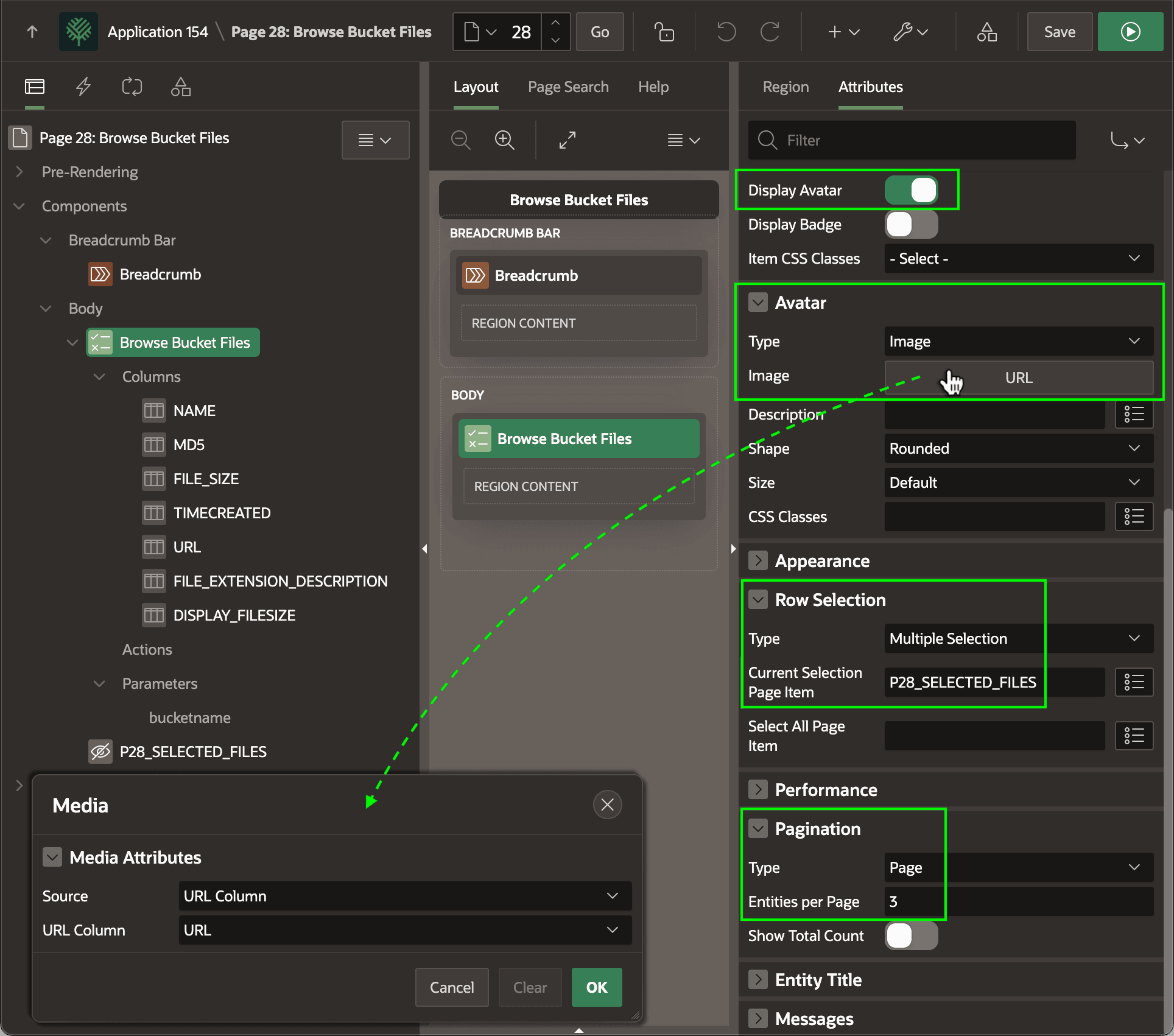
On the Attributes tab, set the Content Row region to display an image avatar
by enabling the Display Avatar switch and Image as the Type.
Clicking the Image button, as shown below, the Media dialog appears to
configure that the image source is the URL Column named URL.
In the Row Selection section, choose Multiple Selection to let users pick several files at once, and configure the Current Selection Page Item to the name of a Hidden page item like P28_SELECTED_FILES. Its value is a colon-separated list of primary keys for the selected rows. In this use case, the NAME column is the primary key.
In the Pagination section, choose the type of pagination and if using Page-style, indicate the number of Entities per Page.
Figure 16-96 Configuring Avatar Image URL, Selection Behavior, and Pagination
Parent topic: Browsing and Selecting Bucket Files