25.1.10.1 Configuring Static Workflow Participants
To create a new participant, choose Create Participant from the context menu of the Participants node in the Workflows tree.
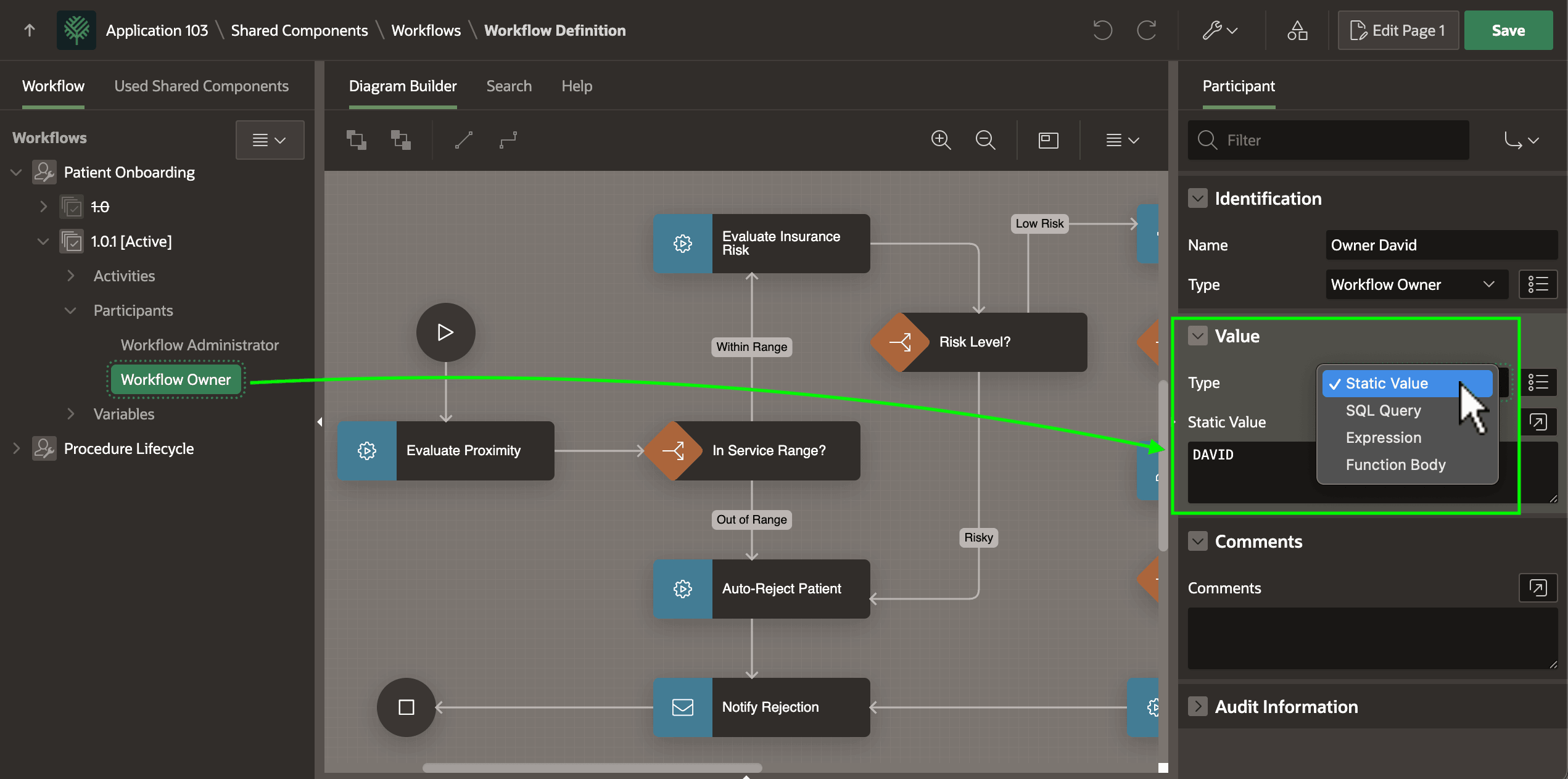
Then set the participant Type in the Property Editor. As shown below, in a simple application, either or both of the Workflow Owner or Workflow Administrator participants can be a static value like DAVID or CARLA. But normally you use one of the Value > Type settings like SQL Query, Function Body, or Expression to dynamically determine one or both of these participant lists.
Figure 25-71 Configuring Workflow Participants
Caution:
Participant usernames are case-sensitive. If :APP_USER returns DAVID, then use DAVID.
Parent topic: Identifying Workflow Participants