11.4.1 Declaring Authorization Scheme Rules
Name each Authorization Scheme after the rule it enforces. Each one can use role membership, SQL, or PL/SQL to authorize or deny the current user access.
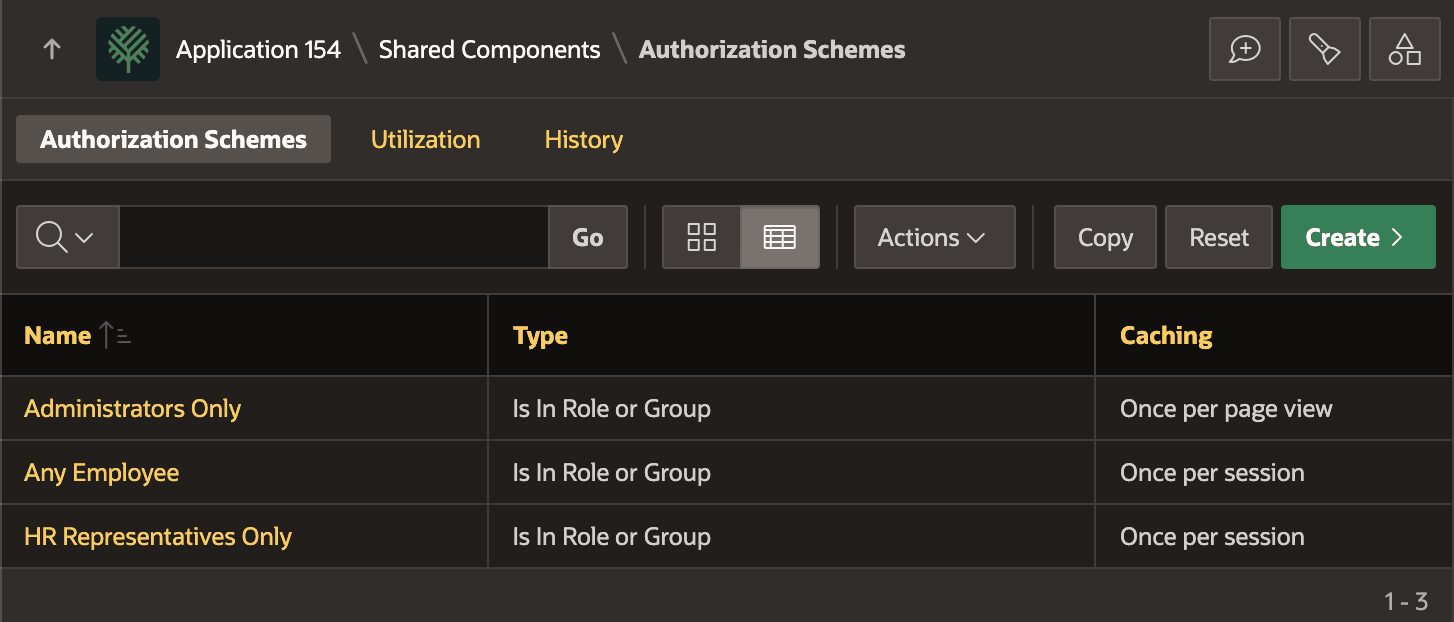
As shown below, you define three rules:
- Administrators Only – Authorizes a user who is an application administrator
- Any Employee – Authorizes a user who is an employee
- HR Representatives Only – Authorizes a user who is an HR representative.
All three of these authorization scheme rules use the built-in Scheme Type of Is In Role or Group.
Figure 11-7 Configuring Authorization Scheme Rules Using Role Membership
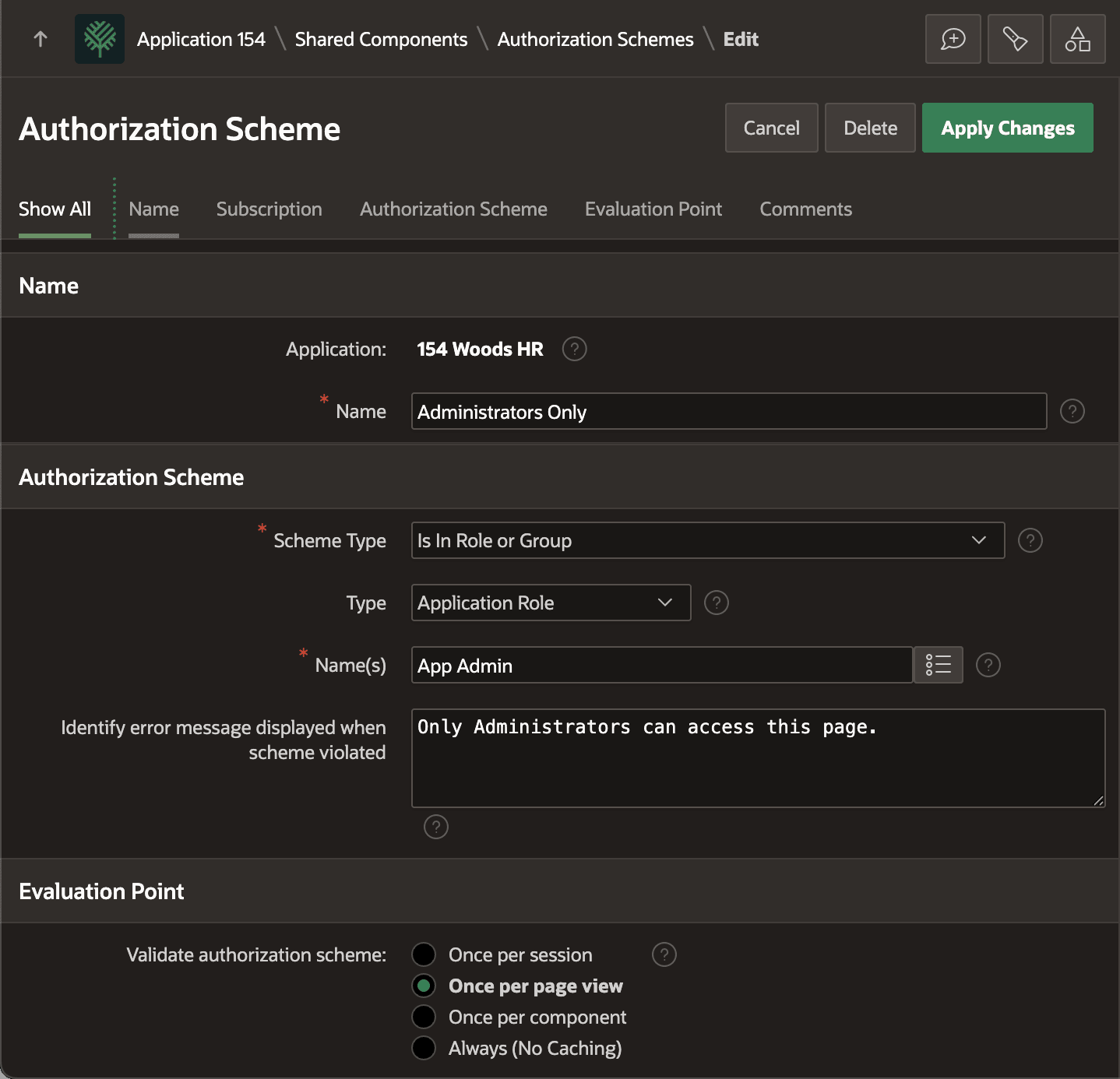
As shown below, the Administrators Only rule identifies the Type of check as Application Role, and lists the role name App Admin. Given the sensitive nature of application administration functionality, this particular rule sets its evaluation point to be Once per page view. The other two rules are similar, using respective roles, but evaluate Once per session instead. As a concrete example, if during a work day a user becomes an HR Representative they need to sign out and login again to access new pages or elements only HR Reps get to see.
Tip:
The Name(s) field can be a comma-separated list of multiple roles. In that case, the rule authorizes the user if they are a member of at least one of the listed roles.
Figure 11-8 Detail of Authorization Scheme Rule Based on Role Membership
Parent topic: Shaping Experience with Rules and Roles