16.2.1 Defining an Application Item
Define an Application Item to hold a session-scoped value, accessible from any page.
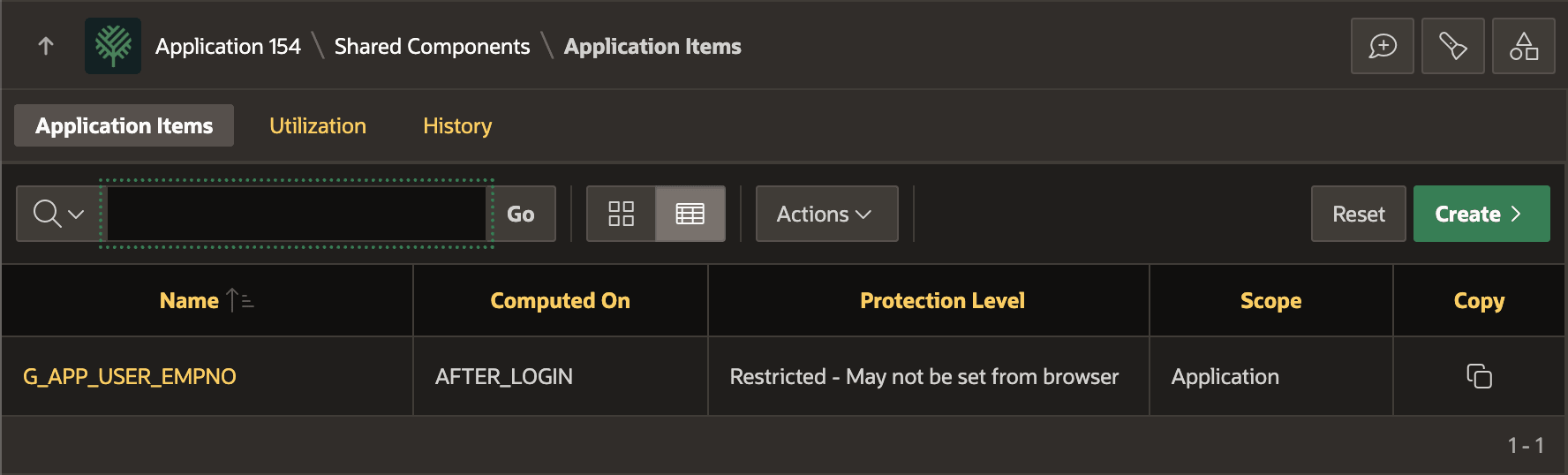
Since it acts like a global variable for the current user, consider using a prefix like G_ to distinguish it from native substitution strings like APP_USER. For example, use the Shared Components > Application Items page shown below to create one named G_APP_USER_EMPNO to hold the numeric employee ID of the logged‑in app user.
Tip:
While an application item may contain a value that looks like a number (e.g.
"1234"), it is stored as a VARCHAR2 value. Use
the built-in NV('YOUR_APP_ITEM_NAME') to get the item value
as a NUMBER in PL/SQL or
APEX_SESSION_STATE.GET_TIMESTAMP('YOUR_APP_ITEM_NAME')
to get the item as a date value.
Compute its value declaratively using an Application Computation. You can also assign a value from an Application Process using its name as a bind variable or calling SET_VALUE in the APEX_SESSION_STATE package as shown below.
Both the application computation and application process have a Processing Point. Set it to After Authentication to run immediately after login. You can also assign a new value to an application item from anywhere in your application using the same two approaches shown below.
-- Assigning an app item as a bind variable
:G_APP_USER_EMPNO := 1234;
-- Setting an app item value with a procedure
apex_session_state.set_value('G_APP_USER_EMPNO', 1234);
The figure shows the Application Items list page in Shared
Components after defining the G_APP_USER_EMPNO
item.
Figure 16-6 Shared Component Application Items List
Parent topic: Storing Employee ID in an Application Item