3.8.2.1 Defining a Local List of Values
To define the available choices for a list-driven page item, you can specify a set of static values or provide a SQL query.
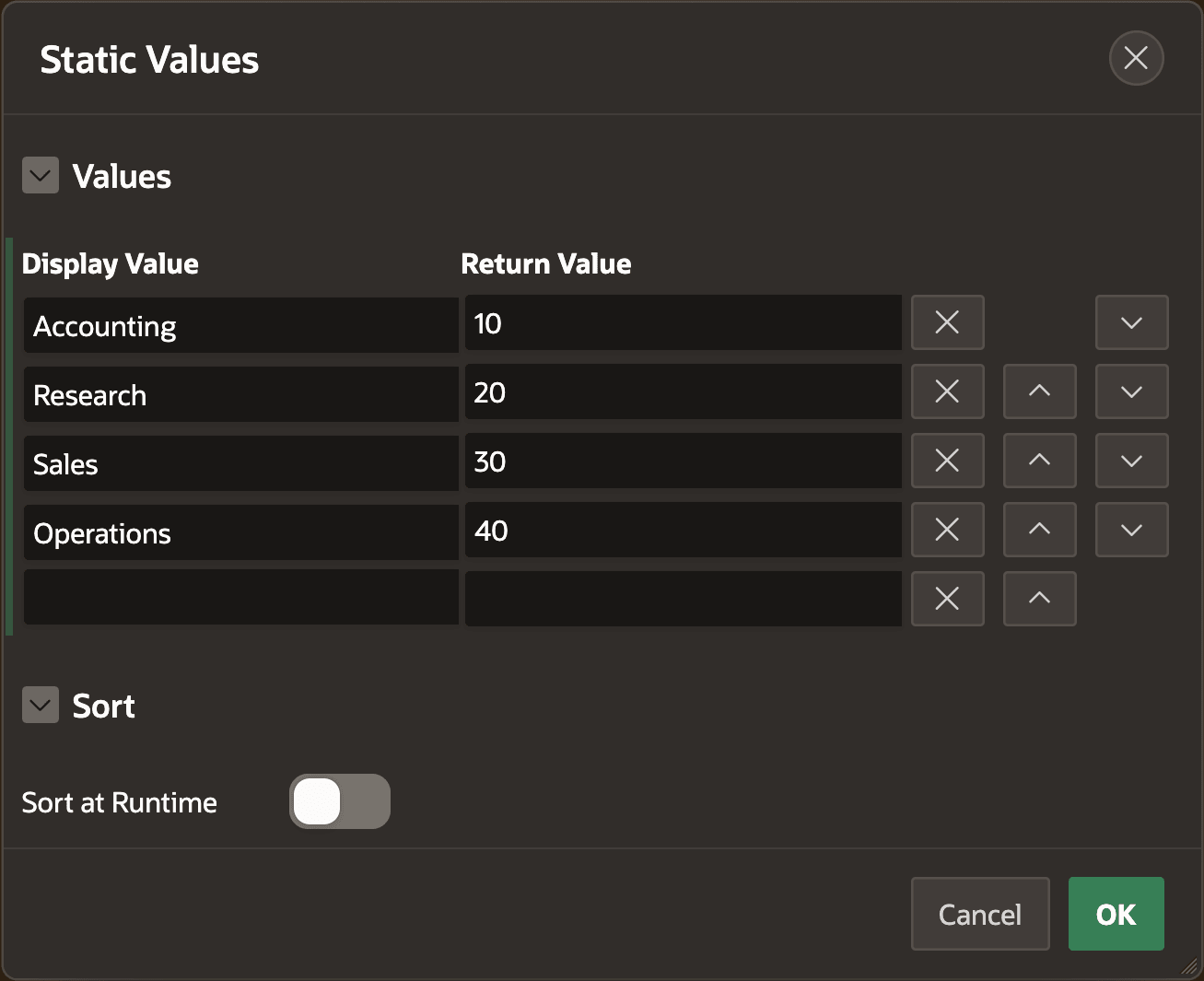
When defining the static list of values, as shown below, you type in the Display Value and Return Value for each entry. Use the buttons next to the entries to delete and reorder them, and switch the Sort at Runtime toggle off if the items should appear exactly as entered. The default is to sort the items alphabetically on Display Name.
Figure 3-42 Defining a List of Values with Static Values
When the choices for a list-driven item are not static, then use a SQL query to
define the list. The query should have two columns in the
SELECT list. The
first provides the display value and the second is the return value. It's common, although not
required, to alias the columns as d and r. For example, you
can define an alphabetical list of departments using the DNAME column as the
display value and the DEPTNO column as the return value using the
query:select dname as d, deptno as r
from dept
order by dnameThe list of values query can optionally refer to values of one or more page items as
bind variables. For example, if a page has an item named
P5_DEPARTMENT
containing a department number, then a list of values query for employees in that department
can
be:select ename as d, empno as r
from emp
where deptno = :P5_DEPARTMENT
order by enameParent topic: Defining the List of Values