5.6.5 Distance from a Point of Reference
Using a database view, you can simplify pages that present the distance between points using helper functions.
-122.402768 and latitude 37.795270. To show how
many kilometers away each employee lives from the office, update the
EMP_WITH_ADDRESSES view to include a
DISTANCE_FROM_OFFICE_KM column. Using the MAKE_POINT and
DISTANCE_IN_KM functions from the previous section, the view
becomes:create or replace view emp_with_addresses as
select e.empno,
e.ename,
a.address,
a.latitude,
a.longitude,
e.sal + nvl(e.comm,0) as total_compensation,
round(distance_in_km(
make_point(a.longitude,a.latitude),
make_point(-122.402768,37.795270)),1)
as distance_from_office_km
from emp e
join emp_addresses a
on a.empno = e.empnoThen, you could enhance the example map from to include a third layer to represent the office building's location using a query like this:
select   37.795270 as latitude,
       -122.402768 as longitude
  from dual
Updating the Employees layer tooltip HTML expression to include the distance, you can include that information when end users hover over an employee's house:
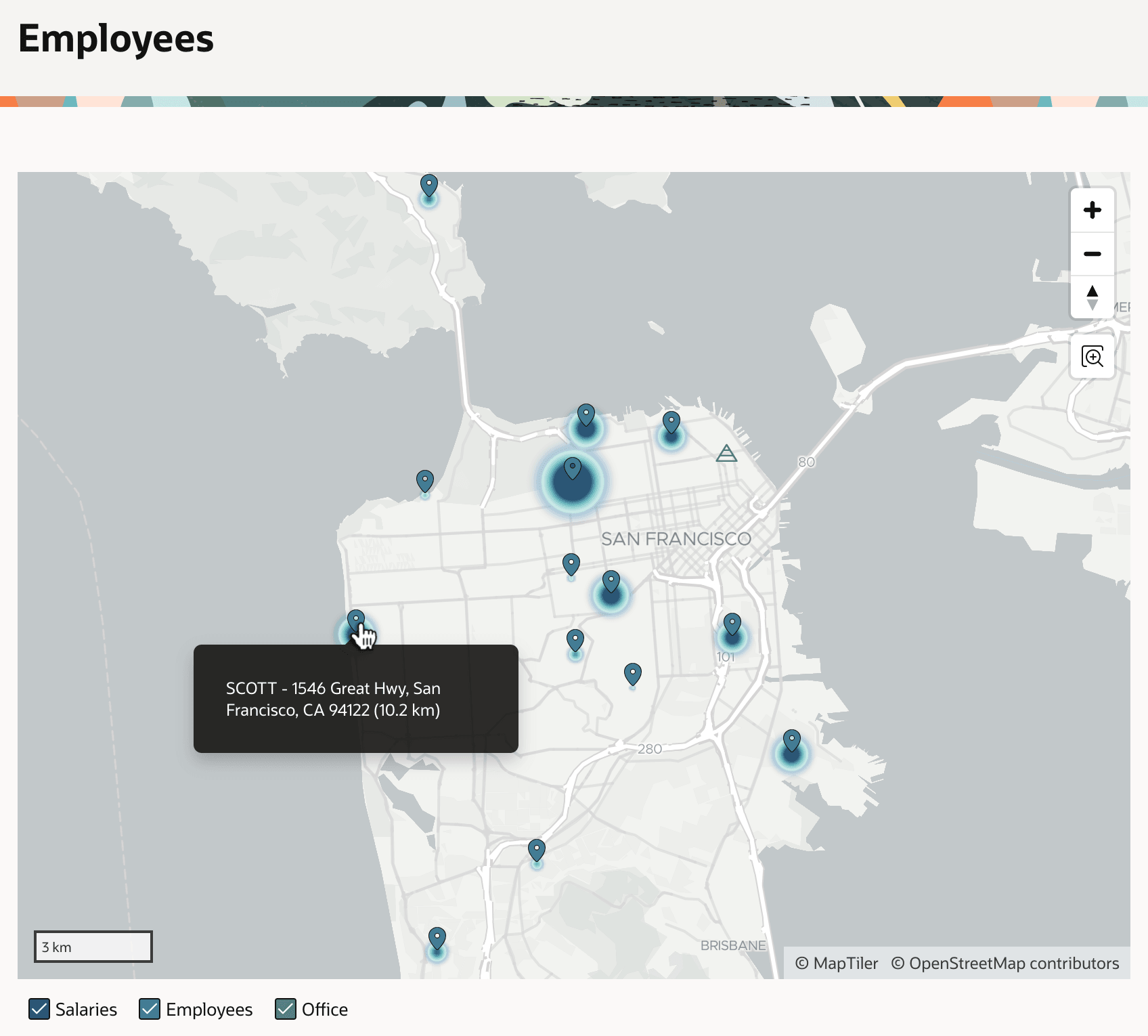
&ENAME. - &ADDRESS. (&DISTANCE_FROM_OFFICE_KM. km)These changes produce the map shown below. Notice the user's mouse hovering over SCOTT's map marker. The tooltip now reveals she lives 10.2km from the office. For more information, see Creating Maps in Oracle APEX App Builder User’s Guide, and consider installing the Sample Maps app from the Gallery to study additional useful map examples.
Figure 5-14 Showing the Office and Employees Distance Away
Parent topic: Showing Data on Maps