18.3.4 Emailing User with Attachments
Send an email with file attachments or inline images using Attachment SQL.
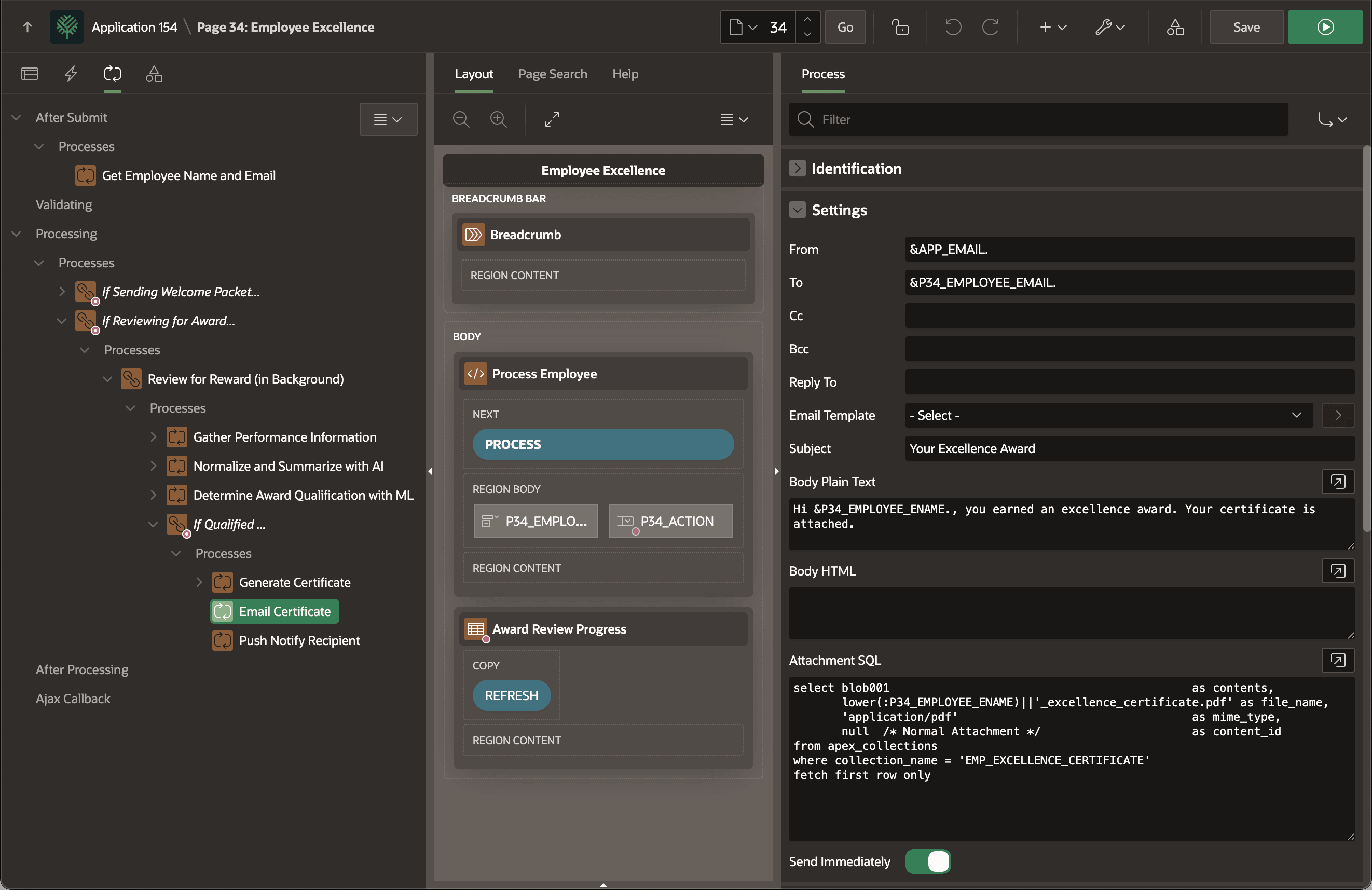
The Email Certificate child process is a native Send Email type that
delivers the Employee Excellence Award certificate to the recipient. It
references the hidden P34_EMPLOYEE_EMAIL item in the To setting
using substitution syntax. Notice it sends a simple email in plain text, foregoing the
use of an email template and Body HTML. The Body Plain Text also uses
substitution strings to personalize the text.
- The BLOB of file content to attach
- The attachment file name
- The MIME type of the attachment
nullfor the Content Id
Tip:
logo.jpg of MIME type image/jpeg and a content id of company_logo, then the HTML body can reference it inline using:<img src="cid:company_logo" alt="Woods Clinic Logo">Figure 18-10 Emailing Employee Excellence Award Certificate to Recipient
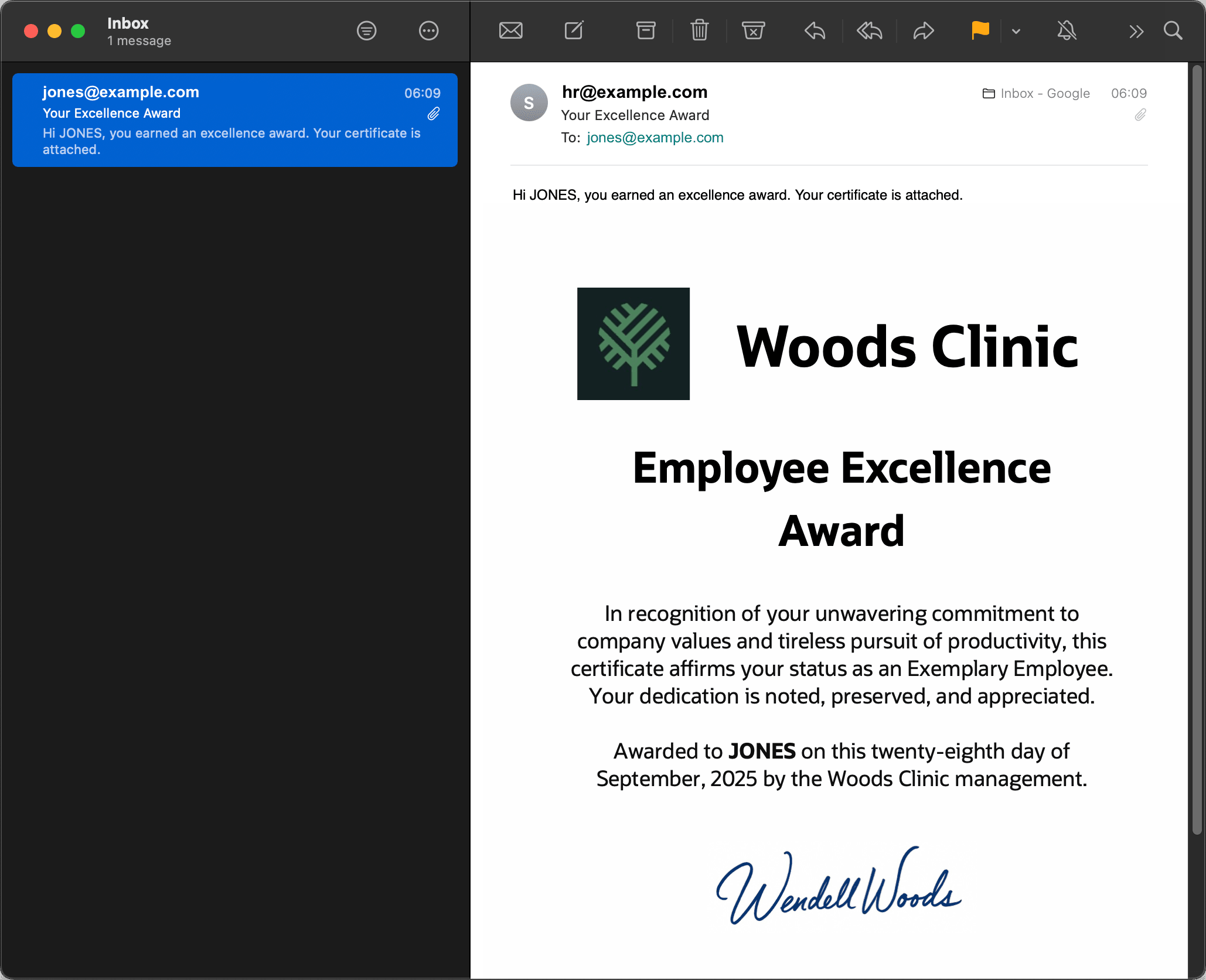
When the email arrives in JONES' inbox, it looks like the figure below. JONES email client displays the attachment straight away so she can read the great news and the text of the award signed by Wendell Woods himself:
In recognition of your unwavering commitment to company values and tireless pursuit of productivity, this certificate affirms your status as an Exemplary Employee. Your dedication is noted, preserved, and appreciated. Awarded to JONES on this twenty-eighth day of September, 2025 by the Woods Clinic management.
Figure 18-11 JONES Receives Her Employee Excellence Award Certificate
Parent topic: Offloading Work to the Background