25.1.9.2.3 Emailing User a Page Link
Email a user an absolute page link generated from workflow activity data.
To notify a user via email with a link to a data entry page, use a Send
E-Mail activity. Since a workflow runs asynchronously in the background, the
APP_USER system variable returns
nobody. Therefore, this example workflow accepts a
P_REQUESTED_USERNAME parameter, along with a
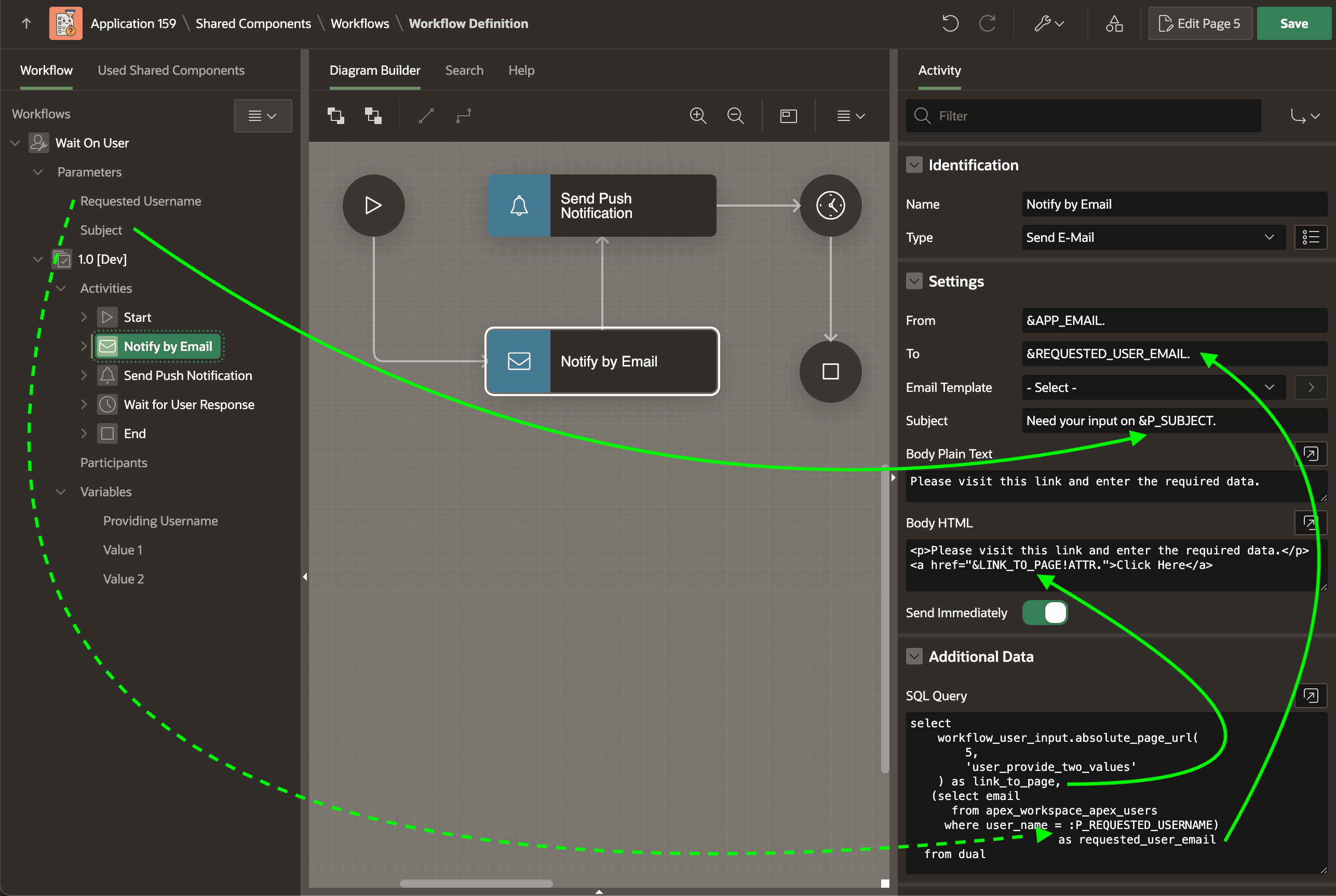
P_SUBJECT parameter. The Additional Data query below on the
Send E-Mail activity calls an ABSOLUTE_PAGE_URL function to
generate the link to page 5, also passing the unique static ID of the wait activity
user_provide_two_values. The query aliases the result to the
LINK_TO_PAGE column name. A second SELECT list
expression uses a subquery to lookup the email address of the requested username from
the APEX_WORKSPACE_APEX_USERS view, using the value of the
P_REQUESTED_USERNAME parameter as a bind variable. It aliases that
result to REQUESTED_USER_EMAIL.
select
    workflow_user_input.absolute_page_url(
        5,
        'user_provide_two_values'
    ) as link_to_page,
   (select email
      from apex_workspace_apex_users
     where user_name = :P_REQUESTED_USERNAME) as requested_user_email
  from dual
As shown below, the Send E-Mail activity's Subject uses the &P_SUBJECT. substitution, the To field references the &REQUESTED_USER_EMAIL. from the Additional Data query result, and the Body HTML references the &LINK_TO_PAGE!ATTR. in an href attribute of an HTML anchor (<a>) element. The !ATTR modifier ensures the URL value is correctly formatted for inclusion in an HTML attribute.
Figure 25-62 Send E-Mail Activity Includes Page Link from Additional Data Query
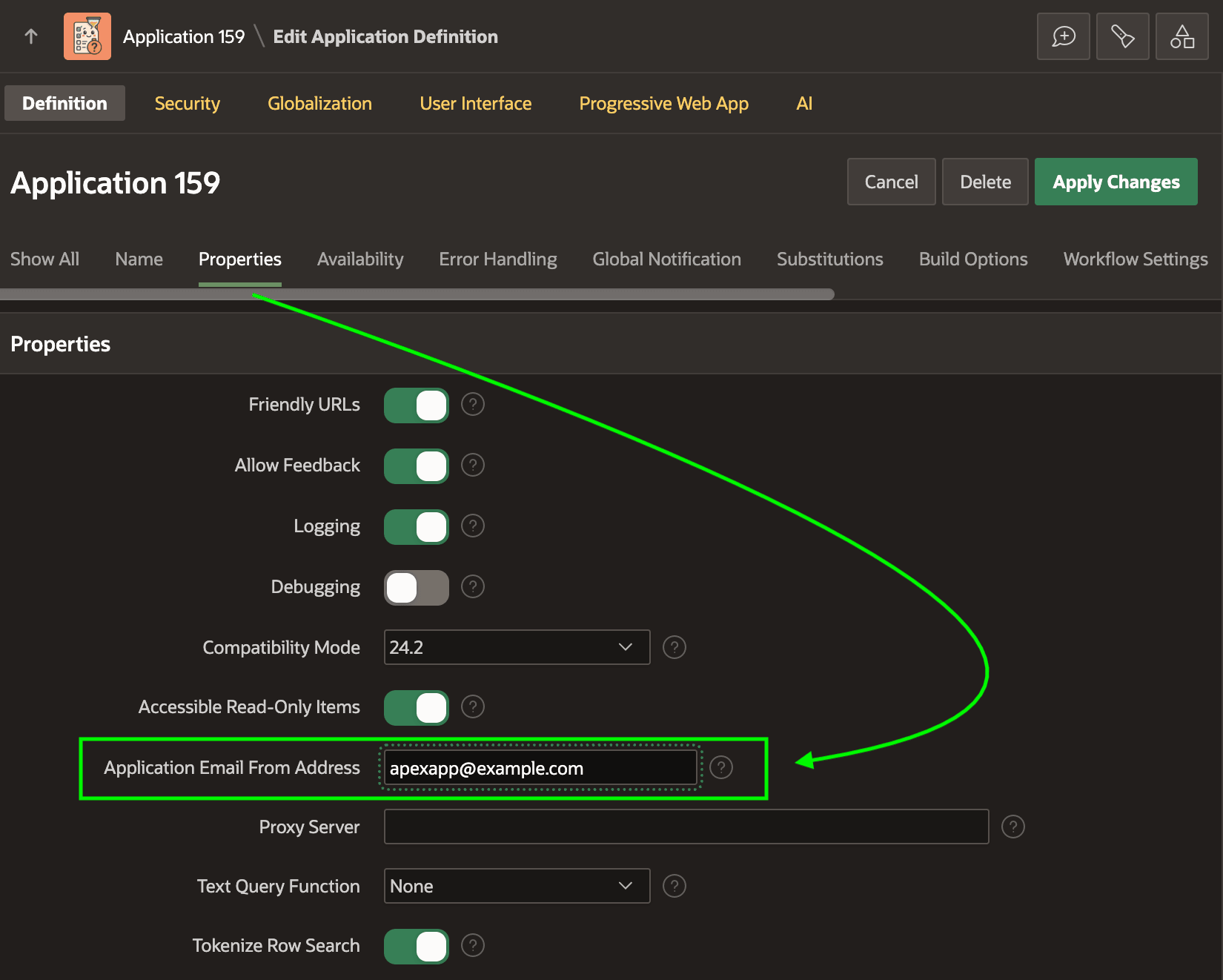
Also notice the From field defaults to the &APP_EMAIL. substitution. This is a system variable whose value you configure in the Shared Components > Application Definition page in the Properties section as shown below.
Figure 25-63 Configuring the Value of APP_EMAIL Substitution
Parent topic: Waiting for a Signal to Continue