14.9.2.1 Enabling AutoREST for a Duality View
Enable AutoREST on a duality view and choose the object alias clients use in the URL.
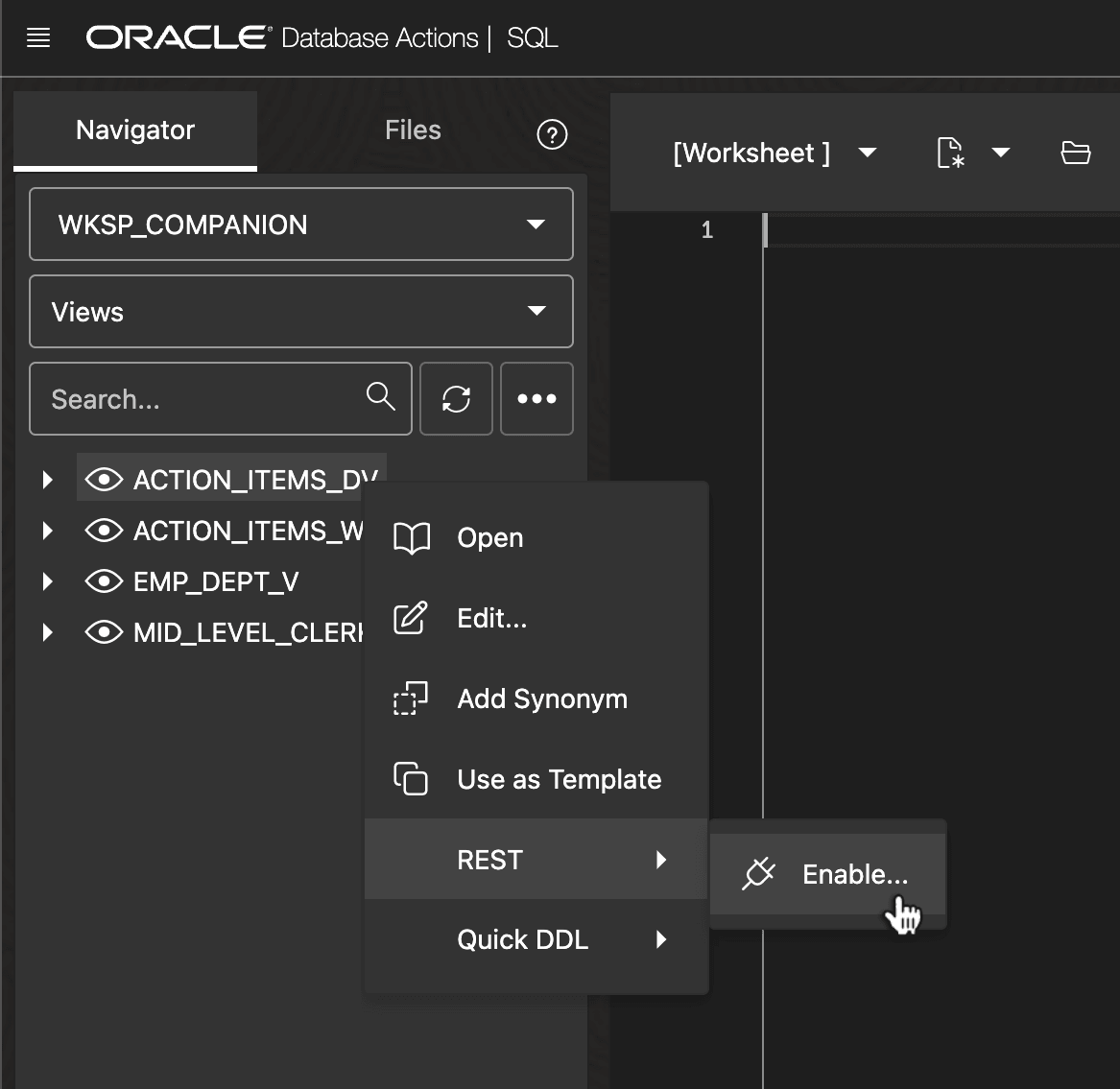
As shown below, in the SQL Worksheet navigator, enable AutoREST for a duality view like ACTION_ITEMS_DV using the Enable... option in its REST context menu.
Figure 14-25 AutoREST-Enabling the ACTION_ITEMS_DV Duality View in SQL Developer Web
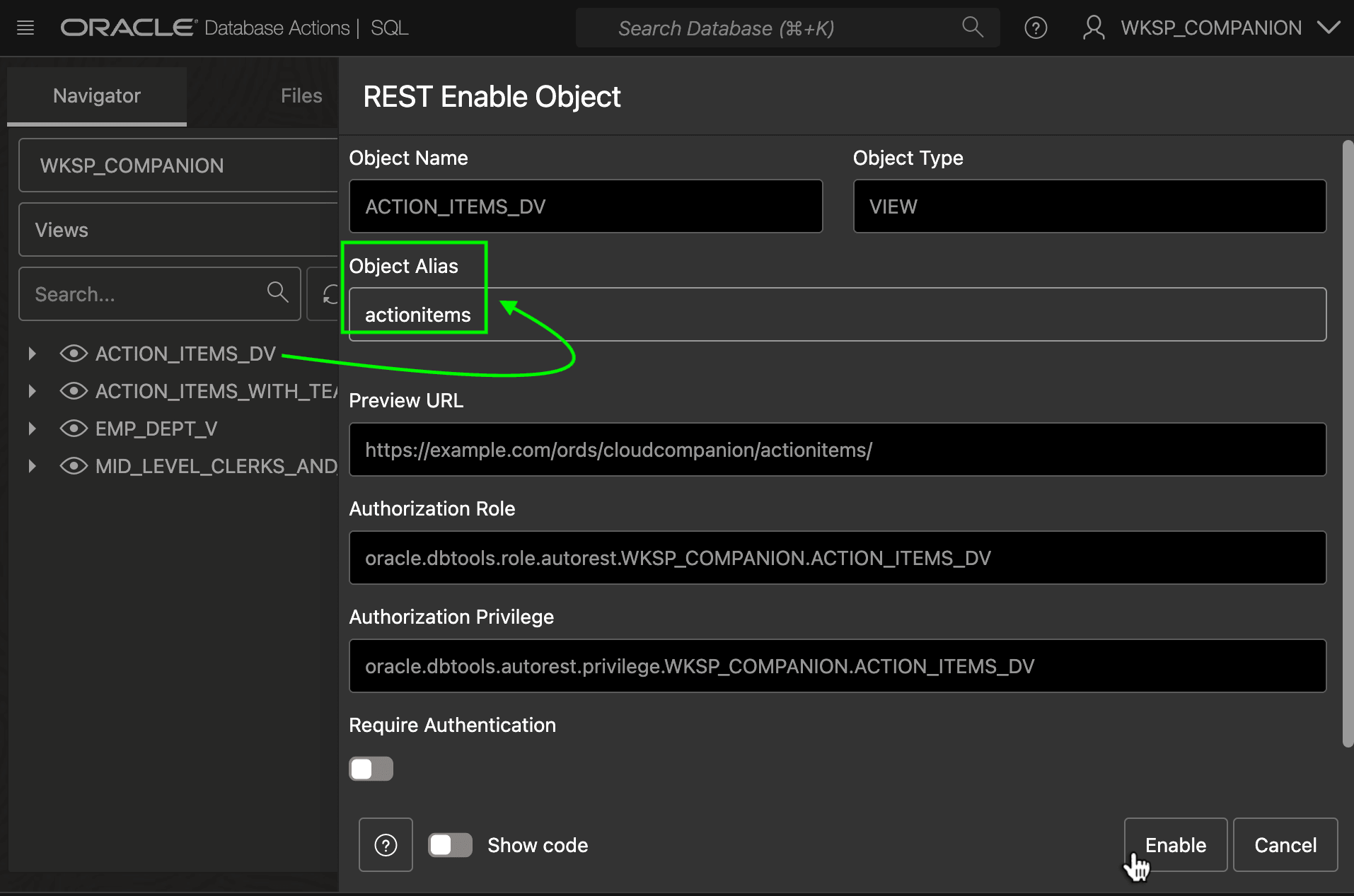
Study the proposed Object Alias and adjust as needed. It's the name clients see in the URL when accessing the AutoREST-enabled duality view REST endpoint. For example, say you change it to actionitems.
Figure 14-26 Configuring Object Alias for AutoREST-Enabled Duality View
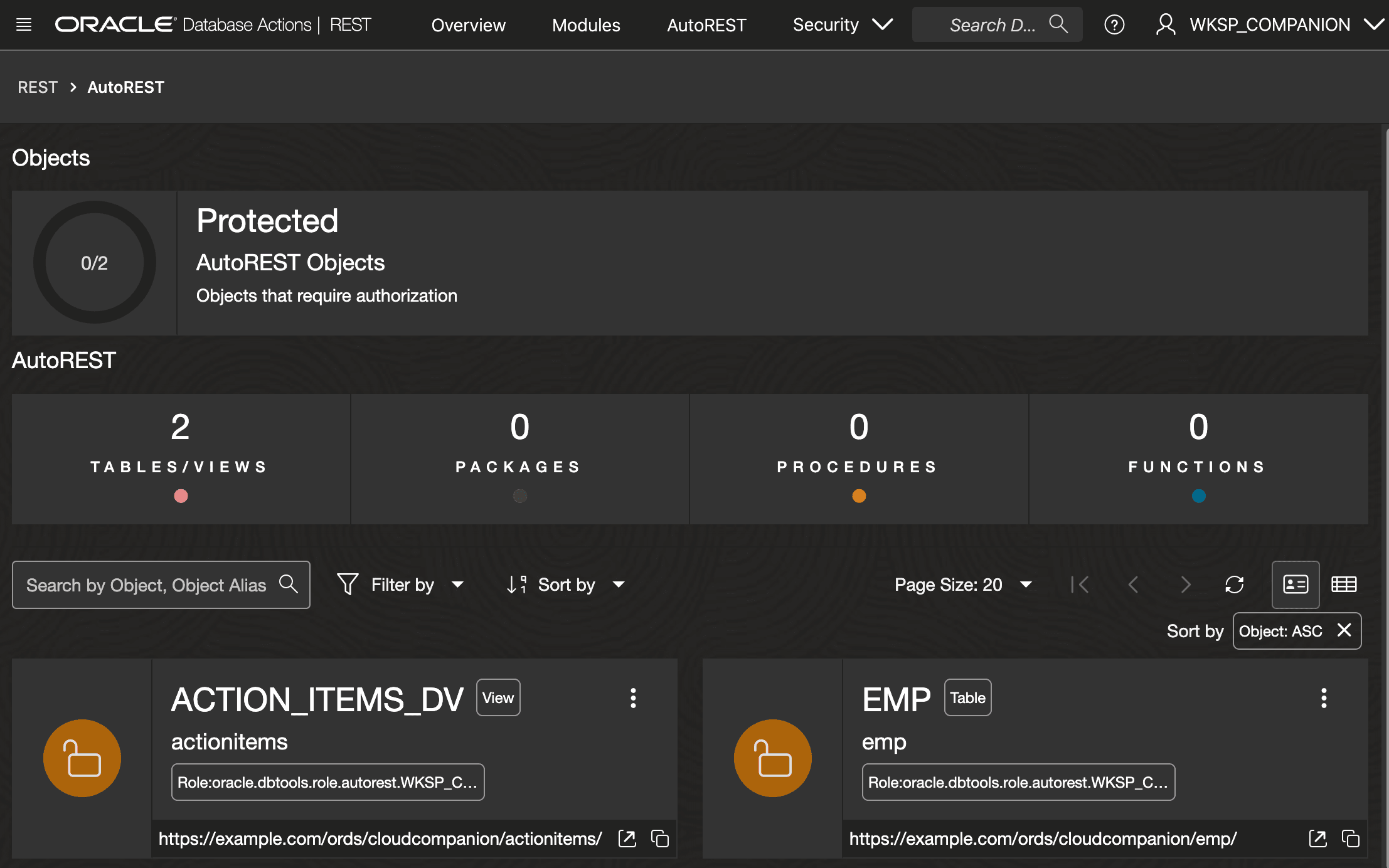
Once enabled, as shown below, your duality view appears in the list of AutoREST-enabled objects.
Figure 14-27 Browsing AutoREST-Enabled Objects in SQL Developer Web
Tip:
Once enabled, use the duality view's context menu in the SQL Worksheet navigator tree to access other options.
Parent topic: Exploring ORDS AutoREST for Duality View