16.9.6.3 Enhancing REST Data with SQL Expressions
Add SQL Expression columns to a REST Data Source to compute display values for bucket files.
name– File namemd5– Checksum for file contentssize– Size of the file in bytestimeCreated– Date and time the file was added to the bucket.
For a more user-friendly file display, you can add additional data profile columns to the REST Data Source that you compute using SQL. These expressions or inline queries can reference other data profile columns by name as needed.
FILE_EXTENSION_DESCRIPTIONDISPLAY_FILESIZEURL
Figure 16-93 Data Profile Columns for Bucket Objects REST Data Source
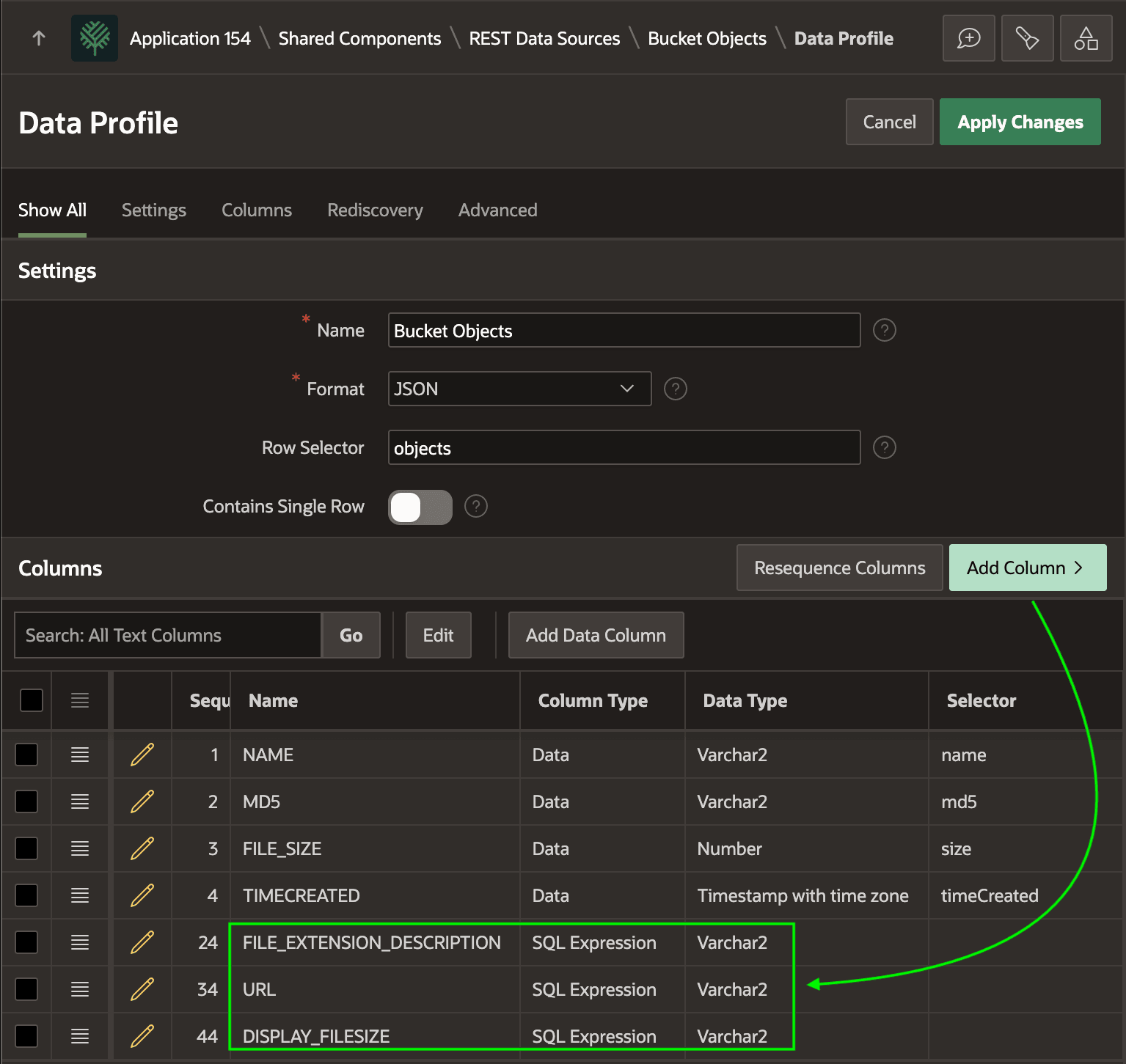
FILE_EXTENSION_DESCRIPTION column uses the following CASE statement to return a description of the file based on its file extension:case lower(substr(name, instr(name,'.',-1)+1))
when 'pdf' then 'PDF Document'
when 'jpg' then 'JPEG Image'
when 'jpeg' then 'JPEG Image'
when 'png' then 'PNG Image'
when 'gif' then 'GIF Image'
when 'txt' then 'Text File'
when 'zip' then 'ZIP Archive'
when 'csv' then 'CSV File'
when 'doc' then 'Word Document'
when 'docx' then 'Word Document'
when 'xls' then 'Excel Spreadsheet'
when 'xlsx' then 'Excel Spreadsheet'
when 'ppt' then 'PowerPoint Presentation'
when 'pptx' then 'PowerPoint Presentation'
else 'Other'
endThe DISPLAY_FILESIZE column uses the TO_DISPLAY_FILESIZE function in the APEX_STRING_UTIL package to return a file size display string like 235.7KB.
apex_string_util.to_display_filesize( FILE_SIZE )The URL columns uses APEX_PAGE.GET_URL to generate the absolute URL that serves the object bucket file as an inline image to the browser.
apex_page.get_url(
   p_page         => 9003,
   p_x01          => NAME,
   p_absolute_url => true,
   p_plain_url    => true)
Parent topic: Browsing and Selecting Bucket Files