16.8.2.5.4.3 Entering Images Titles in a Grid
Build an editable grid that previews staged images and lets users add titles or remove photos.
The Add Photo Titles editable grid uses the following query as its data
source. It's based on the EBA_DEMO_WOODSHR_TEMP_PHOTOS view and
produces the HTML <img> tags for previewing the uploaded images
in temporary storage using the purpose-built inline image serving page 9004. The hidden
UNIQUE_FILE_NAME column is the primary key, and the
TITLE column is the only editable column.
select  unique_file_name,
        case
            when     photo is not null
                 and dbms_lob.getlength(photo) > 0
            then apex_string.format('<img src="%s">',
                 apex_page.get_url(
                    p_page => 9004,
                    p_x01  => unique_file_name,
                    p_plain_url => true))
        end as image,
        title
  from eba_demo_woodshr_temp_photos
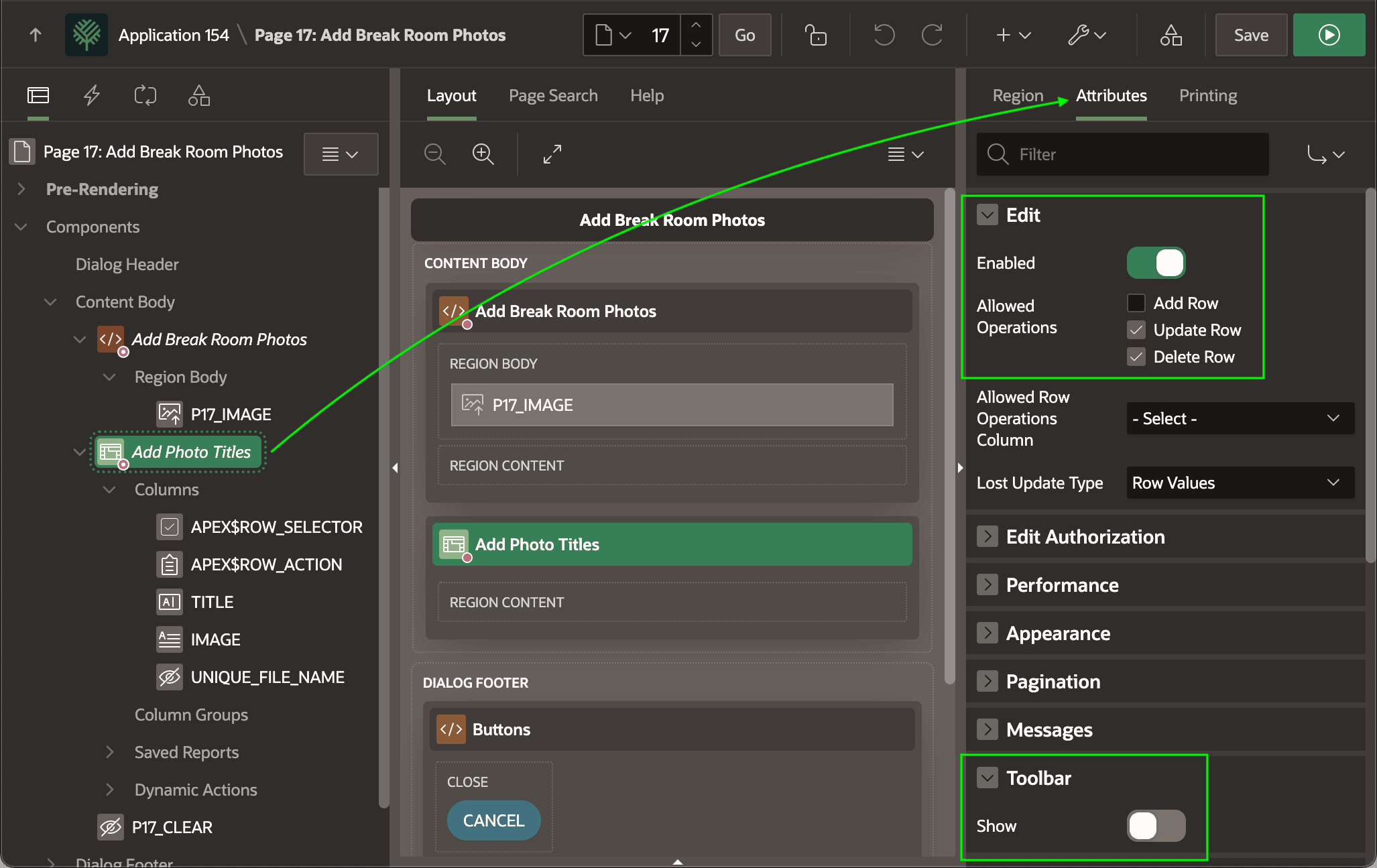
As shown below, the grid enables editing and allows Update and Delete row operations to let the user edit the initially null TITLE column or delete an image they decide not to post. The toolbar functions serve no purpose here, so the Toolbar > Show switch is disabled.
Figure 16-80 Image Preview Grid Allows Update and Delete, with No Toolbar
Parent topic: Previewing Images in a Grid to Enter Titles