20.1.6.5 Experiencing Custom Error Handling
Test custom error handling with constraint violations, database exceptions, and logged internal errors.
With the error handling function in place, suppose you add the following trigger on
the EMP table to simulate two additional kinds of database
errors. One comes from an unexpected ZERO_DIVIDE error the trigger
encounters if the user sets COMM to the value 1234.
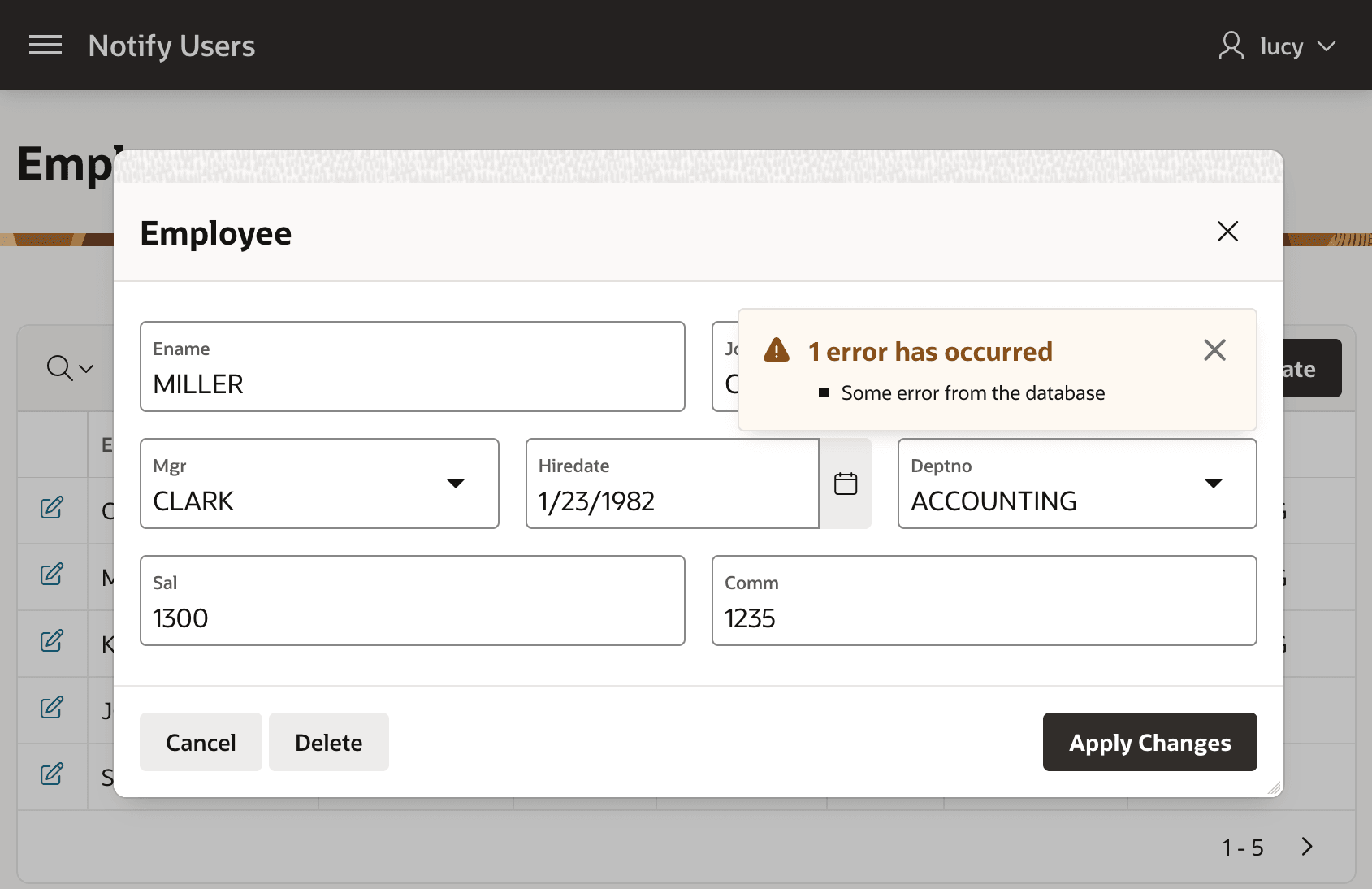
The second error is a custom exception from RAISE_APPLICATION_ERROR.
This happens when a user sets COMM to 1235.
create or replace trigger emp_conditional_error_test
before insert or update on emp
for each row
begin
    -- Intentionally cause a divide-by-zero error for educational purposes
    if :new.comm = 1234 then
        if :new.comm / 0 > 1 then
            null;
        end if;
    -- Raise a custom exception message from the database
    elsif :new.comm = 1235 then
        raise_application_error(-20020,'Some error from the database');
    end if;
end;
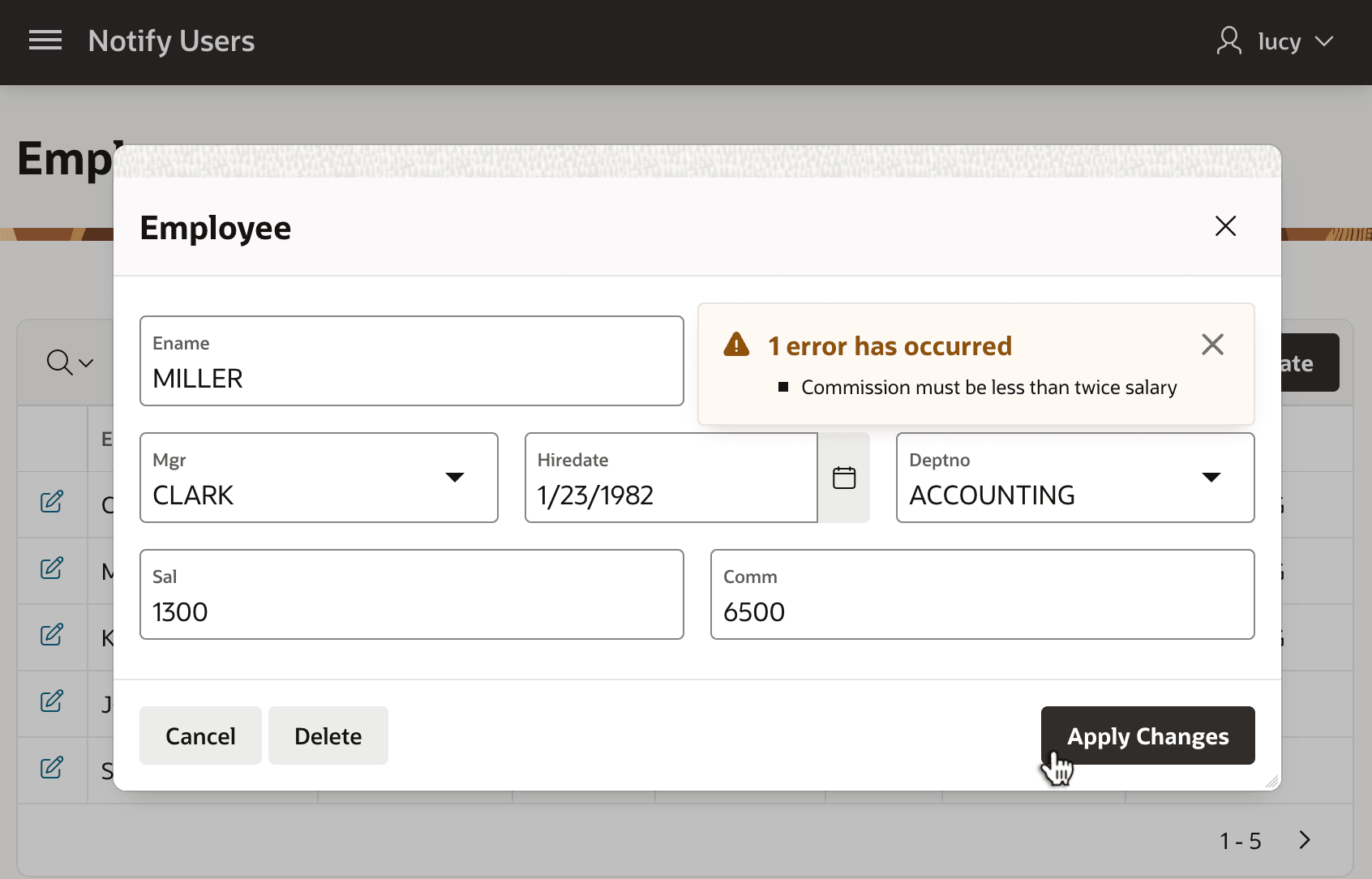
Now, if the user enters a commission greater than twice the employee's salary, they see the custom error message provided by the translatable text message named COMMISSION_COMM_LESS_THAN_TWICE_SAL.
Commission must be less than twice salaryFigure 20-21 Error Handling Function Shows Custom Error for Constraint Violation
RAISE_APPLICATION_ERROR:Some error from the databaseFigure 20-22 Error Handling Function Shows Simplified Database Exception Message
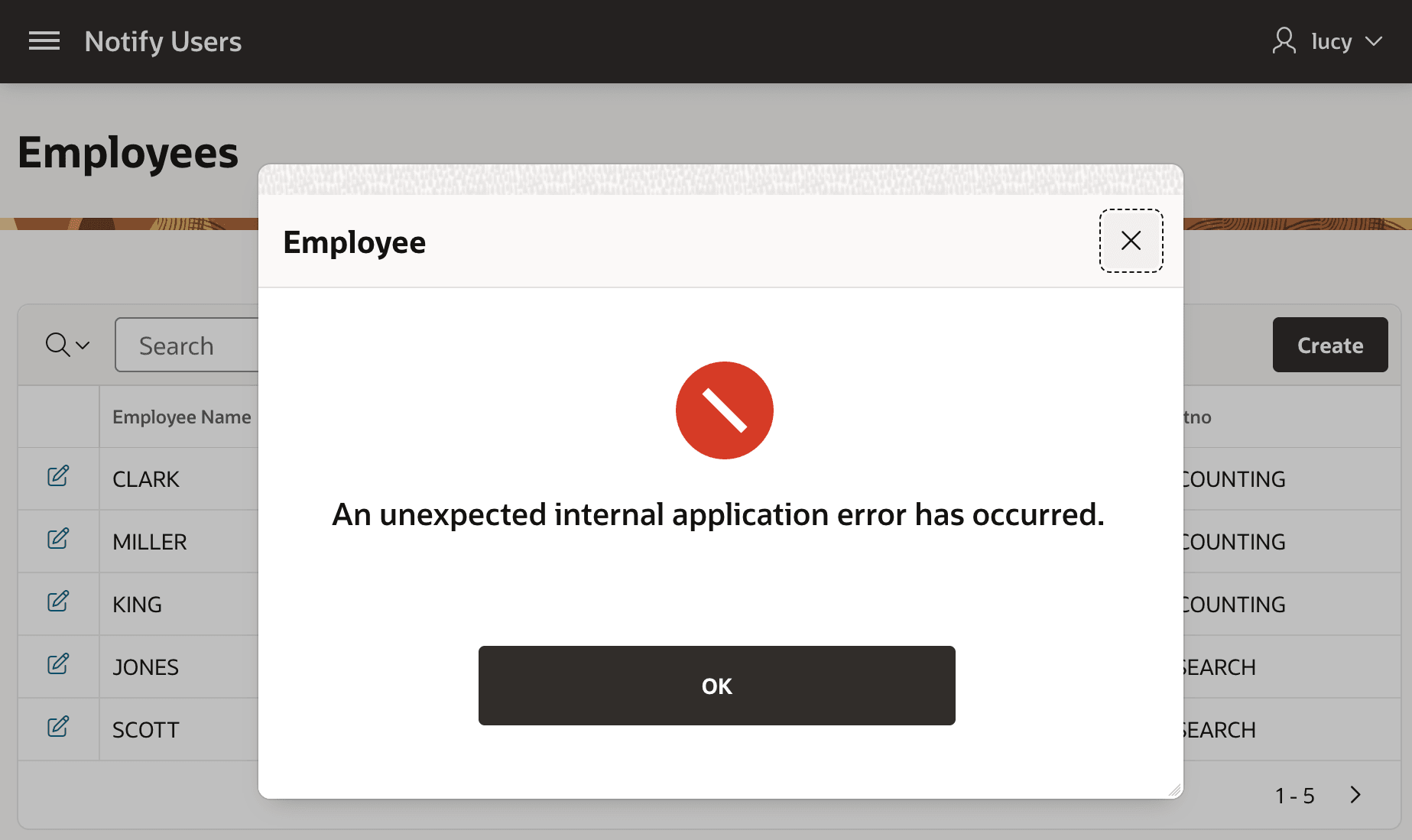
divisor is equal to zeroP8_EMPNO page item that identifies the unique identifier for a form region. When you deploy the emergency fix to production, users suddenly start seeing this custom message for the uncommon internal APEX engine error:An unexpected internal application error has occurred.Figure 20-23 Error Handling Functions Show Custom Message for Uncommon Internal Error
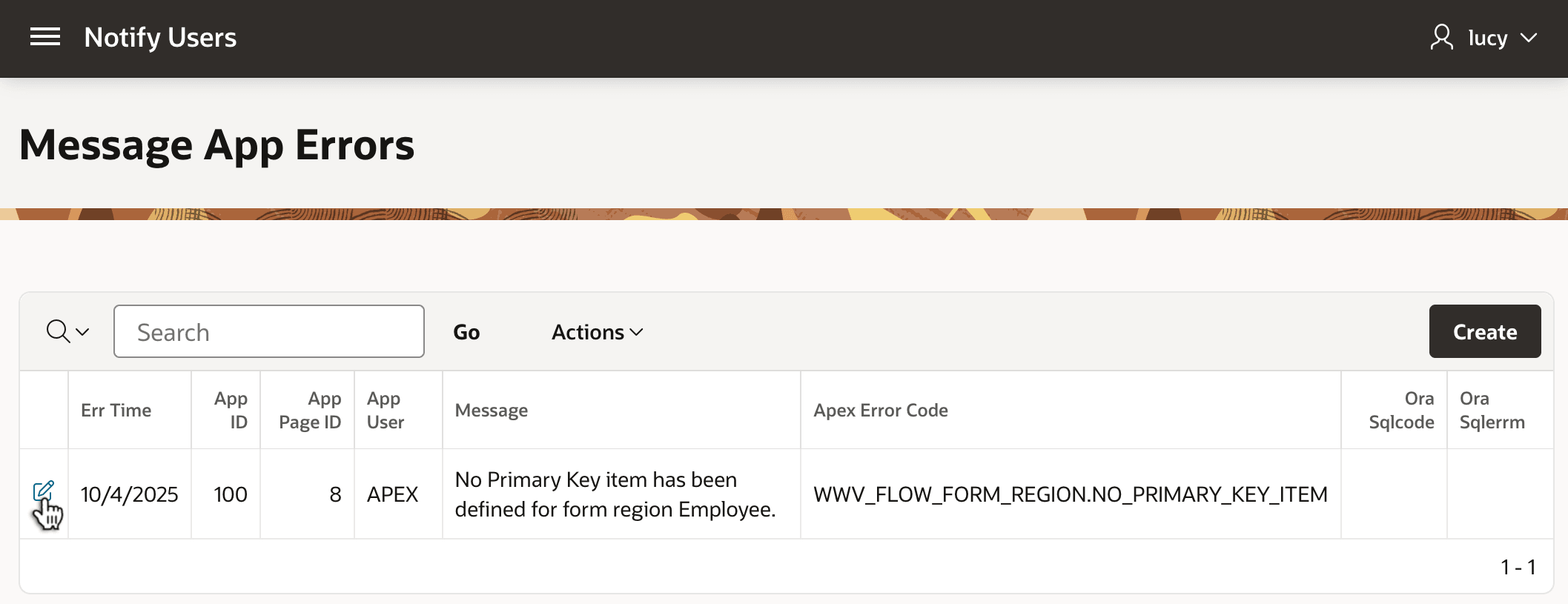
When users report the problem, you check a page only application administrators can see that shows the logged error information in the MESSAGES_APP_ERRORS table. As shown below, you see immediately that the problem relates to a primary key field setting in page 8 of application 100.
Figure 20-24 Error Handling Function Logged Uncommon Internal Error for Review
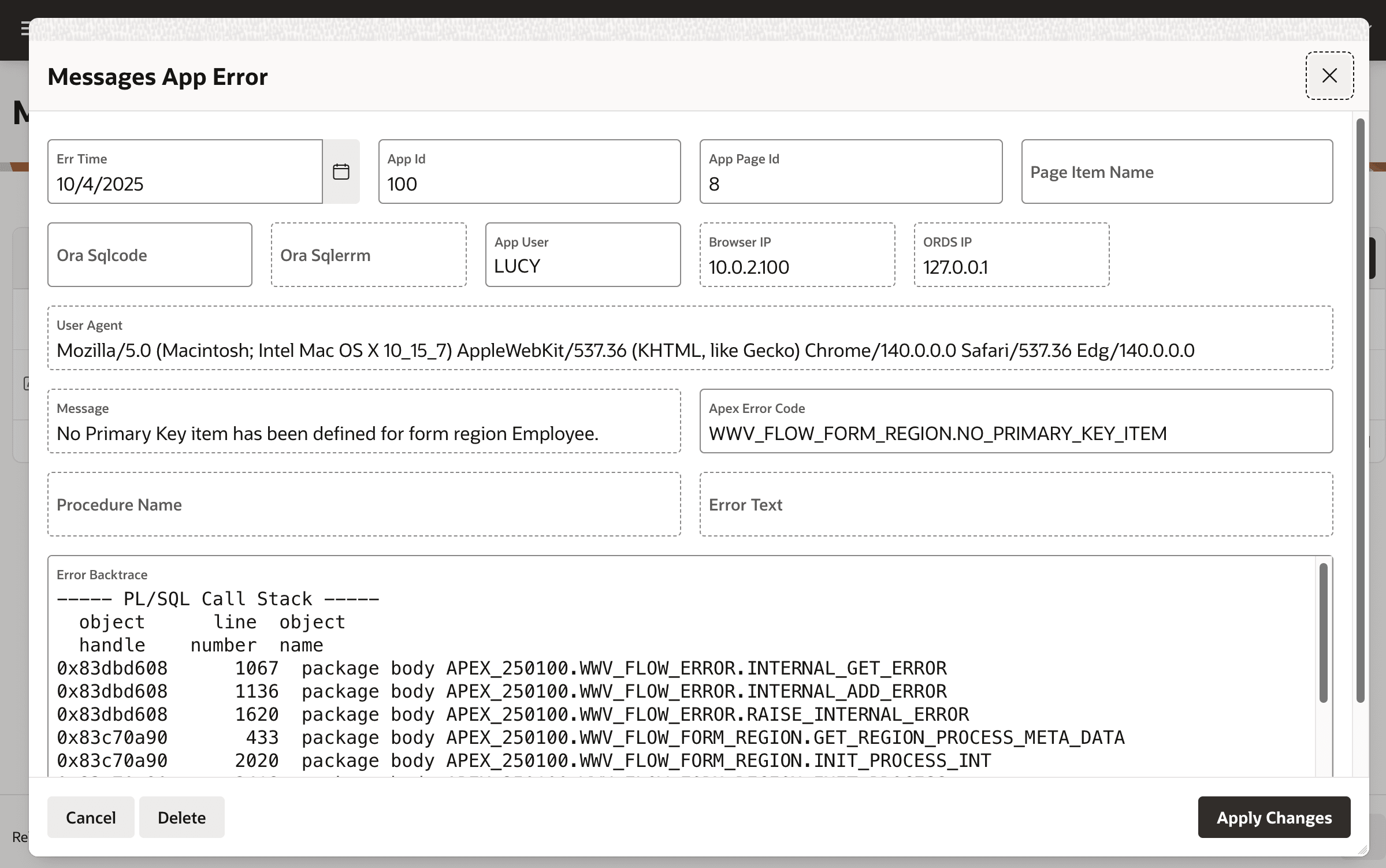
Clicking the details link, you see additional error info your error handling function logged to the table. Using these logged details, you quickly apply the fix, deploy a new version to production, and get users back working happily again.
Figure 20-25 Viewing Logged Error Details for Uncommon Internal Error
Parent topic: Customizing Error Message Display