14.6.6 Experiencing Validation Failure in UI
Show validation failures in the UI using the same shared business logic your REST APIs use.
After you set up the shared Action Item logic in the
ACTION_ITEMS_COMMON package, app pages use it declaratively through
Invoke API page processes or validations. The figure below shows what users
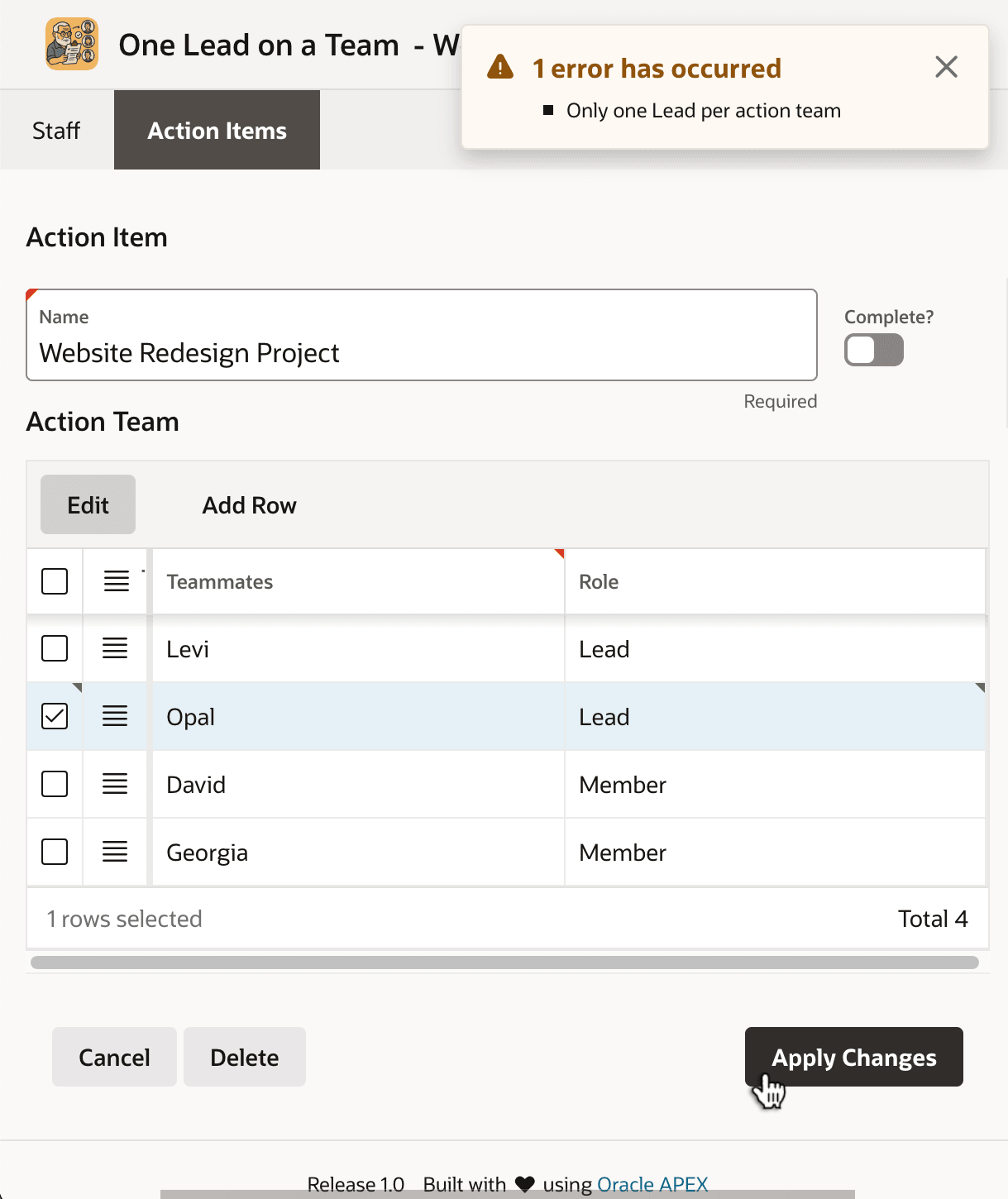
see when saving an action item team with two leads. In the figure, the user clicked
(Apply Changes) on the Action Item edit page for the
Website Redesign Project. The Action Team grid below shows both Levi and Opal
as having the role of Lead. The error notification area appears with an orange
triangle containing an exclamation point and the title "1 error has
occurred". The application specific error appears below that as a bulleted
message: "Only one Lead per action team".
Figure 14-17 Editing an Action Item and Assigned Team Members in a Page
Parent topic: Enforcing Business Logic in REST APIs