18.1 Exploring Employee Excellence for HR Reps
Preview the Employee Excellence page, where HR reps send welcome packets and start background award reviews.
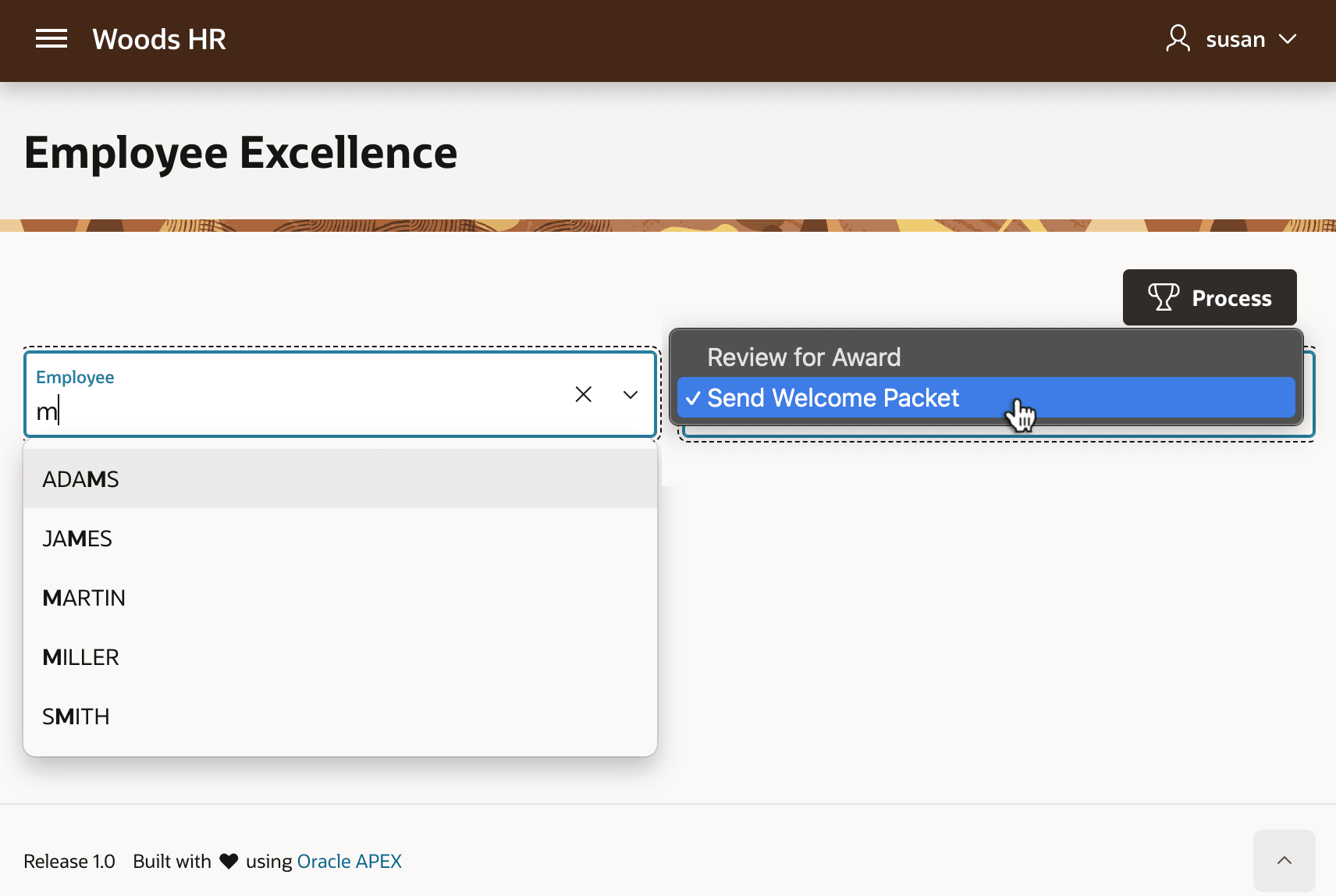
HR reps like Susan at Woods Clinic strive to promote and reward staff success. She uses the Employee Excellence page below to start new hires off right with a Welcome Packet. It contains appropriate materials, tailored by role, on how to succeed at the company. Susan can also initiate an AI-assisted employee review to decide whether a staff member qualifies to receive an Employee Excellence Award. The figure shows Susan's view of the Employee Excellence page where she can search for an employee and send them a welcome packet or review them for an award.
Figure 18-1 Woods HR App's Employee Excellent Page for HR Reps
- Gathering peer and manager feedback on the employee and metrics from various external systems
- Normalizing and summarizing the different employee information sources using AI
- Analyzing the employee's progress against a company rubric with additional AI assistance
- Predicting award eligibility from historical data using machine learning, and
- Generating and emailing an award certificate if the employee qualifies.
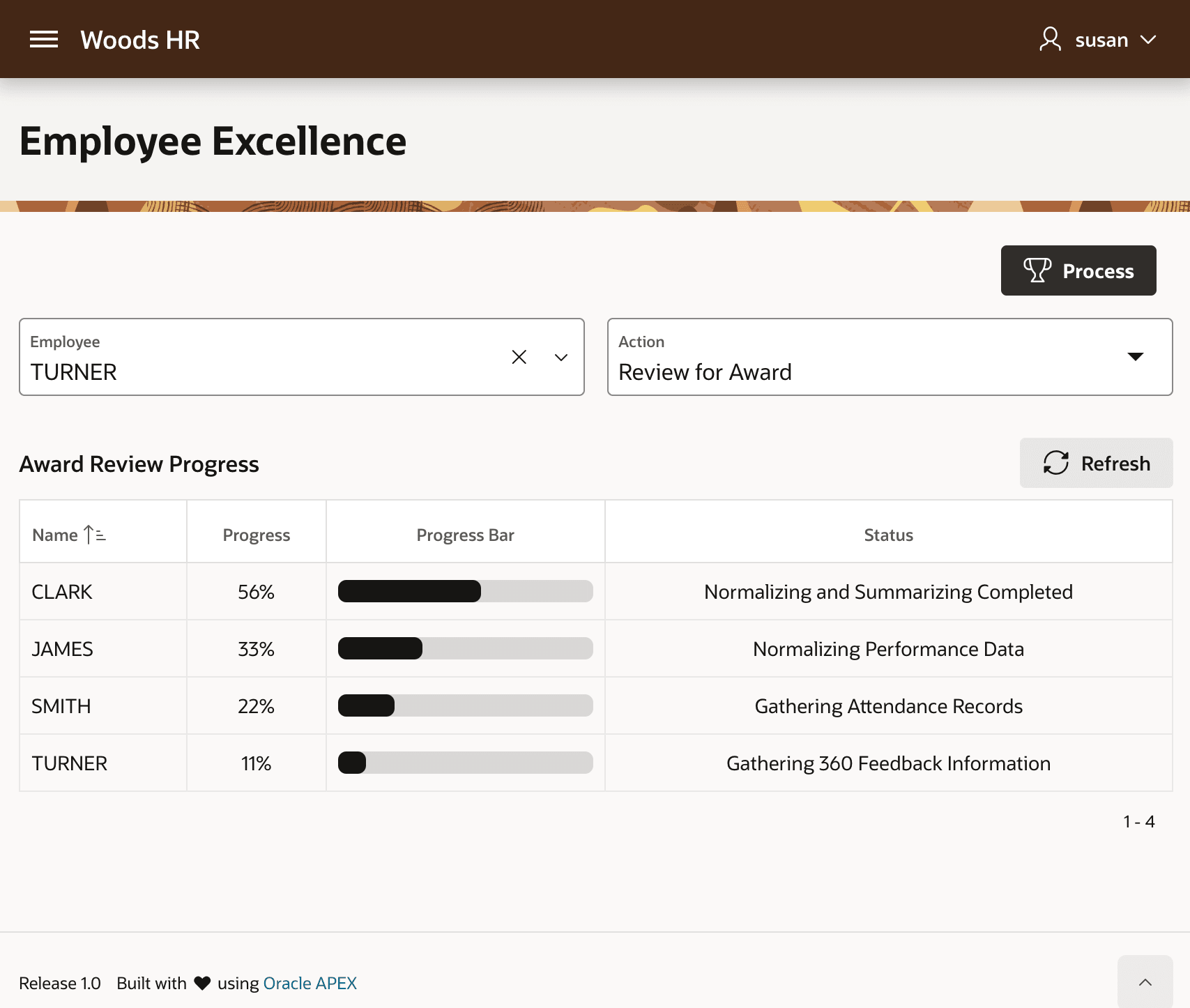
The Review for Award process runs in the background so Susan can do other tasks while the system progresses the reviews without her involvement. If the recipient qualifies, they receive their award as an email attachment when the process completes without further input. Susan can return at any time to see the ongoing progress of any reviews she's initiated on the page as shown below. The figure shows Susan's view of the Employee Excellence page when there are ongoing award review processes running in the background. An Award Review Progress section of the page shows the progress of each review as a percent and a progress bar, as well as its current status.
Figure 18-2 Viewing Progress of Longer-Running Award Review
Parent topic: Grouping Logic and Background Execution