25.1.11 Listing Workflows and Viewing Details
Create Workflow Console pages to list the workflows a user owns, administers, or initiated.
In the Create Page Wizard, create a Workflow Console page to list workflow instances. You provide the name for the page that lists workflow instances, and the workflow details page. The Report Context you choose determines the filtered list of workflow instances the page displays at runtime.
Table 25-5 Report Context Determines Which Workflow Instances Display
| Report Context | Instances Where Current User Is | API Constant |
|---|---|---|
| My Workflows | Workflow Owner | MY_WORKFLOWS |
| Admin Workflows | Workflow Administrator | ADMIN_WORKFLOWS |
| Initiated by Me | Initiator | INITIATED_BY_ME |
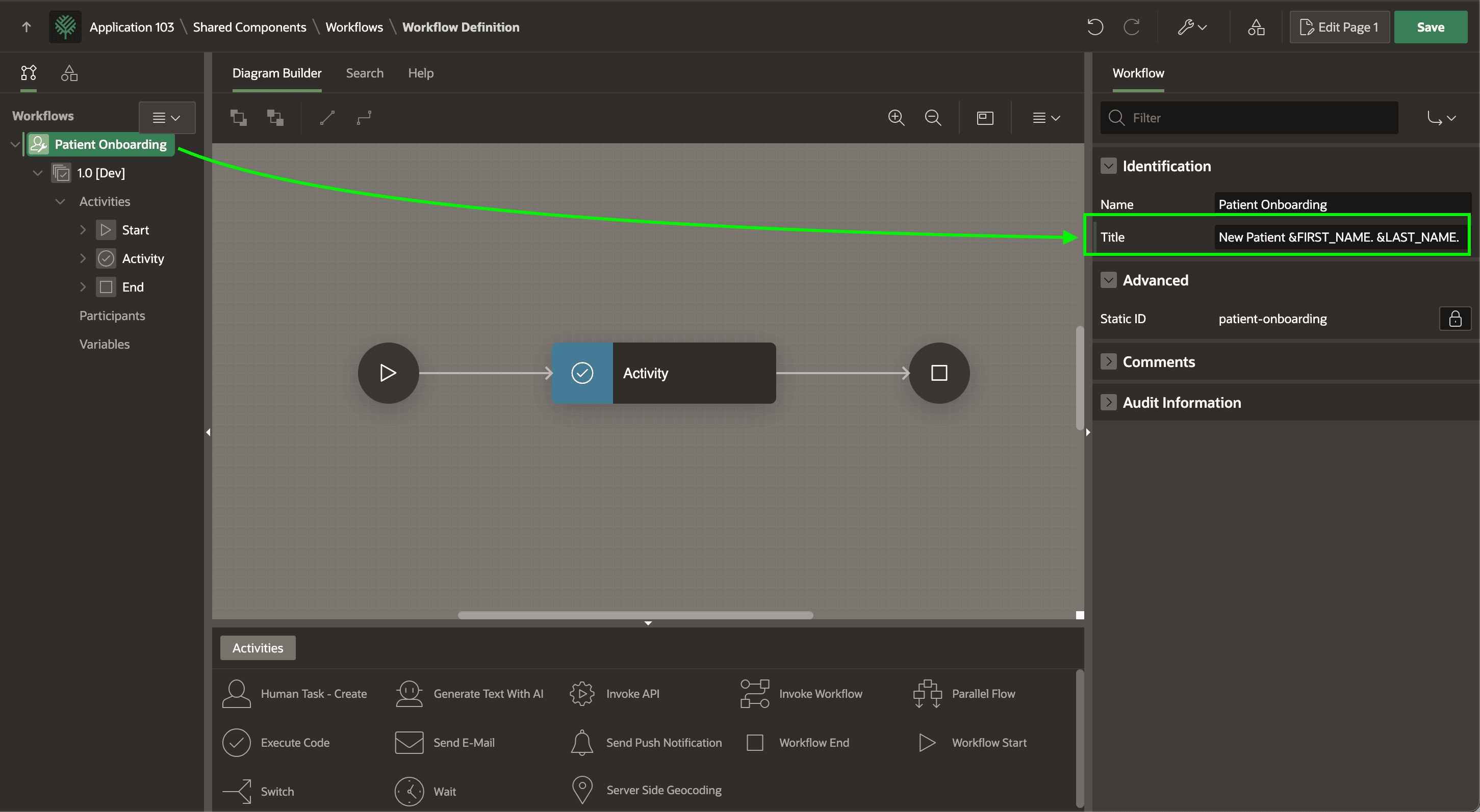
You can use the pages as they come, or customize them in Page Designer as needed. The page below is a slightly modified version of an Admin Workflows console page. Notice the workflow title you configure is used as the Title of the Content Row region the generated console page contains.
Figure 25-72 Title Appears in Console Page Listing Workflow Instances
Tip:
By default, the console's list page shows workflow instances for all applications in the workspace, but you can focus the page to display only workflows for the current application by uncommenting the p_application_id parameter line in the Content Row region's query shown below. By default, the wizard generates a SELECT statement with a subset of available columns. Change the query to select * to see the complete list of available workflow columns you can reference.
select *
  from table ( apex_workflow.get_workflows (
                   p_context => 'ADMIN_WORKFLOWS'
                   --, p_application_id => :APP_ID
                   ) )
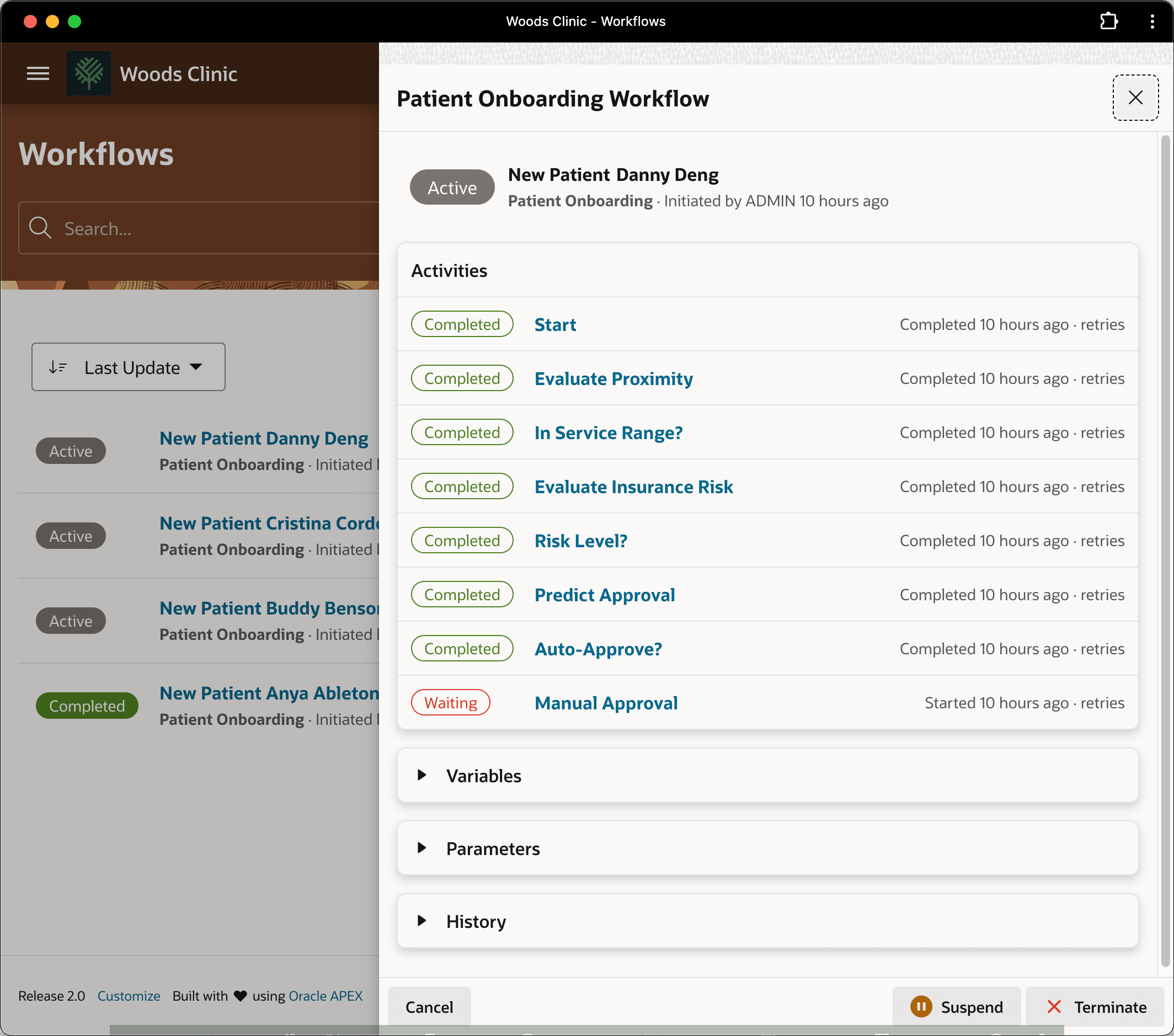
Clicking on the title of a particular workflow instance like New Patient Danny Deng, the generated workflow detail page appears. It shows the list of completed activities for the selected instance. Expand the Variables, Parameters, and History sections to see additional information.
Figure 25-73 Workflow Detail Page Displays Status of Selected Instance
Parent topic: Automating a Process with Workflow