20.3.4 Opting-In to Receive Push Notifications
Users opt in to push notifications from the user settings menu on each device.
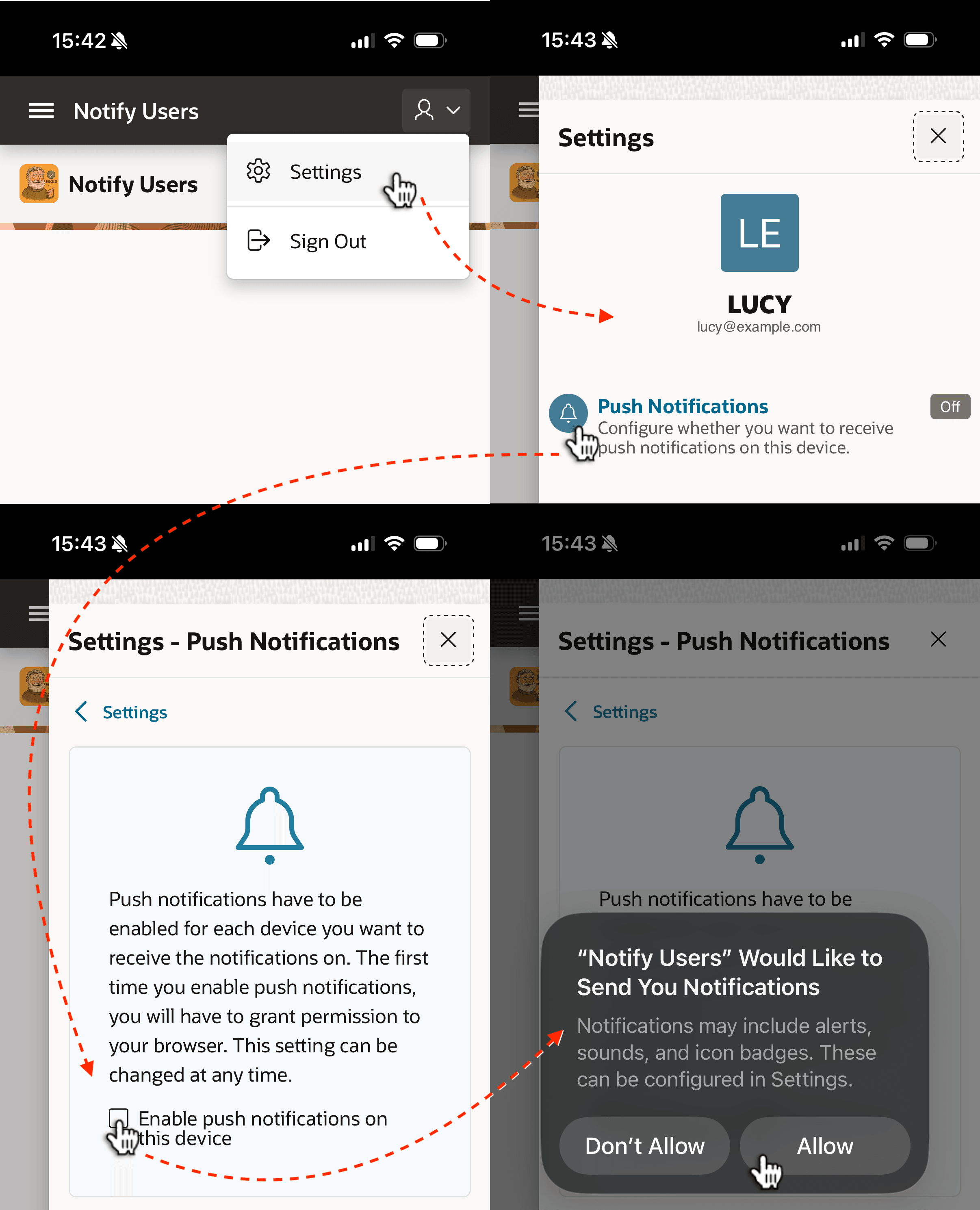
An application user like LUCY manages her settings under the
logged-in user drop down menu. Lucy opts-in to receive push notifications by following
the sequence shown below. She access the Settings menu, taps on Push
Notifications, taps to Enable push notifications on this device, and taps
to Allow notifications. The user preference persists until Lucy disables it.
However, if you ever change the Key Pair credential, users would need to opt-in
again.
Figure 20-33 Lucy Uses App's Settings to Opt-In to Notifications
Parent topic: Delivering Push Notifications