25.3.6.4 Processing Events with an Automation
Use an automation to process queued lifecycle events on a schedule.
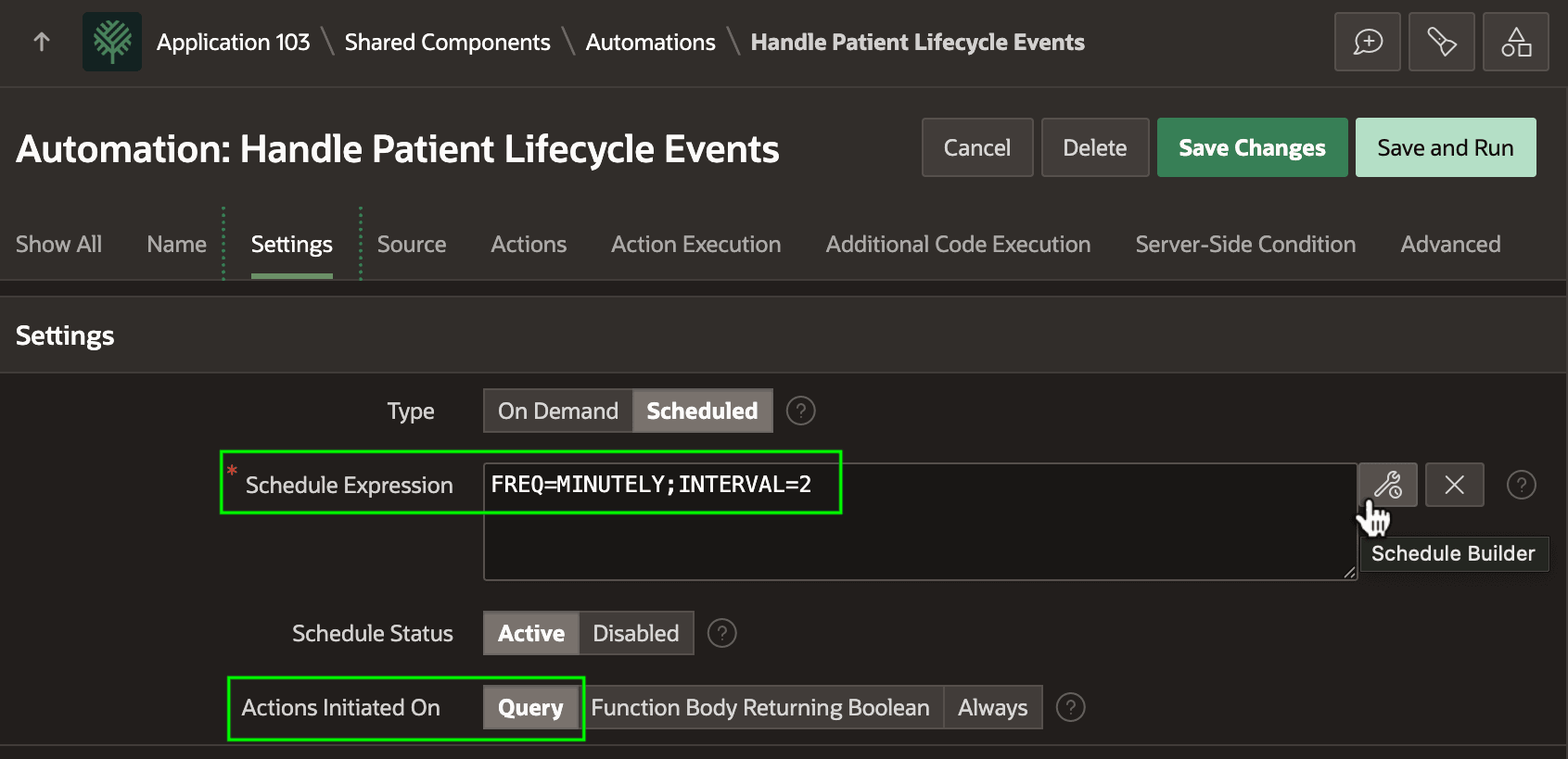
The Handle Patient Lifecycle Event automation shown below is a shared component that defines a recurring background job. It runs periodically based on the Schedule Expression you create with the Schedule Builder dialog, or type in directly. This particular job runs in the background every two minutes.
The Query choice for Actions Initiated On means the automation's actions execute once for each row in the query you define on the Source tab.
Figure 25-149 Lifecycle Events Handler Automation – Settings
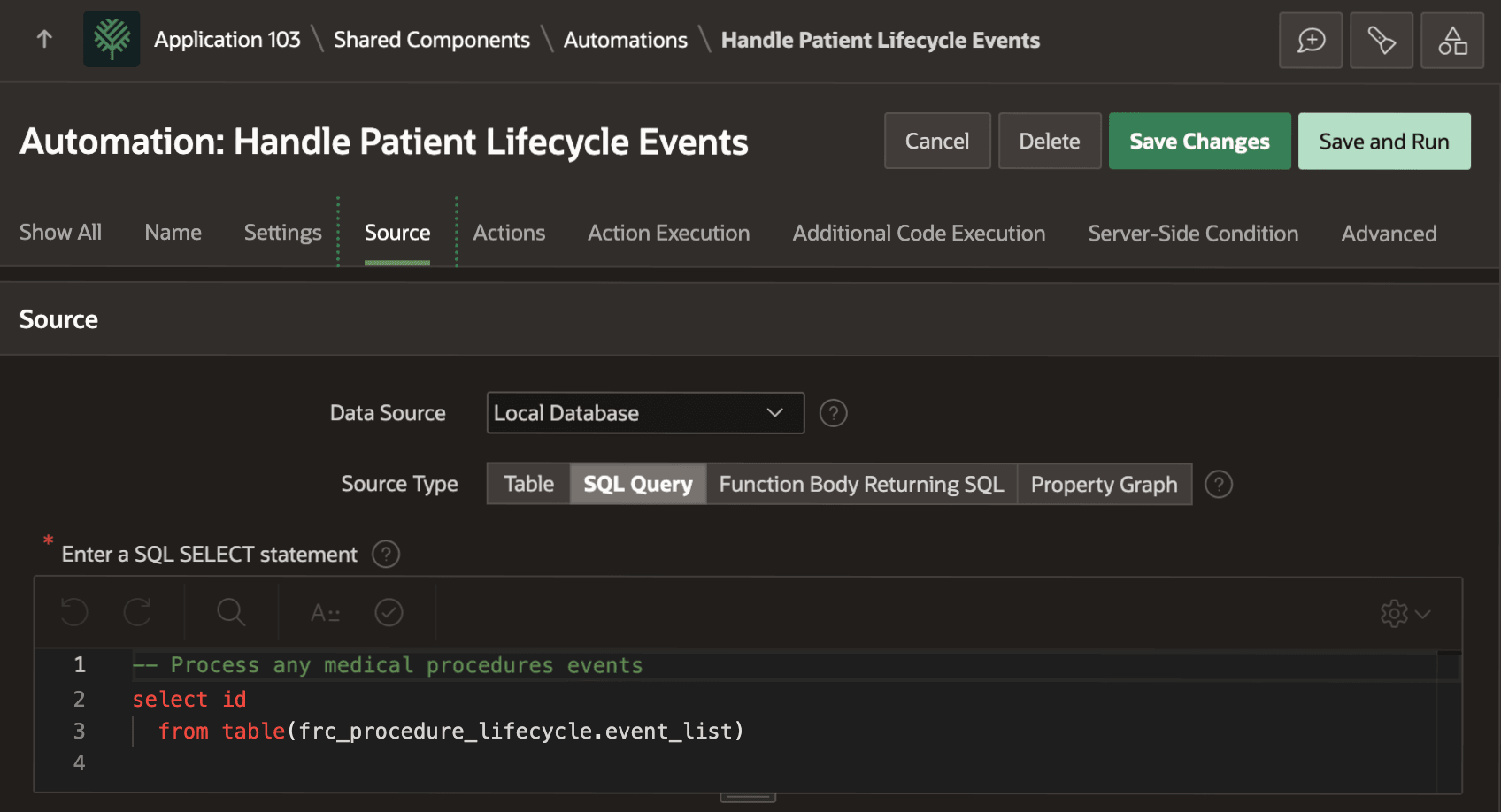
TABLE() operator to select the event ID values to process from the EVENT_LIST function in the FRC_PROCEDURE_LIFECYCLE package. The simple query is:select id
from table(frc_procedure_lifecycle.event_list)Figure 25-150 Lifecycle Events Handler Automation – Source
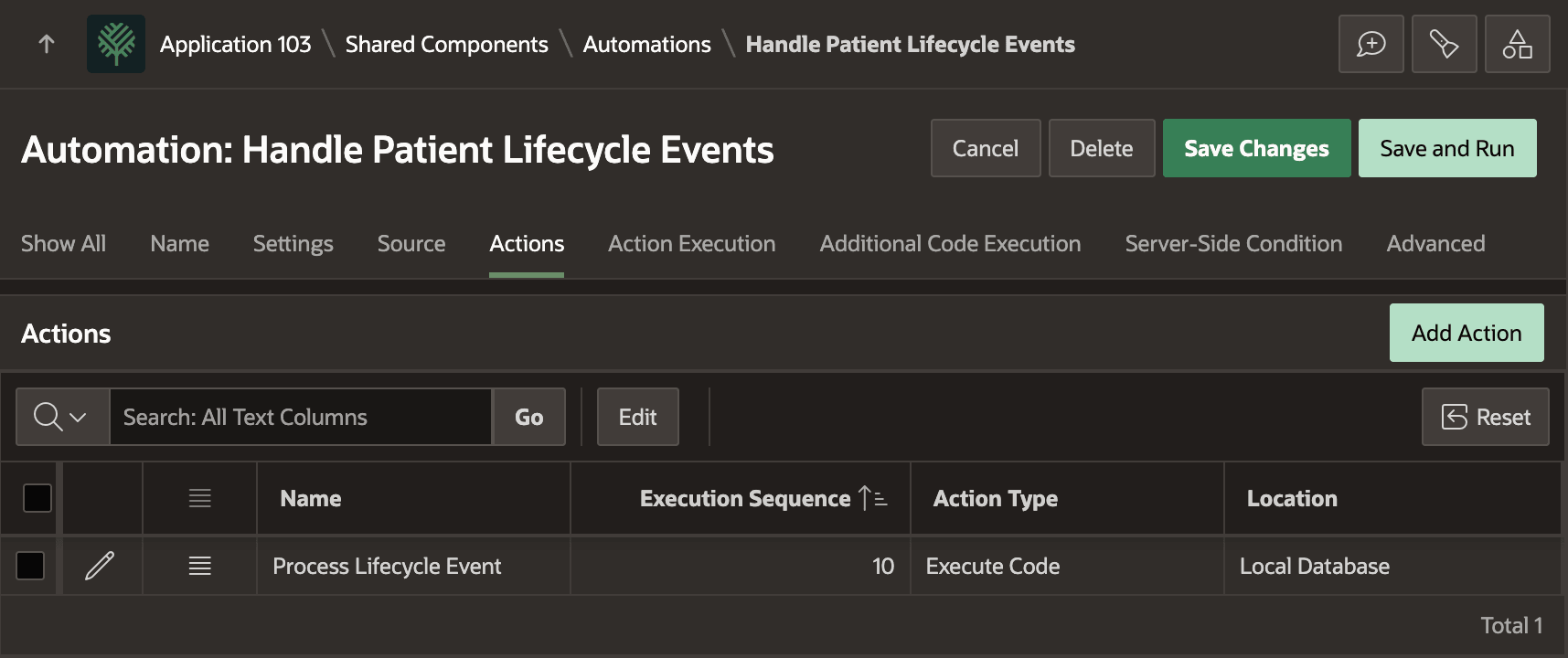
ID:frc_procedure_lifecycle.process_event(:ID);Figure 25-151 Lifecycle Events Handler Automation – Actions
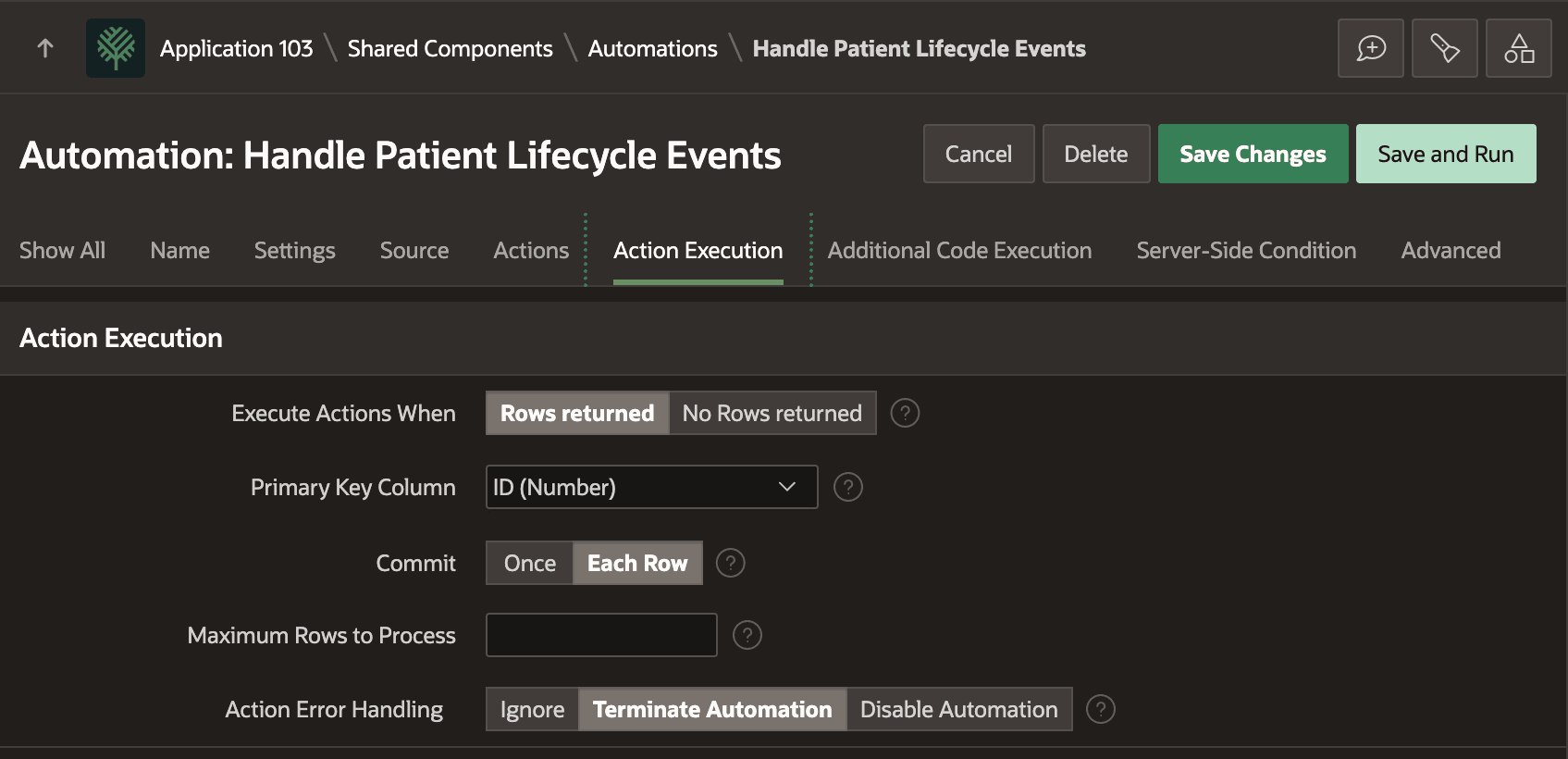
On the Action Execution tab, as shown below, you configure error handling and commit behavior for the job. By committing after each event row is processed, you ensure that a later event's error does not rollback the successful processing of earlier events.
Figure 25-152 Lifecycle Events Handler Automation – Action Execution
Parent topic: Notifying Workflow of Data Changes