5.9.3 Referencing Page Item Values
As with other region types, you can use a dynamic action to interactively refresh the data a Dynamic Content region displays.
Consider the page shown below having a P22_DEPARTMENT select list using 3 of the 12 columns in the layout grid and an old-school ASCII art chart dynamic content region in the same row. Configure a dynamic action on the select list to react to the Change event with an action step to Refresh the dynamic content region. Then the chart refreshes to show the latest data any time the end user changes the selected department.
Figure 5-26 Dynamic Content Region Using a Page Item Value
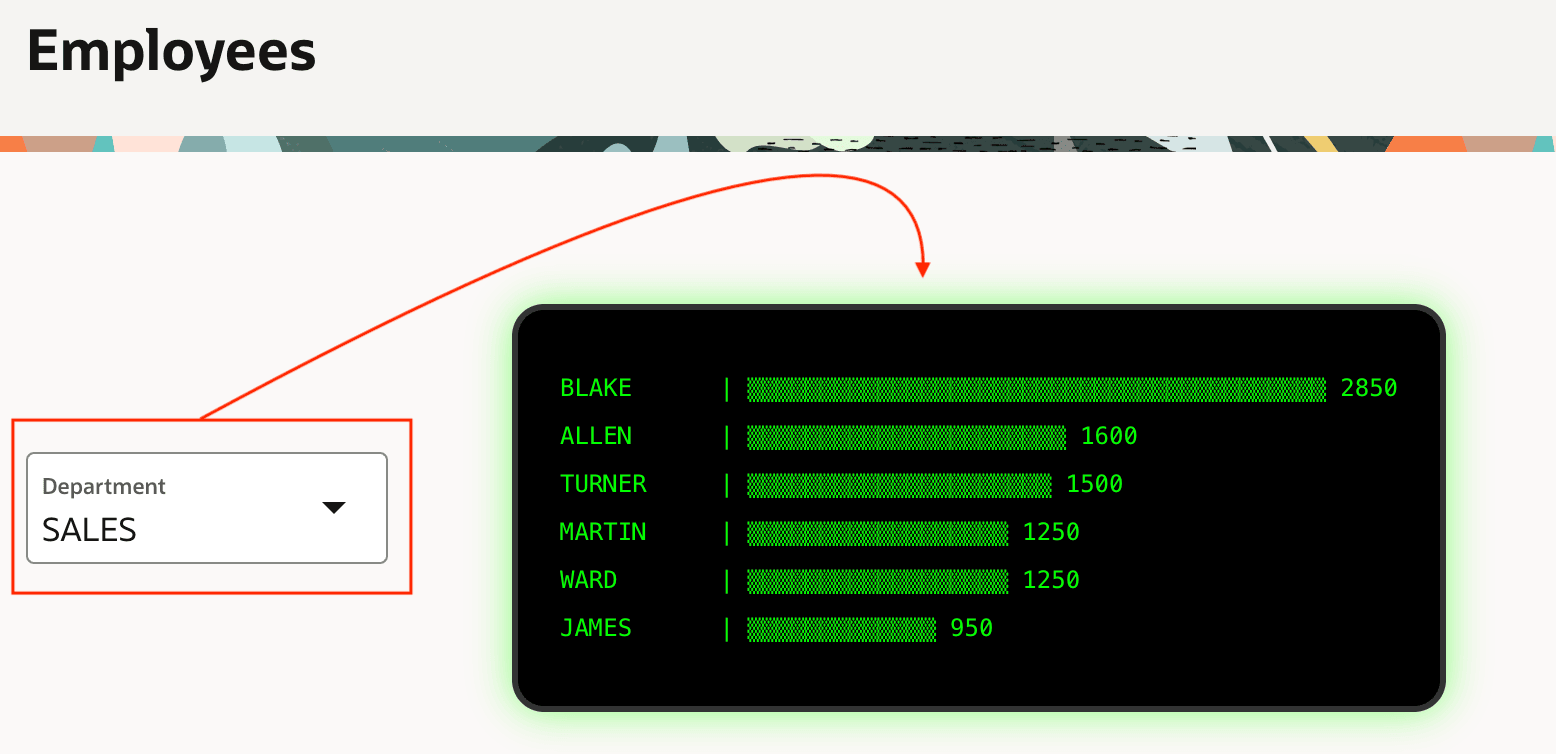
To complete the implementation, adjust the dynamic content region's PL/SQL block to reference the :P22_DEPARTMENT page item value in the select max(sal) query as well as in the query in the for loop as shown below:
    -- Adjusted two queries to reference page item value as bind variable
    select max(sal)
      into l_max_sal
      from emp
     where deptno = :P22_DEPARTMENT;

    for j in (select ename, sal from emp
               where deptno = :P22_DEPARTMENT
               order by sal desc)
    loop
      l_blocks := round(j.sal / l_max_sal * 40);
      l_bar := rpad('▒', l_blocks, '▒');
      p('<pre>' || rpad(j.ename, 10) || ' | ' || l_bar
                || ' ' || j.sal || '</pre>');
    end loop;
With these changes in place, the last step is mentioning P22_DEPARTMENT in the dynamic content region's Page Items to Submit property so the APEX engine gets the latest value from the browser automatically whenever the region refreshes.
Parent topic: Dynamically Formatting Data