18.10.1 Reviewing App Background Processes
Review and terminate application background processes from the Debug Viewer.
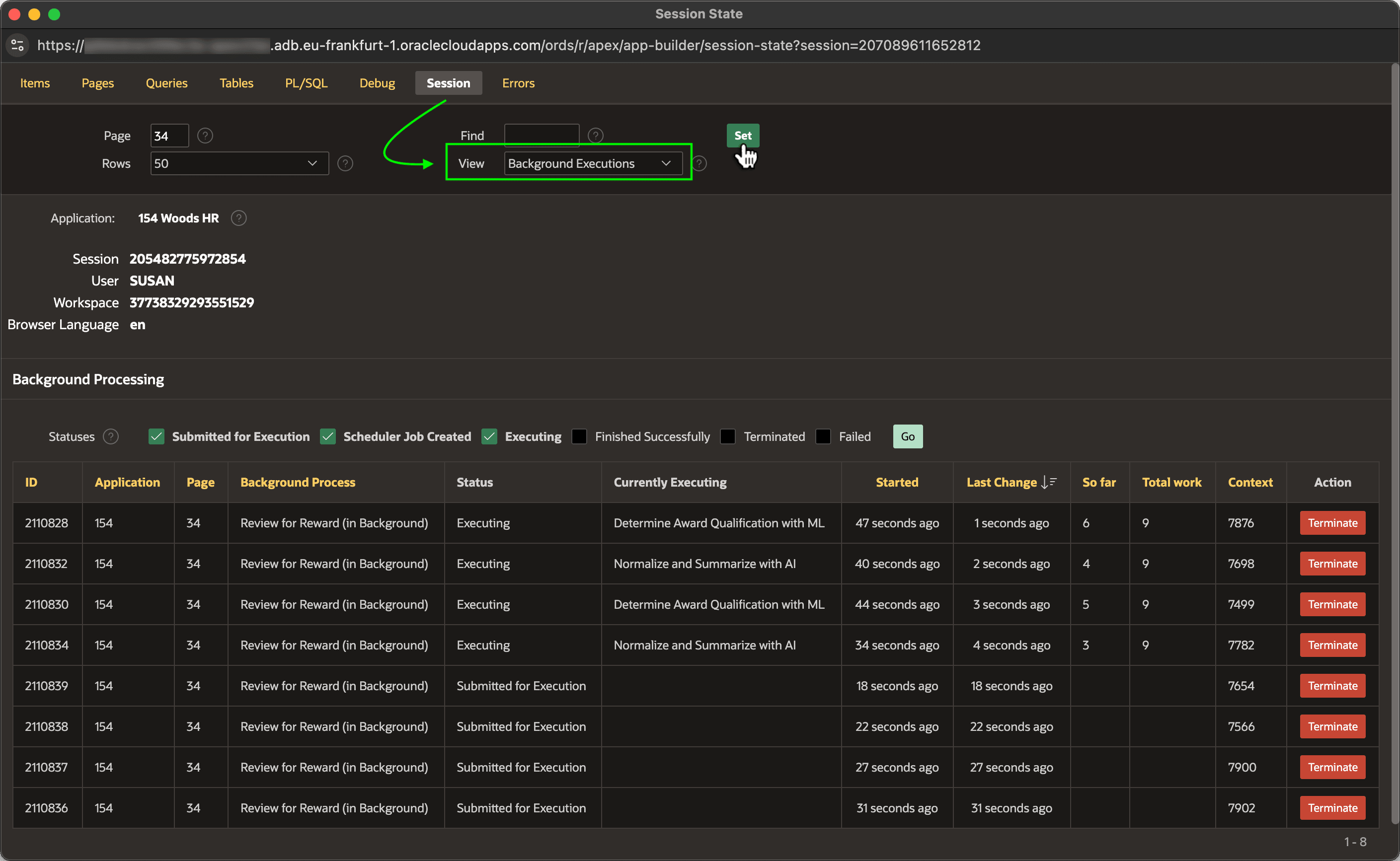
Use Debug > View Debug from the Developer Toolbar to open the Debug Viewer page. As shown below, on its Session tab, choose Background Executions in the View select list and click (Set) to review background processes for the current application.
Notice you can see each job's status, Currently Executing status message, So far, Total work, and Context values. Recall that the Review for Reward (in Background) execution chain configures the employee ID to provide this context value, so the values shown represent the employee being reviewed for a Employee Excellence Award by each particular background process.
Use the Statuses checkboxes to refine the list to see the processes that interest you. By default, it shows jobs that have been enqueued, scheduled, or are executing.
Click the (Terminate) button in any row to abort that background job immediately.
Figure 18-22 Inspecting Background Executions for the Current Session
Parent topic: Debugging Background Processes