18.4 Serializing Background Process Jobs
Serialize background jobs by type or context value to prevent conflicting work.
When you enable the Serialize switch for an execution chain that runs in the background, the APEX engine lets only one job of that type run at a time for any user of the system. This can be useful to avoid multiple background processes from modifying the same rows at the same time.
When you also configure a Context Value Item, the jobs serialize with
respect to that context value. For example, the Employee Excellence page
configures Context Value Item to come from Select One page item
P34_EMPLOYEE_EMPNO. This means Susan or other HR reps can
process the award reviews for employees 7876 (ADAMS) and 7499 (ALLEN) and 7698 (BLAKE)
at the same time. The figure shows the Review for Reward (in
Background) execution chain selected in the processing tree and
highlights its Serialization properties and the configured error
message a user would see if the job can't be scheduled.
Figure 18-13 Serializing Background Process Job on Context Value
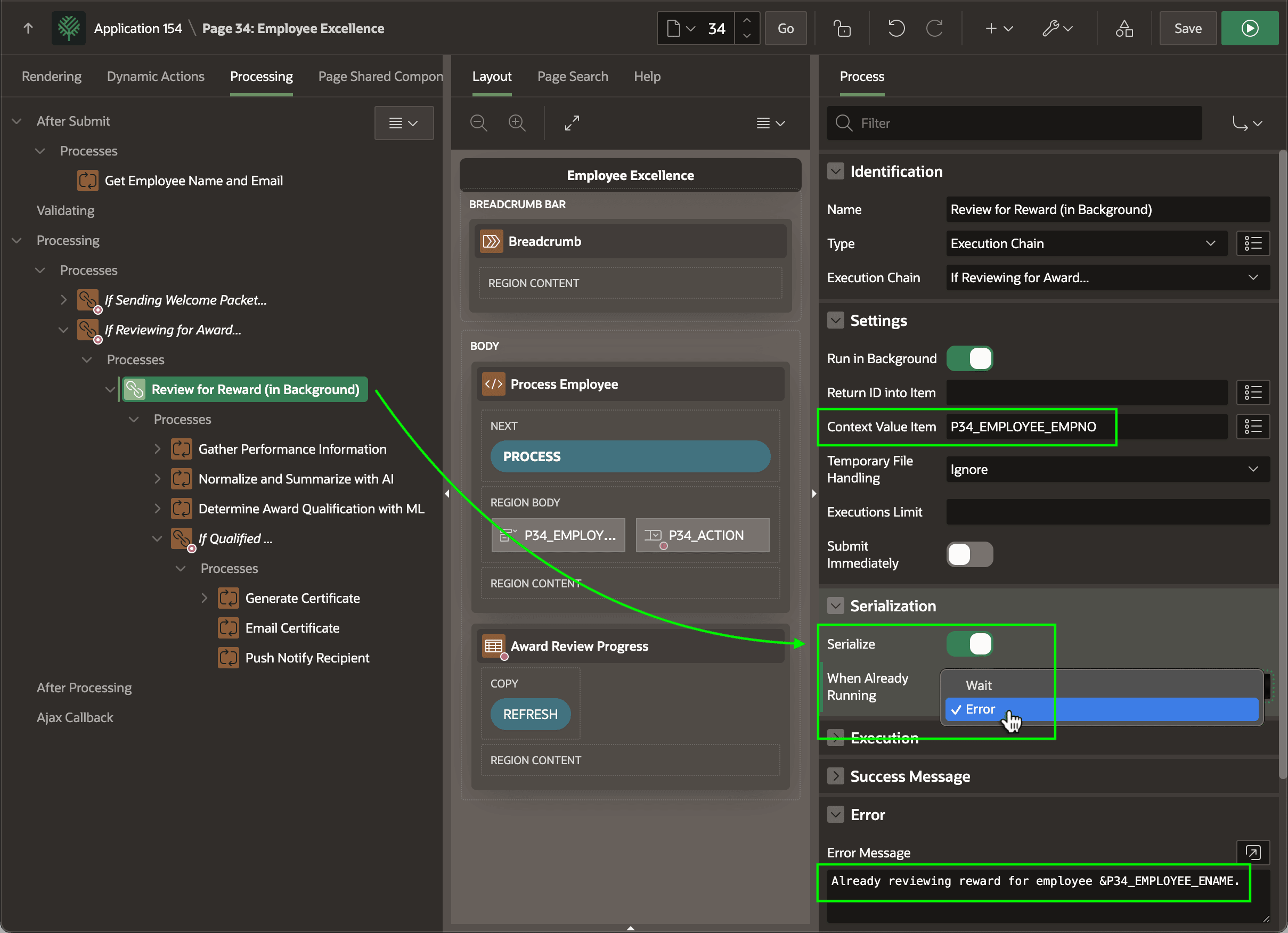
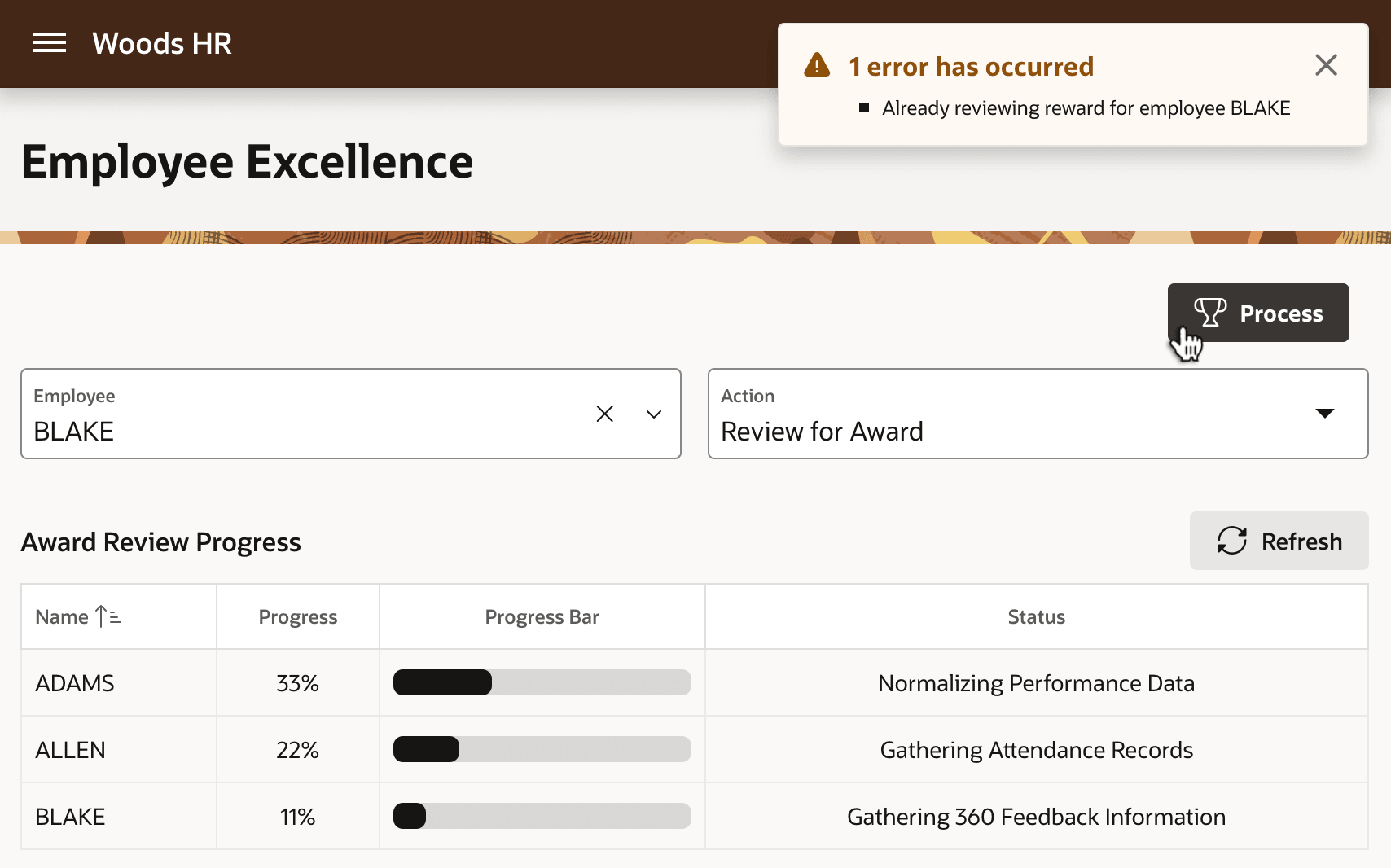
However, if some HR rep tries to initiate an award review process for an employee already being actively processed by a background process job, it must either wait or give an error. As shown above, the Employee Excellence page configures the When Already Running property of the execution chain to Error and configures an Error Message. This means Susan's attempt to process BLAKE when that employee is already being processed, shows the error below. The figure shows Susan's view of the Employee Excellence page when she tries to initiate the award review process for BLAKE when one is already ongoing in the background for that employee.
Figure 18-14 Background Process Error if Context Value Already Being Processed
Parent topic: Grouping Logic and Background Execution