6.4.2 Showing Filtered Data in Another Region
To show one region's data in another region, you can reference the primary
keys of a source region's search results in another region's query or WHERE
clause. Whenever the source region's results change, a dynamic action can automatically
refresh the target region.
Consider the Smart Filters region shown below that searches
EMP data in a Cards region. As a user narrows the results,
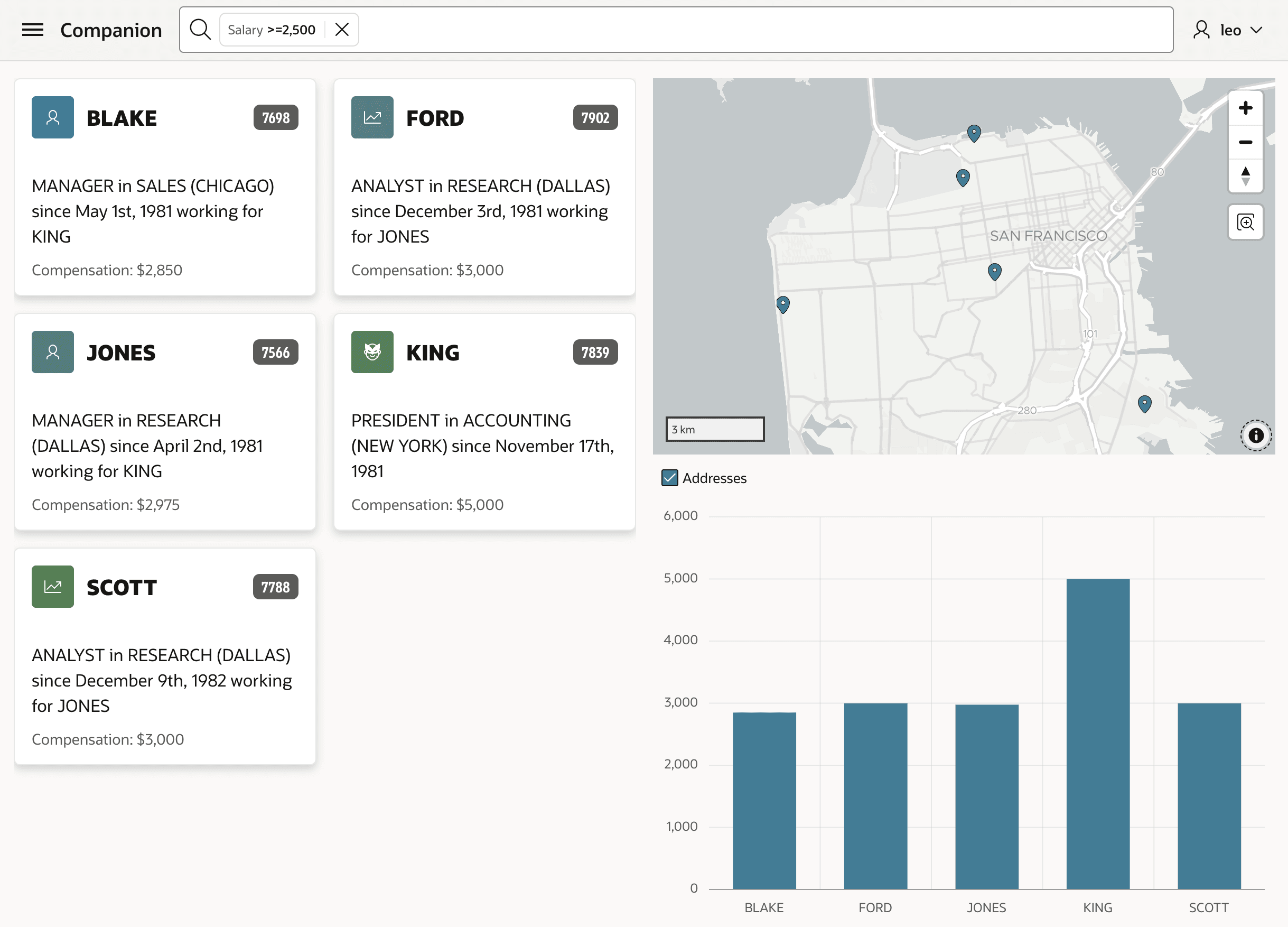
seeing the same data on a chart or a map can be useful. The figure below shows a Smart
Filters region positioned in the navigation bar. In the body of the page, a Cards region
occupies the first six columns, while a Map and Chart region show one above the other in
the right six columns.
Figure 6-24 Show Smart Filtered Cards Region Data in Chart and Map
- Getting Filtered Data Primary Keys
A helper function can return the primary keys of a filtered region's results. - Using Filtered Data Primary Keys
Use the SQLtable()operator to use rows from apipelinedfunction in the data source query of any APEX region. - Refreshing the Target Region
To keep the source region and the target region's data in sync, define a dynamic action on the source region that triggers when the source region's results are refreshed.
Parent topic: Showing Search Results in Other Regions