25.2.6.3 Switching Path Using a Condition
Use a Switch activity to decide which path the workflow takes.
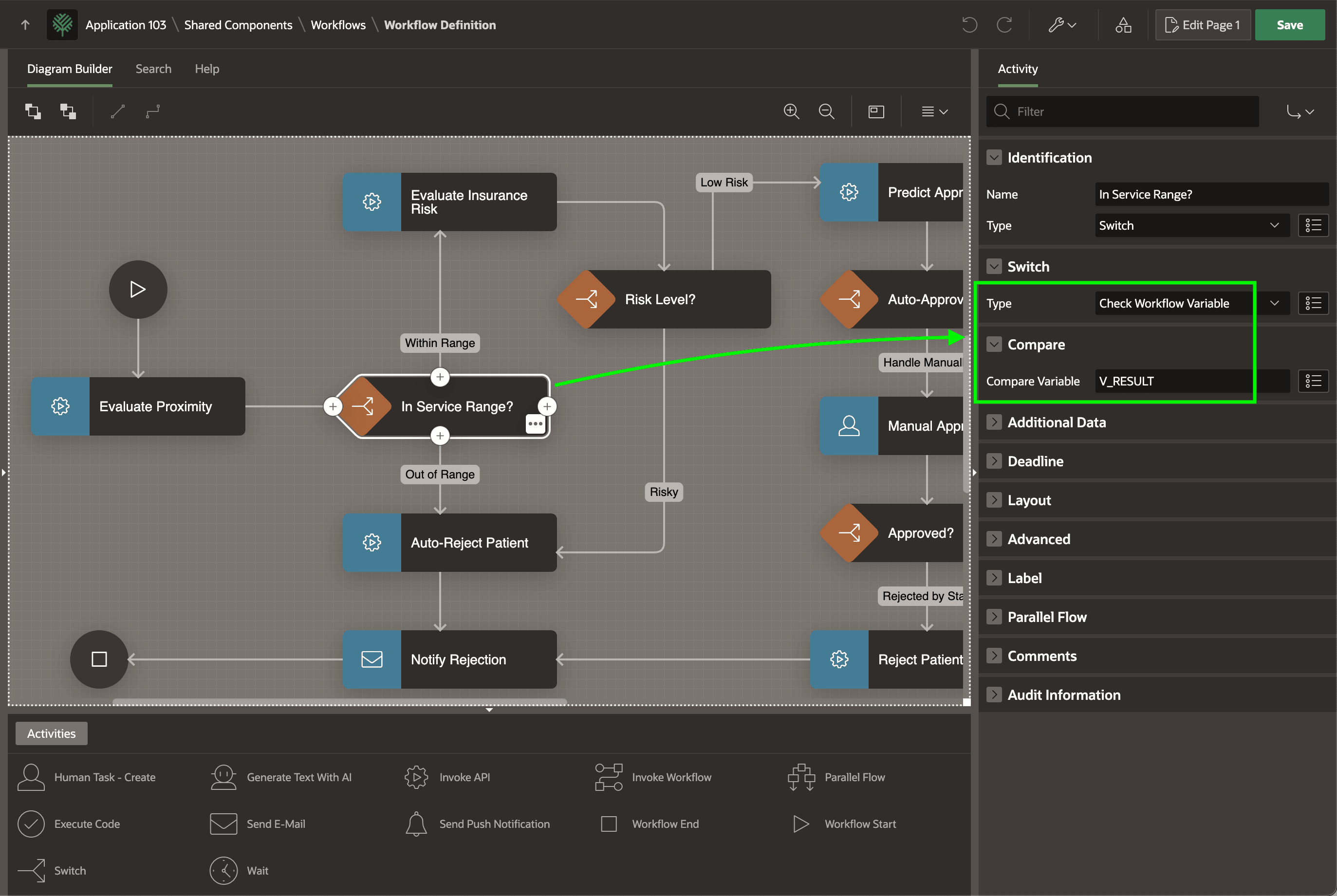
The Evaluate Proximity activity configures the V_RESULT
workflow variable to store its Function Return value. The subsequent In
Service Range? is a Switch activity that as shown below is set to check
this V_RESULT variable to decide which path to follow. The
Switch activity identifies the source of the conditional decision.
Then, each connection originating from that Switch activity configures a
condition based on this source. When evaluating the next activity, the APEX engine follows the connection path whose condition evaluates to true.
Figure 25-83 Configuring a Switch Activity to Decide Based on a Workflow Variable
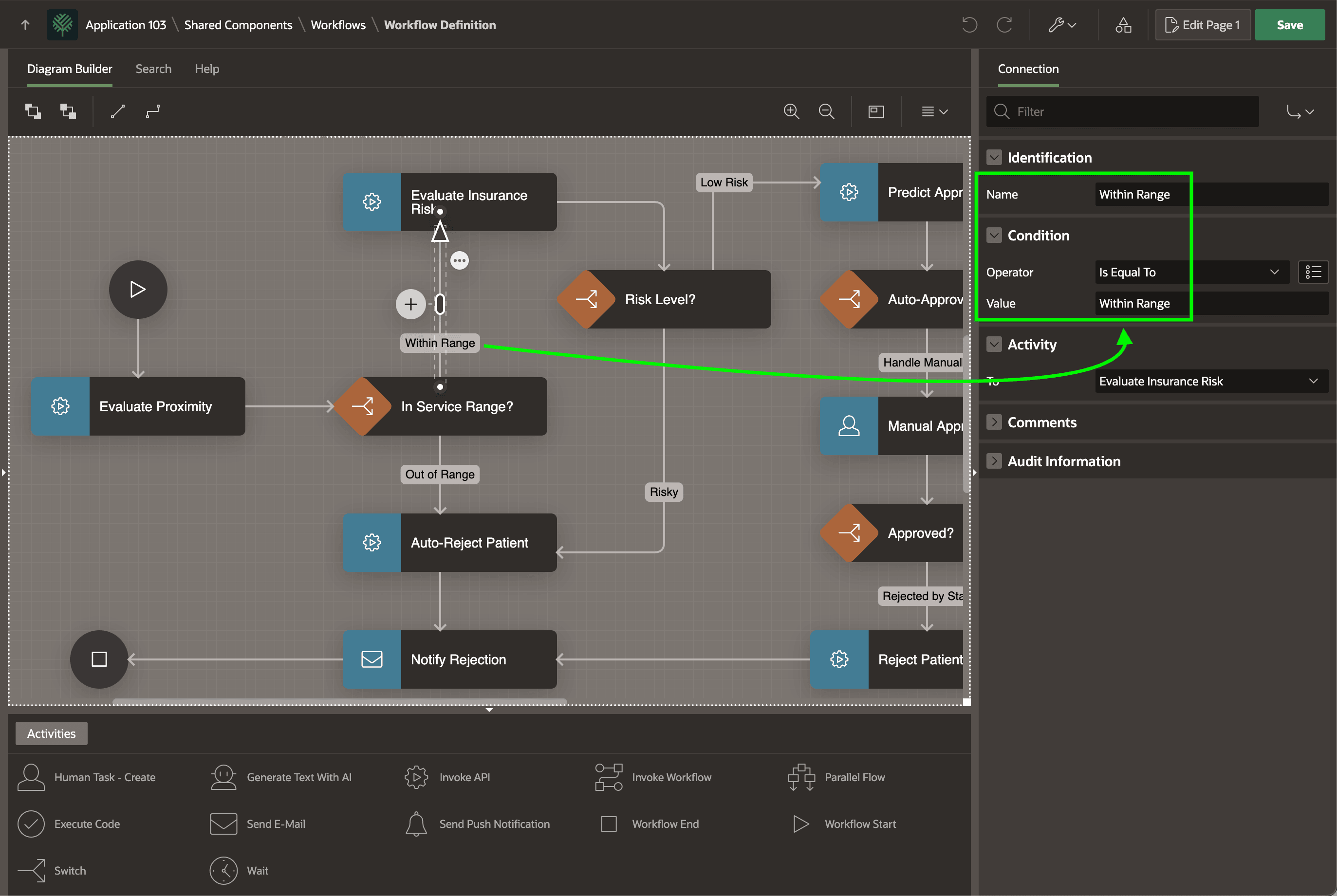
As shown below, the connection named Within Range represents the condition that the Switch source V_RESULT equals the literal value "Within Range". The name of the connection need not coincide with the condition value, but sometimes that makes the diagram the most easy to understand. For example, you could change the connection name to Inside Service Area, as long as the condition remains the same, without affecting the workflow's flow.
Figure 25-84 Assigning Outcome Condition to Connection Originating from a Switch
The following table lists all the available Switch types you can use.
Table 25-6 Switch Decision Types
| Type | Routes Based On | Outbound Connections |
|---|---|---|
| Check Workflow Variable | Distinct values of a variable | One connection per unique value. Otherwise evaluated last. |
| Case | Distinct values of an expression | Any number of connections, each configured with an Execute Sequence. First in sequence to evaluate to true is used. Sequence Otherwise last if used. |
| True False Check | True or false result of boolean expression | One True, one False |
| If Elsif Else | Evaluating connection conditions in execution sequence order | Any number of connections, each with a Server-side Condition configured and an Execute Sequence. First in sequence to evaluate to true is used. |
Parent topic: Building Patient Onboarding Visually