4.2 Using Data Values in Template Directives
Use Template Directives in your HTML expressions to conditionally format data or iterate over a list of delimited values.
When referencing data values inside the curly braces of a directive, use its name with no prefix or suffix.
Depending on the context, what you put inside the directive uses
#NAME# or &NAME. notation. For
example, in a Cards, Content Row, Template Components, and Interactive Grid region, use the
&NAME. substitution syntax as follows to include the value of
TITLE if it is not empty.
{if TITLE/}&TITLE.{endif/}In a Classic or Interactive Report, or when defining your own templates, use &NAME. for page items, application items, or built-in substitution strings, but #COLUMNNAME# notation for column names. Also note that space before the closing /} is allowed.
{if TITLE /}#TITLE#{endif/}Template directives make it easy to combine columns into a formatted result with appropriate conditional formatting. Imagine a PERSONS table with columns for HONORIFIC, FIRST_NAME, and LAST_NAME. In an email template, to format a greeting as "Dear Professor Smith," if an honorific is present and "Dear Jennifer," otherwise, you can use template directives like this:
Dear {if HONORIFIC/}#HONORIFIC# #LAST_NAME#{else/}#FIRST_NAME#{endif/}, In an Interactive Report based on an ACTIVITIES tables, suppose a
TAGS column contains a colon-delimited list of tag names. To format
each tag as a chip, you can use the {loop/}
directive in the column's HTML expression like this:
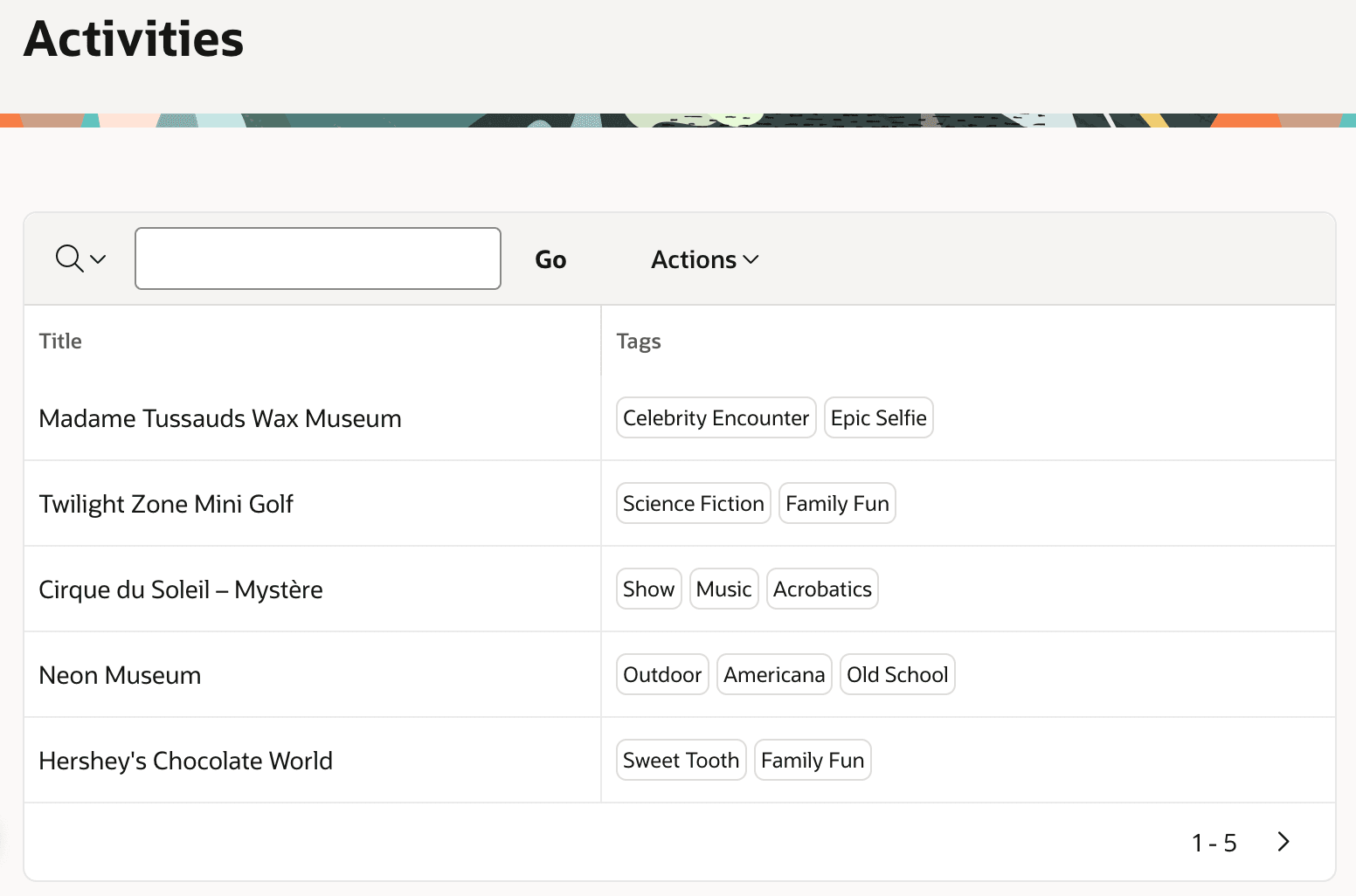
{loop ":" TAGS/}<span class="a-Chip">&APEX$ITEM.</span>{endloop/}This produces the output you see below in the Tags column. The text of each tag appears inside a separate rounded rectangle in each row of the report.
Figure 4-1 Using {loop/} Directive to Format Tags as Chips
APEX offers the template directives listed below. For more information, see Using Template Directives in Oracle APEX App Builder User’s Guide.
Table 4-1 Available Template Directives
| Purpose | Template Directive |
|---|---|
Include contents when NAME has a value, or does not using optional {else/}.
|
|
Include contents when value of NAME matches one of the {when/} directives, or when it doesn't match any of them using optional {otherwise/}.
|
|
Split NAME on delimiter (e.g. ",") and include contents for each value in the list using &APEX$ITEM. (or #APEX$ITEM#) and include index position in the loop using APEX$I (or #APEX$I#).
|
|
Include the output of applying template TEMPLATENAME with value1 and value of NAME data value for custom attributes ATTR1 and ATTR2, respectively. Depending on context, use either #NAME# or &NAME. to reference data values as attribute values.
|
|
Parent topic: Referencing Data Values in Pages