18.10.3 Viewing Background Process Session State
View a background job’s working session to inspect its session state during debugging.
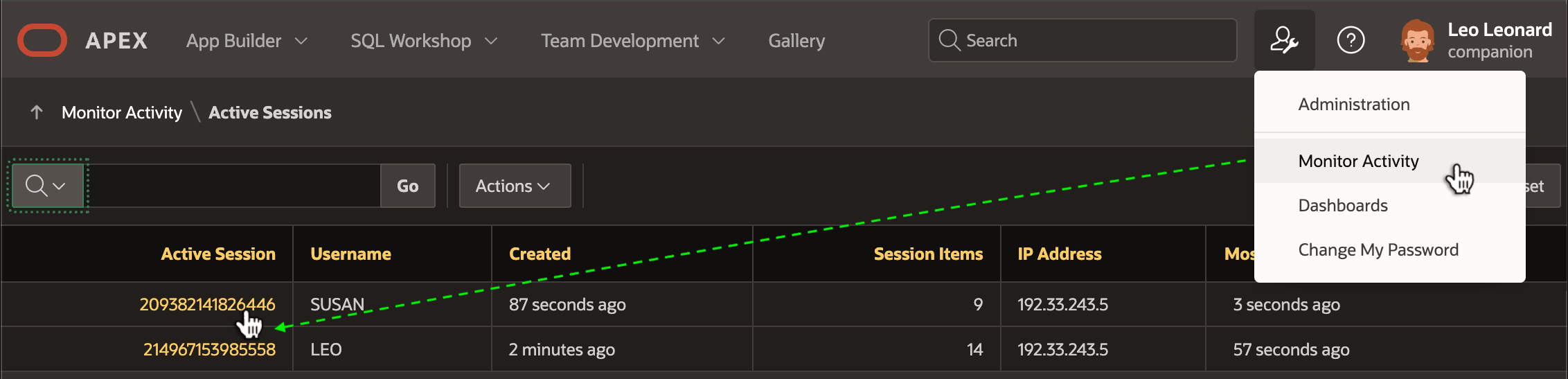
To view the session state of a background process, start by opening the Monitor Activity page from the "person with wrench" menu button in the App Builder as shown below. Then identify a user session like SUSAN's and click its session id link to drill down for more information.
Figure 18-27 Drilling Down into an Active Session for a User
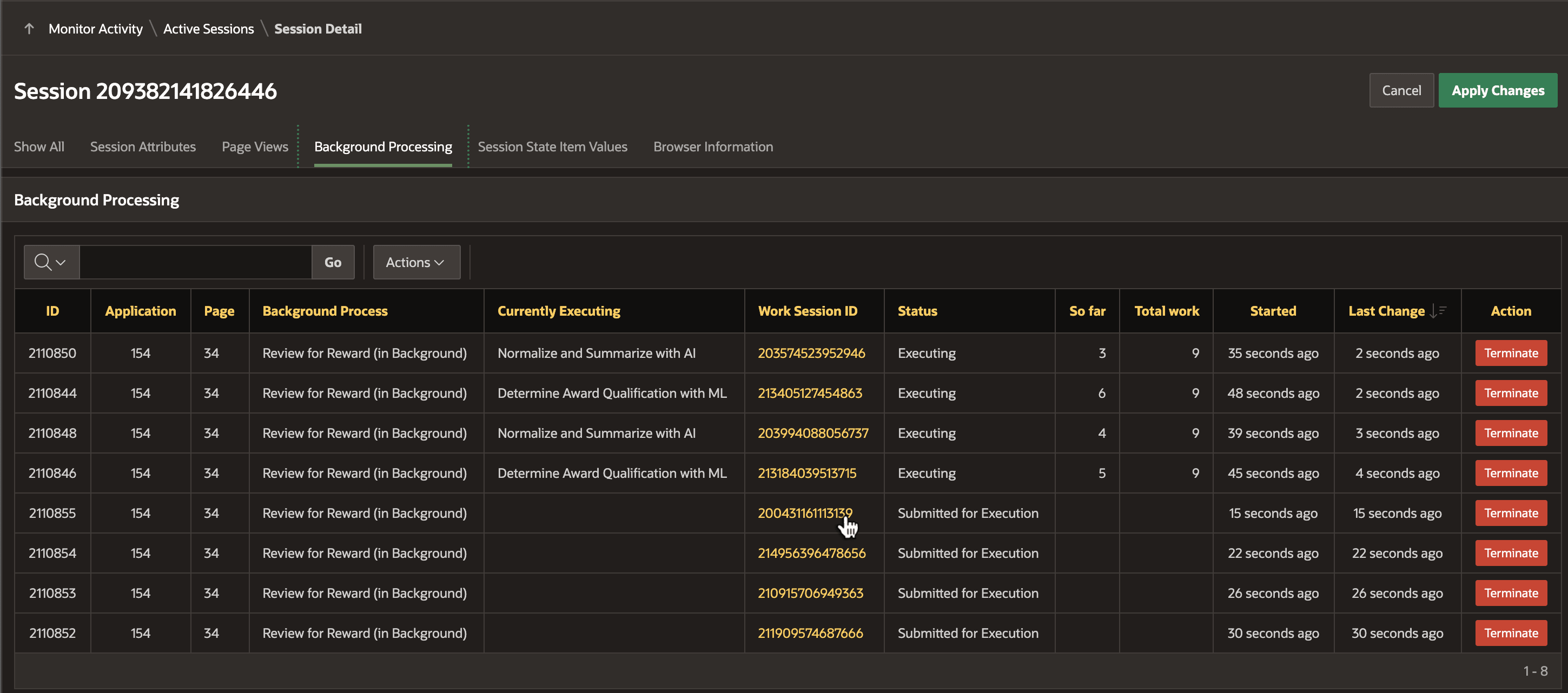
On the Session Detail page, select the Background Processing tab as shown below to see all its scheduled and running jobs. To view the session state of a particular background job's session, just click on the appropriate session id link in the Work Session ID column.
Figure 18-28 Reviewing Background Executions for Specific User Session
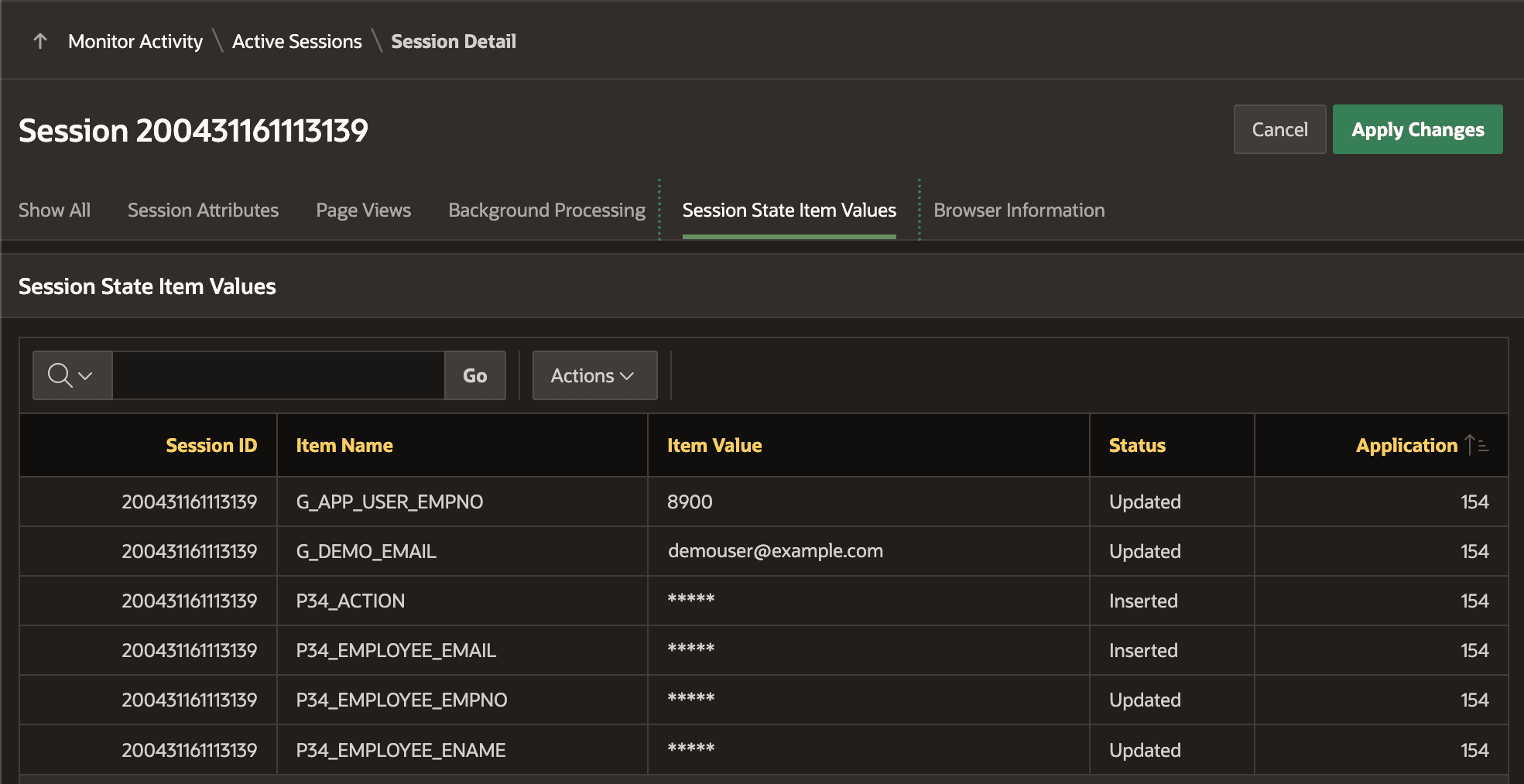
This opens the Session Detail page for the background job's working session. From there, select the Session State Item Values tab. As shown below, you can then inspect the values of any session state that are not encrypted.
Tip:
APEX_DEBUG.INFO calls into your code while you
are triaging the cause of a particular problem. These additional messages can
include values using %s placeholders
like:apex_debug.info('### DEBUGGING (%s) (%s)', expression1, expression2);Figure 18-29 Viewing Session State for a Background Process Work Session
Parent topic: Debugging Background Processes