16.8.2.5.4.5.1 Writing Grid Updates to Collection
Use custom Interactive Grid DML code to write title edits and deleted rows back to the collection.
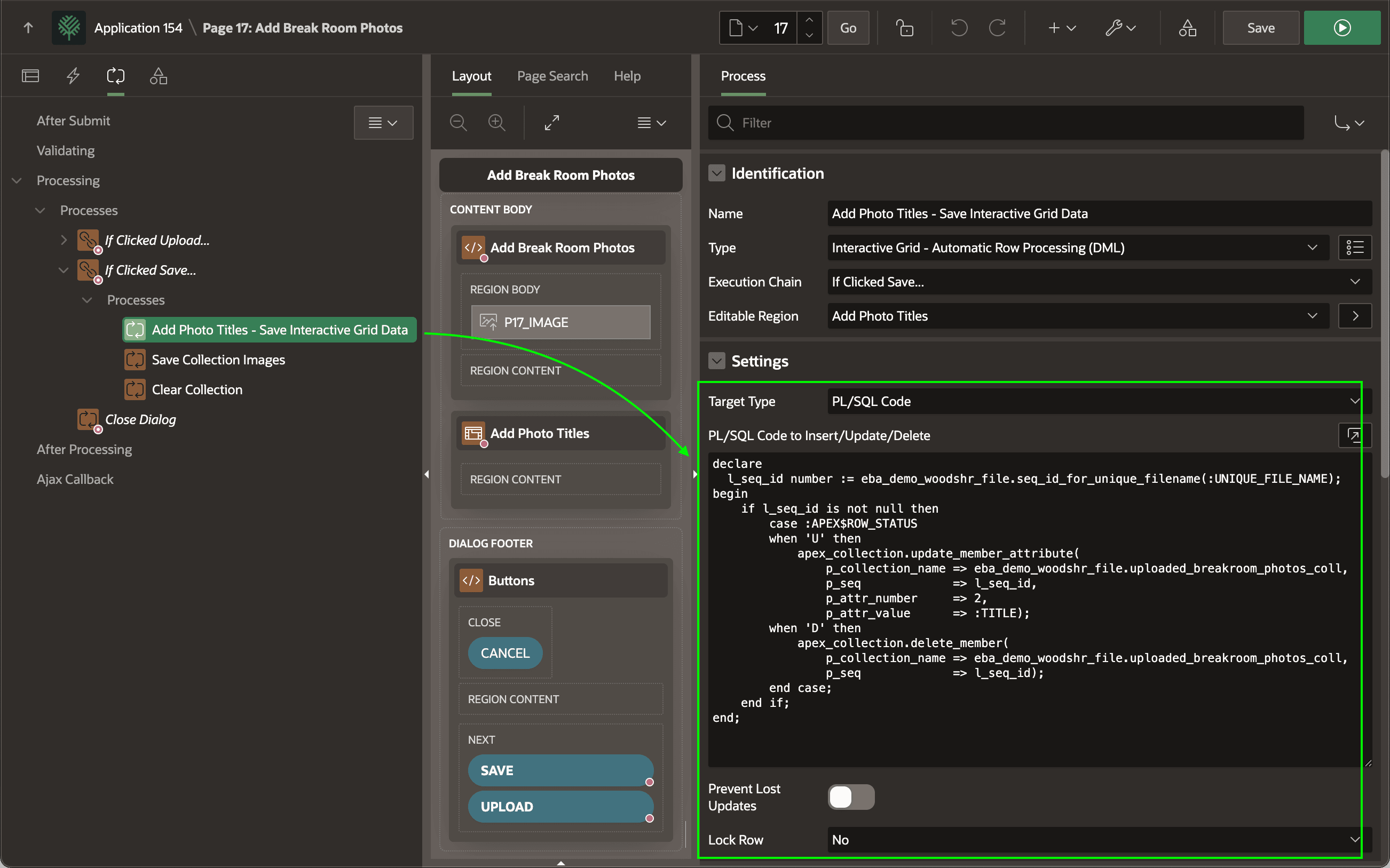
The first child process is Add Photo Titles - Save Interactive Grid. It's a
native Interactive Grid – Automatic Row Processing (DML) process that saves the
user's grid edits to the underlying data source. Since this grid uses a
collection, the native process needs a bit of additional help. Set the
Target Type to PL/SQL Code to use the following custom logic to save
the changes. It executes once for each created, modified, or deleted grid row. For each
row, :APEX$ROW_STATUS indicates if it's a Create
(C), Update (U), or a Delete
(D). Since this particular grid only allows Update
and Delete operations, the code only handles U and
D values.
If the row is an update, it calls UPDATE_MEMBER_ATTRIBUTE to save the value of the C002 image title in the current collection row being modified. For a delete, it calls DELETE_MEMBER instead.
-- Handler code for Grid DML with custom PL/SQL processing
declare
  l_seq_id number := eba_demo_woodshr_file.seq_id_for_unique_filename(:UNIQUE_FILE_NAME);
begin
    if l_seq_id is not null then
        case :APEX$ROW_STATUS
        when 'U' then
            apex_collection.update_member_attribute(
                p_collection_name => eba_demo_woodshr_file.uploaded_breakroom_photos_coll,
                p_seq             => l_seq_id,
                p_attr_number     => 2,
                p_attr_value      => :TITLE);
        when 'D' then
            apex_collection.delete_member(
                p_collection_name => eba_demo_woodshr_file.uploaded_breakroom_photos_coll,
                p_seq             => l_seq_id);
        end case;
    end if;
end;
Figure 16-81 Saving Grid Edits Into Collection Using PL/SQL Code Target Type
For both update and delete, a collection sequence id is required. So, it starts by calling SEQ_ID_FOR_UNIQUE_FILENAME to use the UNIQUE_FILE_NAME column value in the current row to lookup the corresponding sequence id.
-- in package eba_demo_woodshr_file
function seq_id_for_unique_filename(
    p_unique_filename in varchar2)
return number
is
begin
    for j in (select seq_id
                from apex_collections
               where collection_name = c_uploaded_photos_collection
                 and c001 /* unique_file_name */ = p_unique_filename)
    loop
        return j.seq_id;
    end loop;
    return null;
end seq_id_for_unique_filename;
Parent topic: Saving the Posted Images with Titles