Accessing the Workspace Administration Page
Use the Workspace Administration page to monitor and administer a workspace.
Tip: You can access many workspace administration functions from both the Administration menu and by clicking options on the Workspace Administration home page.
To access the Workspace Administration page:
-
Sign in to APEX.
The Workspace home page appears.
-
From the menu bar, select the Administration menu and then Administration.
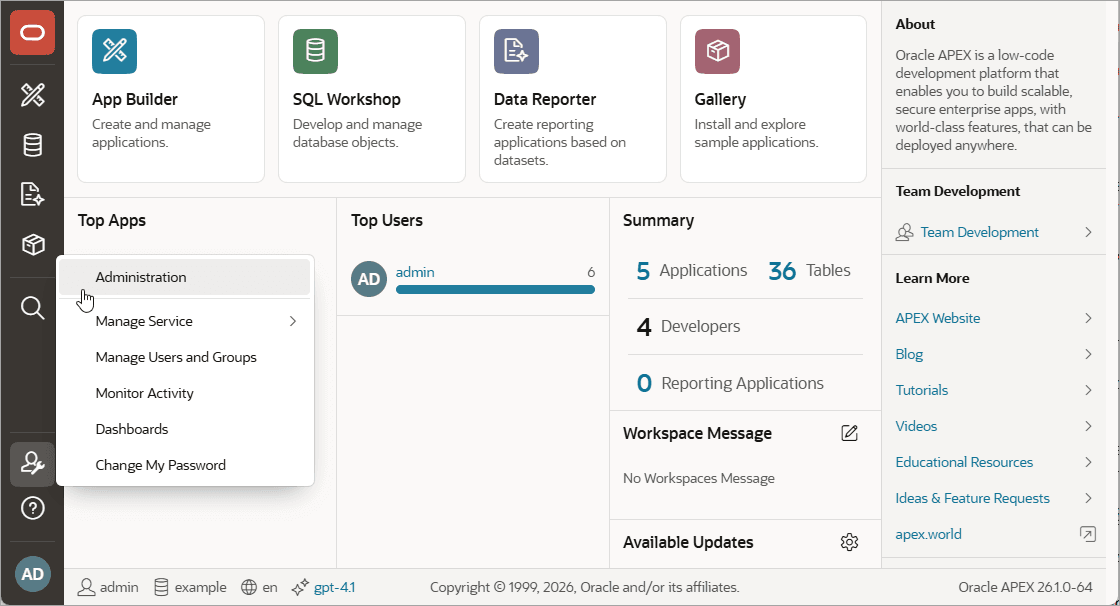
Description of the illustration admin_menu.png
The Administration page appears.
For more information, see Workspace Administration Page.