Adding a Row in an Editable Interactive Grid
Add a new row a new row to an editable interactive grid by either selecting theAdd Row button or by selecting Add Row from the Row Action menu.
-
Add a new row to the top of an editable interactive grid, using one of the following methods:
-
Click the Add Row button.
Tip: The interactive grid may be configured to have a different label for the Add Row functionality.
-
In the Row Actions menu, select Add Row.
-
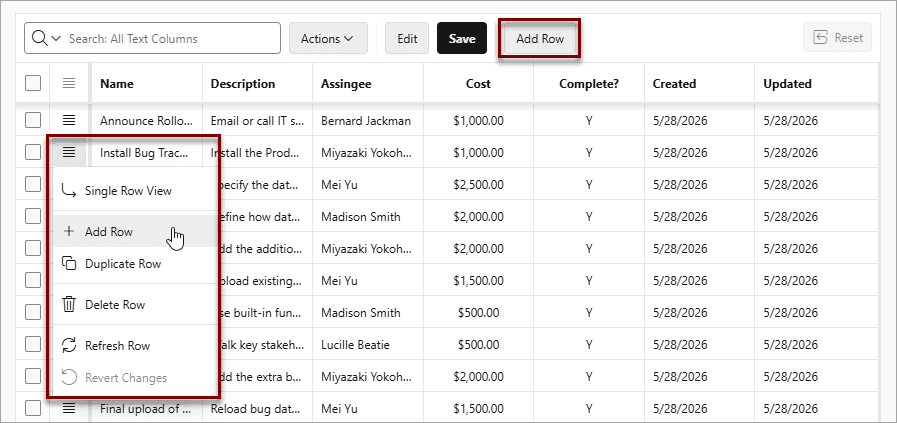
Description of the illustration ig_add_row_button.png
A blank row appears at the top of the grid or below the currently selected row.
Tip: You can also add new rows by using the clipboard features in Actions, Selection. Paste overwrites the existing data, and Paste Insert inserts new rows.
See Also: