Resizing Columns in an Interactive Grid
Resize the width of a column by clicking and holding the edge of a column heading and adjusting it with the mouse.
To resize a column with your mouse:
-
Hover your mouse cursor over the edge of column heading until the cursor changes.
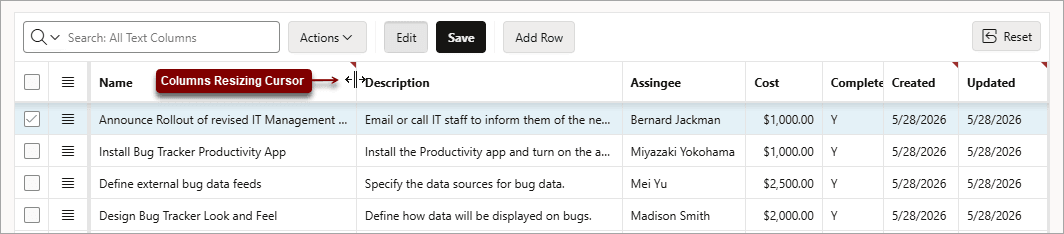
-
Click and hold the mouse.
-
Move the mouse left and right to achieve the desired width.
-
Release the mouse.
The column resizes.
To undo all changes, click the Reset button.
WARNING: Resetting an interactive grid reverts it to a previously saved state. Any changes since that time may be lost.
  <div class="infoboxnote" markdown="1">

  **See Also:**

  - [Changing the Column Display in an Interactive Grid](selecting-columns-display-interactive-grid.html#GUID-82B6048A-707E-48C0-9FC7-731A4A8B5858 "Edit which columns display and in what order by selecting Columns in the Actions menu.")

  - [Interactive Grid](keyboard-shortcuts.html#GUID-196D8BE4-C335-4F98-B690-E93EA9437B05 "Learn about interactive grid keyboard shortcuts.") for keyboard shortcuts in Interactive Grid

  </div>