Authenticating Access with APEX Accounts
Your app’s Authentication Scheme controls how users login. The default option is to use native APEX user accounts.
As shown below, in a new application the default scheme authenticates users based on Oracle APEX Accounts.
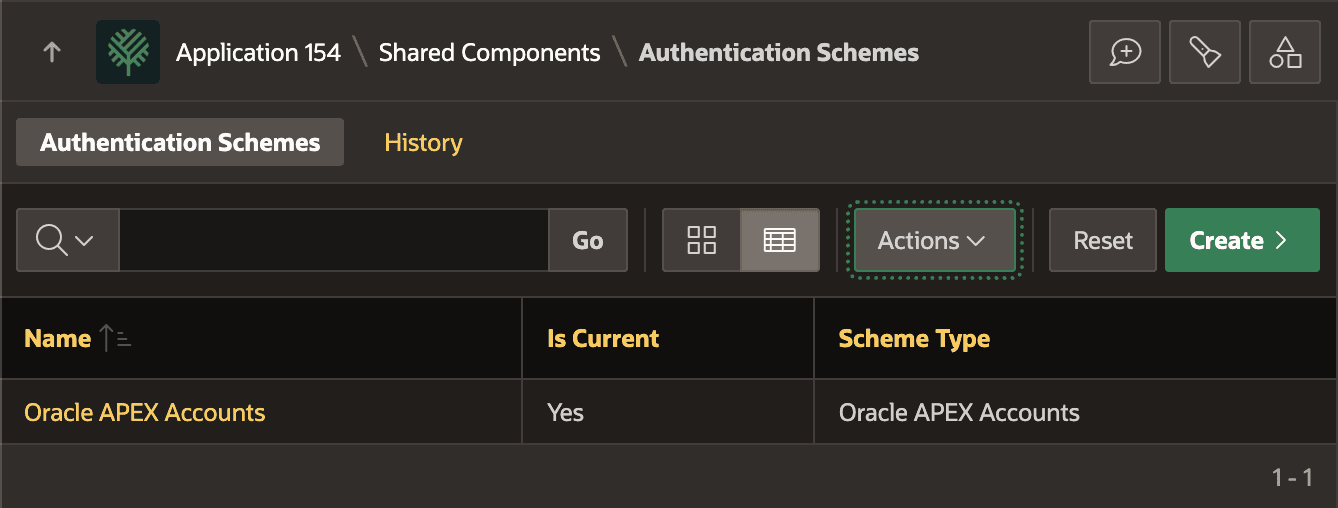
Description of the illustration oracle-apex-accounts.png
As shown below, a workspace administrator like Adina Axel manages APEX user accounts by clicking on the button with a user and wrench, then choosing the Manage Users and Groups menu entry in the dropdown menu.
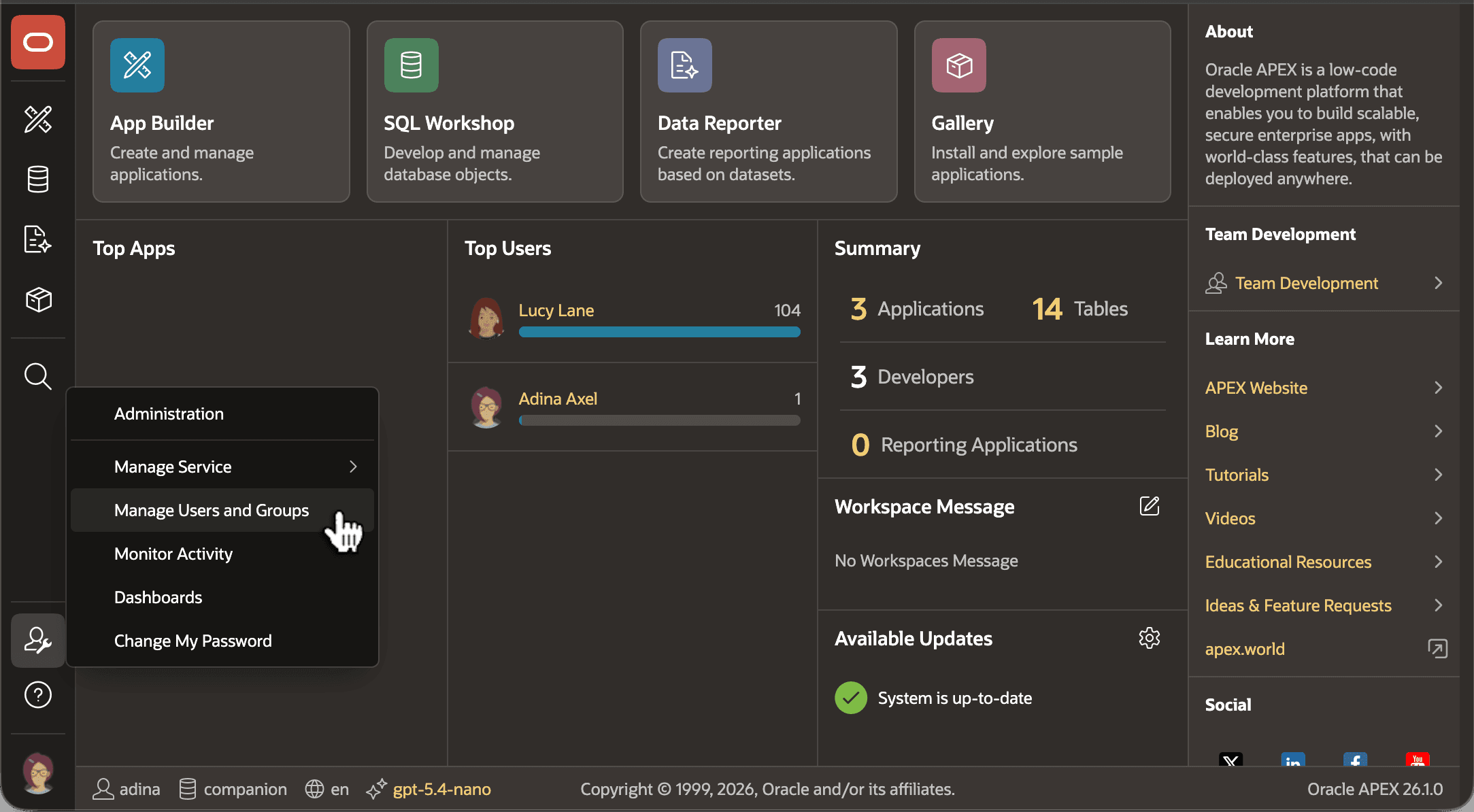
Description of the illustration manage-users.png
When defining a new APEX user account, the workspace administrator sets the account type. As shown below, ADINA is the Workspace Administrator, LEO and LUCY have a Developer account, and the rest of the user accounts are end users. While ADINA, LUCY, and LEO can also log in to App Builder, the rest of the user accounts can only log in to APEX applications you develop.
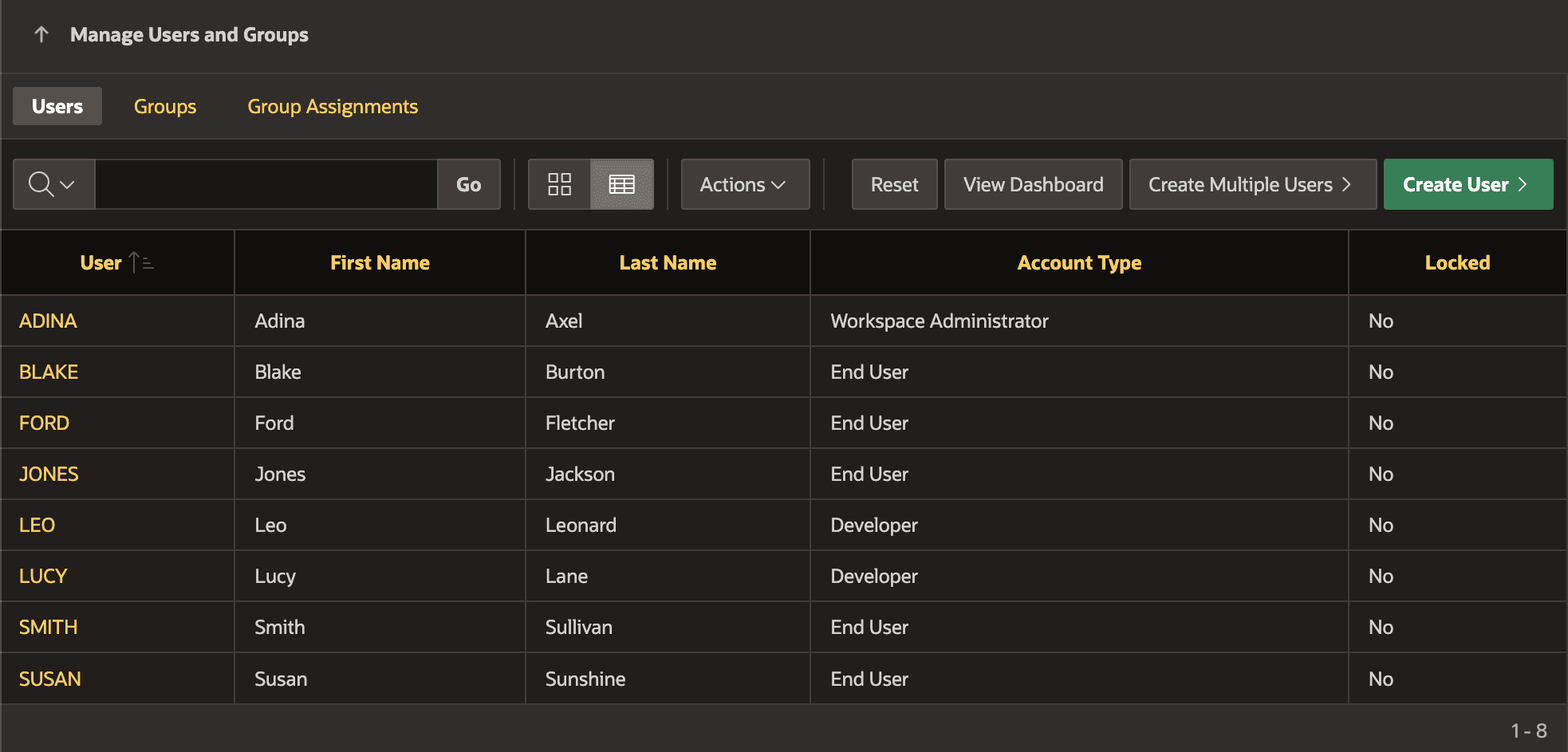
Description of the illustration manage-users-list.png
Tip: For more details on the many other built-in authentication schemes APEX supports, see Understanding Preconfigured Authentication Schemes in Oracle APEX App Builder User’s Guide.