Authenticating with an External Provider
With the web credential defined, create a new Social Sign-in Authentication Scheme that references the Web Credential protecting the OAuth client ID and secret for the confidential app used for authentication.
Create a new Social Sign-in Authentication Scheme named Woods HR OAuth. Configure the following options as shown below:
-
Credential Store – Choose the web credential you just created
-
Authentication Provider – Ensure it’s OpenID Connect Provider
-
Discovery URL – Enter the discovery URL of your IAM domain:
https://idcs-xx⋯xx.identity.oraclecloud.com/.well-known/openid-configuration
-
Scope – Enter the comma-separated list: profile,groups
-
Username – Ensure it’s #sub# to use the IAM subject at the APEX username
-
Convert Username To Upper Case – Yes
-
Additional User Attributes – Enter the attribute name: groups
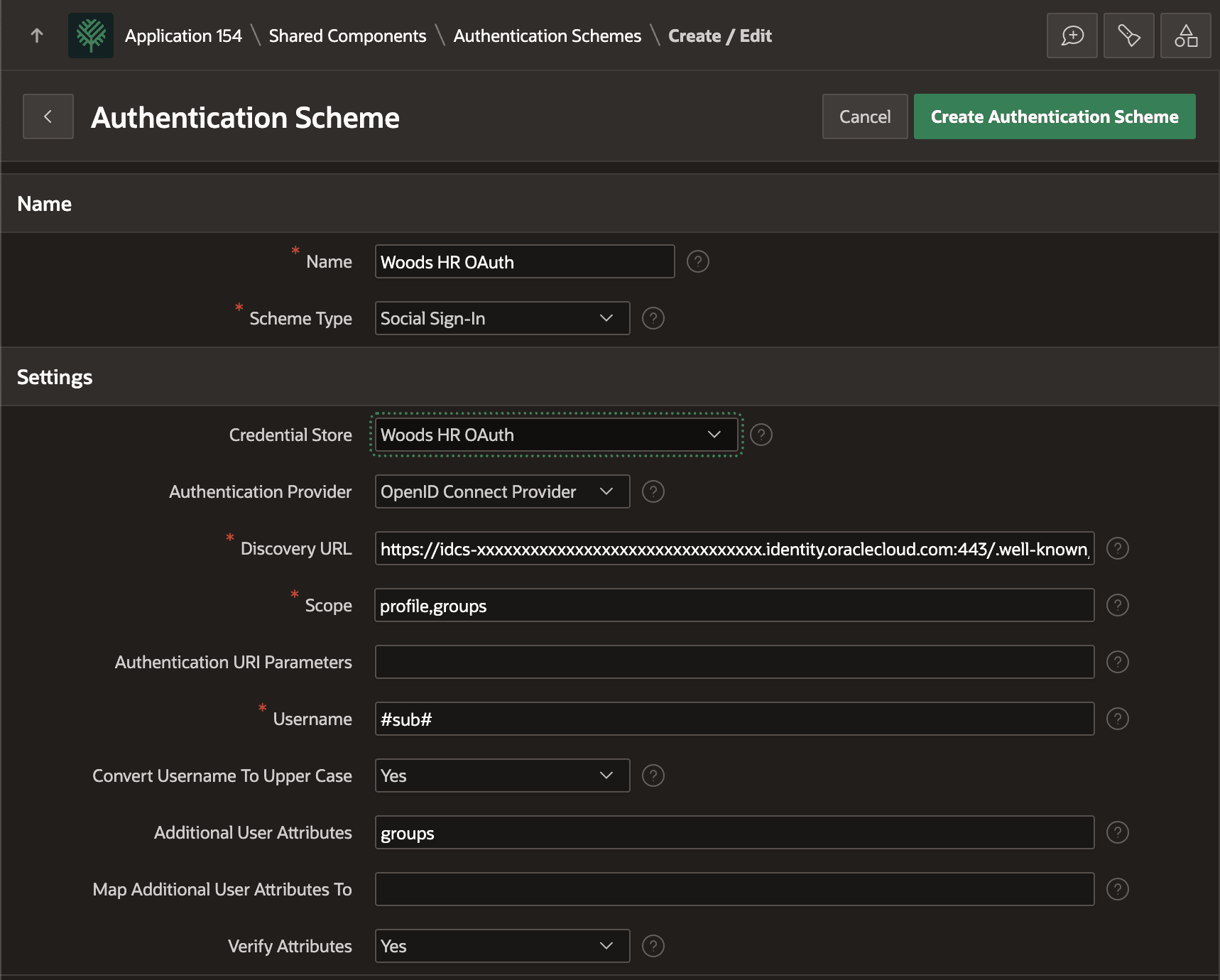
Description of the illustration social-sign-authenication-scheme.png