Authorizing Menu Access
Your Navigation Menu list defines the entries users click to reach your app’s business functions.
By default, a menu entry is available to all users, including unauthenticated ones. As shown below, use the built-in Must Not Be Public User authorization scheme rule to ensure the user must have logged in successfully to see that entry. The Woods HR menu entries use the following authorization schemes:
-
Home – Must Not Be Public User, so user must have logged in
-
Employee Directory – Any Employee, so any employee can access the directory
-
Salary Review – HR Representative Only, so only HR Reps can review salary details
-
Administration – Administrators Only, so only App Admins can see and adjust app settings.
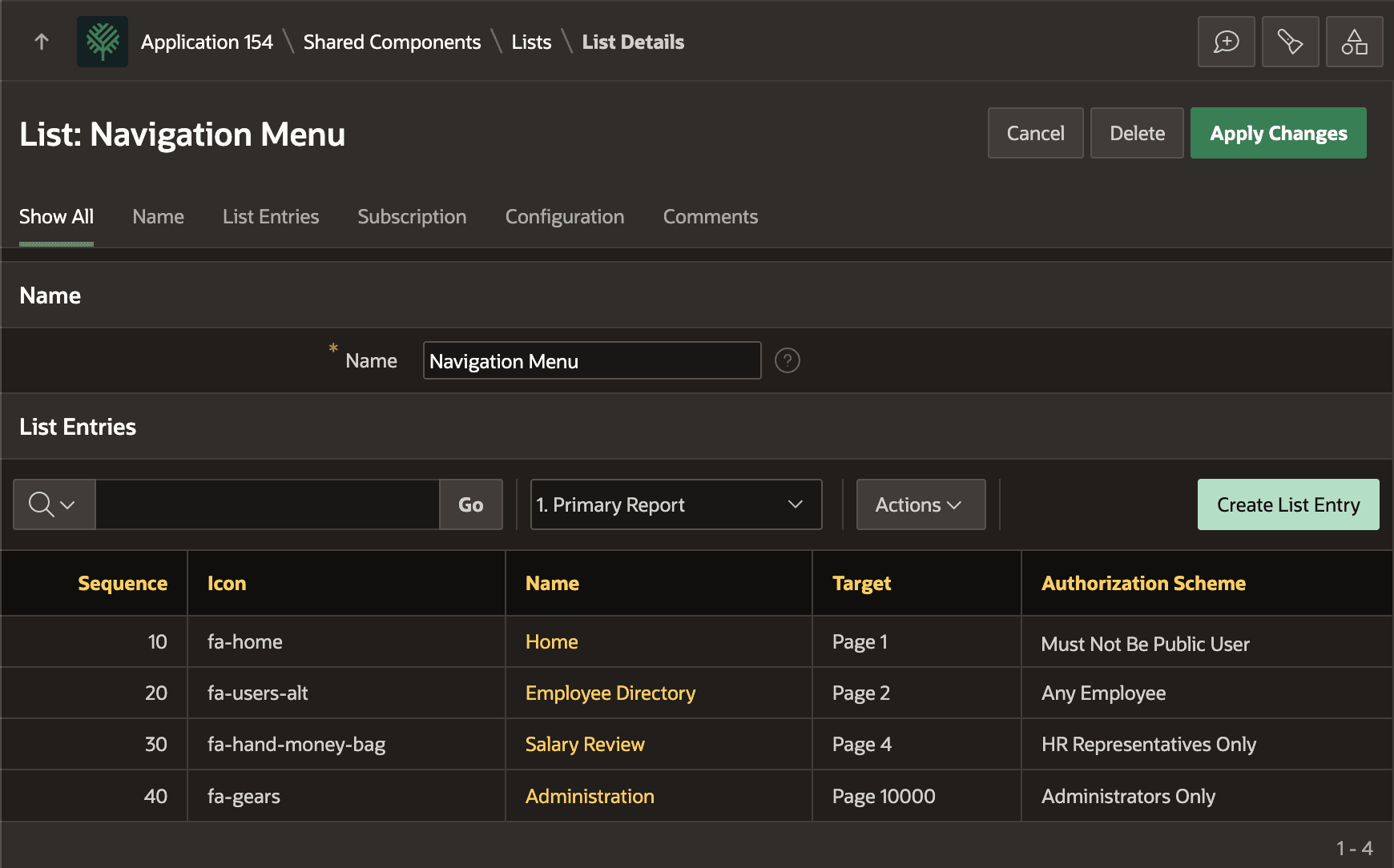
Description of the illustration apply-authz-scheme-menus.png