Clearing Collection to Start the Process
Use a conditional execution chain to clear staged uploads only when starting a new multi-photo flow.
The Add Break Room Photos page uses an execution chain page process in the Pre-Rendering section to group conditional logic with a descriptive name. As shown below, the containing “parent” chain uses the name “If Clear Set or No Temp Photos Exist…” to make the page more self-documenting. The server-side condition applied to this “container” group is the PL/SQL expression below. At runtime, any contained child processes only execute if the condition on their containing parent chain is true.
:P17_CLEAR = 'Y' or not eba_demo_woodshr_file.uploaded_breakroom_photos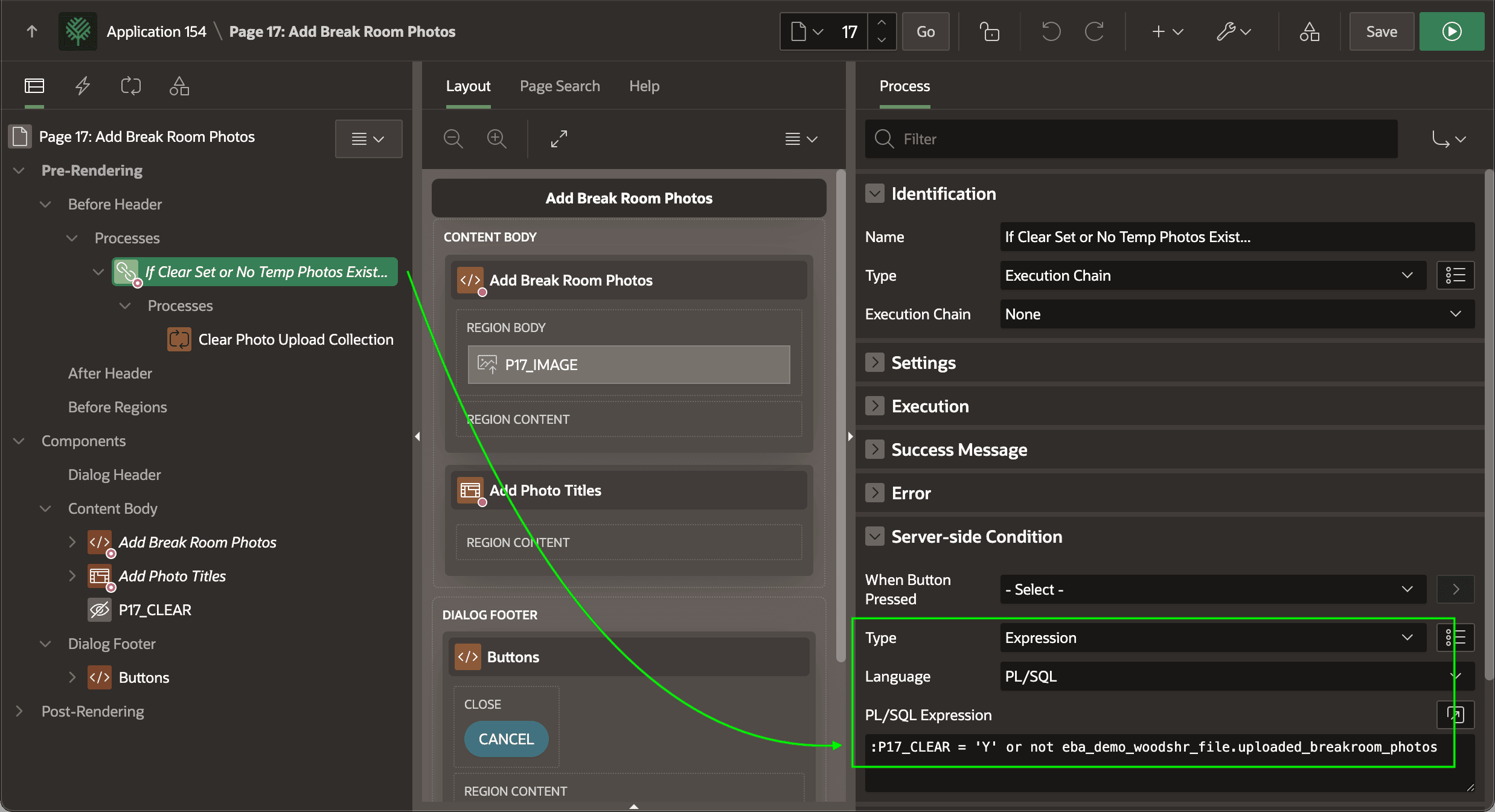
Description of the illustration conditional-wipe-using-chain.png
The (Post Multiple Photos) button on the calling Break Room page configures the value Y to pass to the P17_CLEAR parameter to cause the condition to be true.
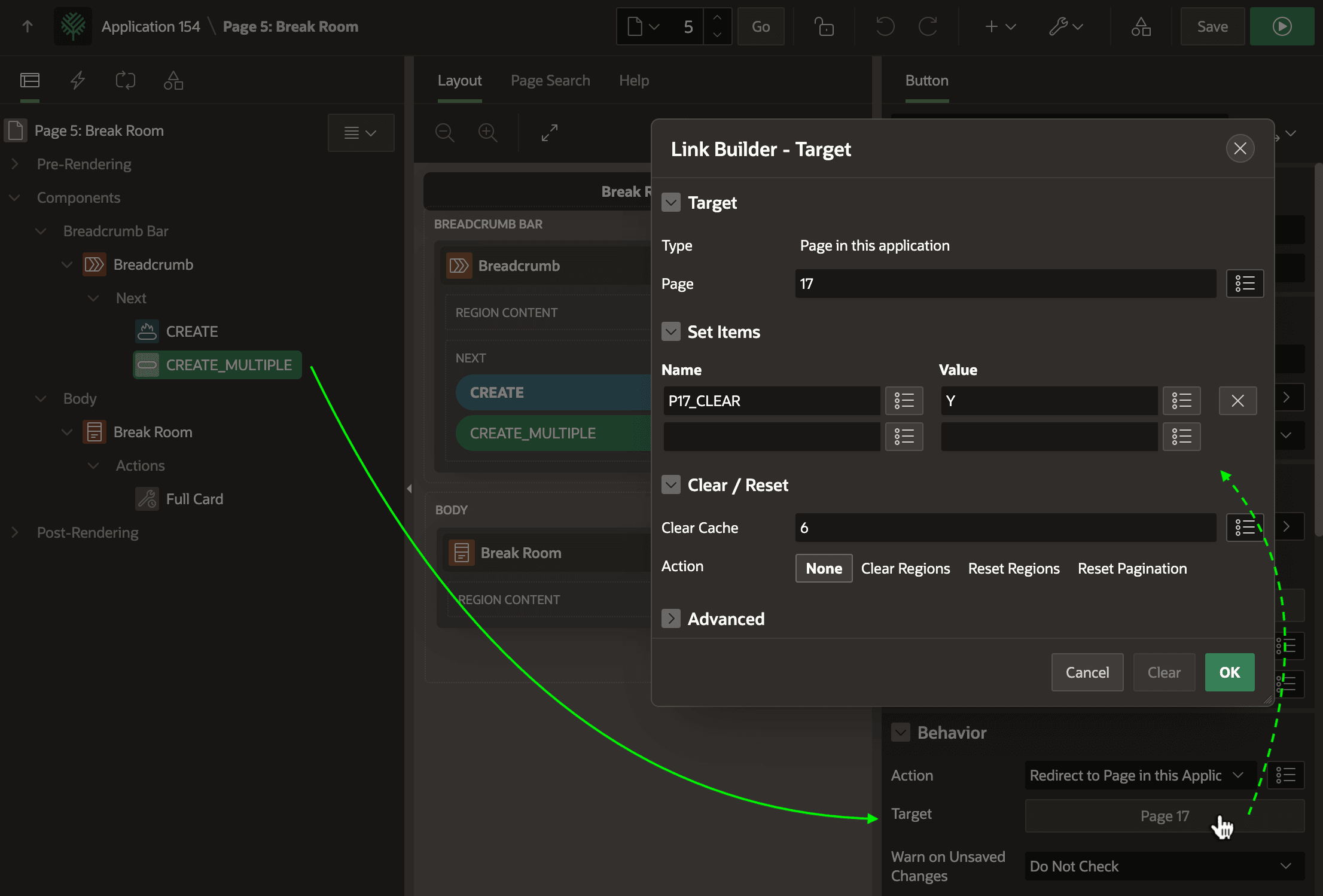
Description of the illustration create-multiple-passes-clear-param.png
The execution chain condition also evaluates the UPLOADED_BREAKROOM_PHOTOS function in the EBA_DEMO_WOODSHR_FILE package to check if any photos have already been uploaded. That function uses the simple logic shown below:
-- in package eba_demo_woodshr_file
function **uploaded_breakroom_photos**
return boolean
is
begin
    for j in (select 1
                from eba_demo_woodshr_temp_photos
              fetch first row only)
    loop
        return true;
    end loop;
    return false;
end uploaded_breakroom_photos;
Using the negation operator NOT before this function in the server-side condition ensures the collection does not get cleared when the user uploads the photos by submitting the page.
:P17_CLEAR = 'Y' or **not** eba_demo_woodshr_file.uploaded_breakroom_photosIn this case, the page needs to re-render to show the conditionally-visible Interactive Grid based on the EBA_DEMO_WOODSHR_TEMP_PHOTOS view. This lets the user enter corresponding photo titles, and requires the temporary collection rows be present.
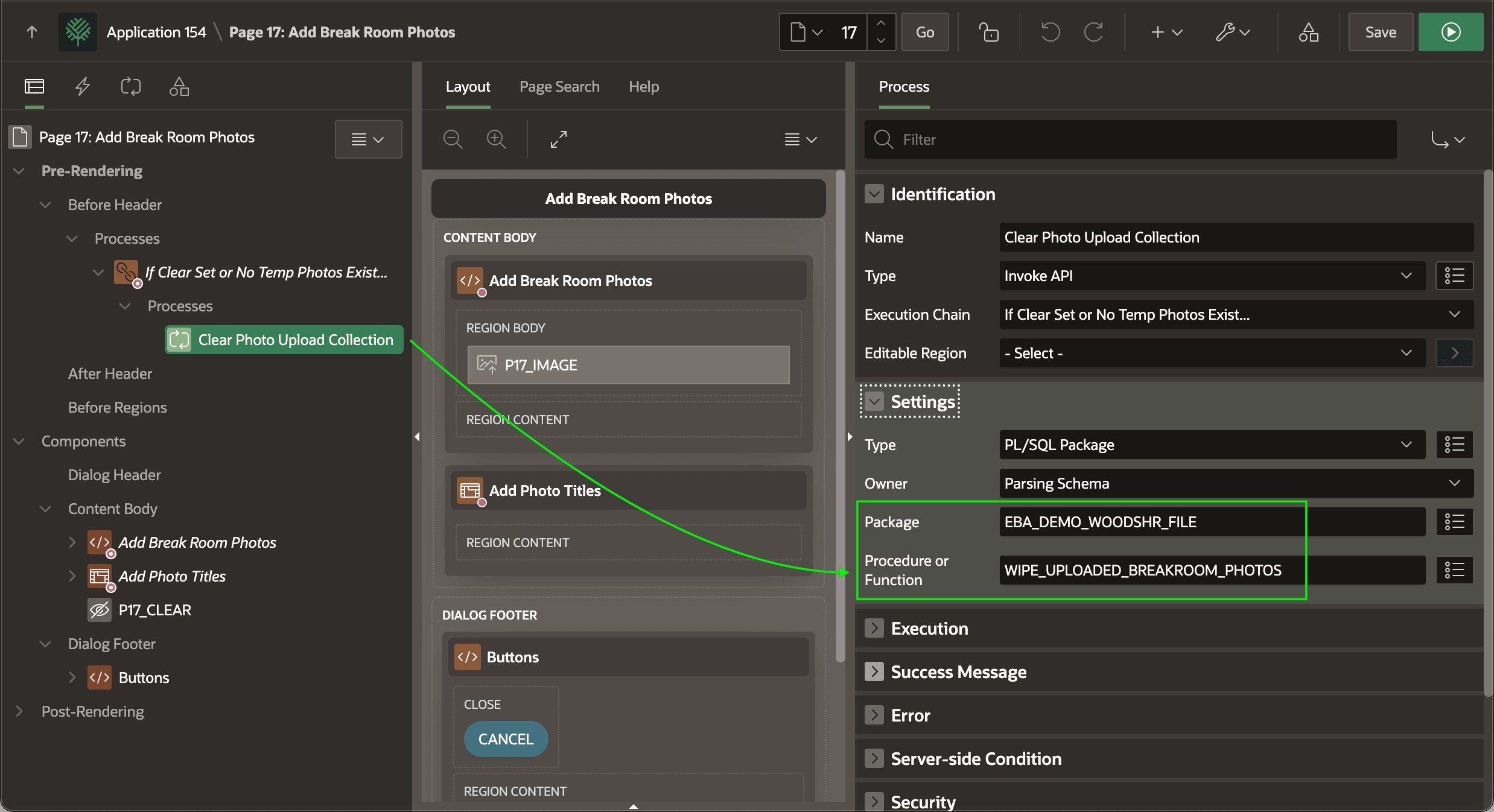
The conditionally-executed chain contains a single child process Clear Photo Upload Collection. As shown below, it uses an Invoke API process to call the WIPE_UPLOADED_BREAKROOM_PHOTOS procedure:
-- in package eba_demo_woodshr_file
procedure **wipe_uploaded_breakroom_photos**
is
begin
    -- Delete any referenced temporary images
    delete from apex_application_temp_files
    where name in (select unique_file_name
                     from eba_demo_woodshr_temp_photos);
    -- Clear the collection
    apex_collection.create_or_truncate_collection(c_uploaded_photos_collection);
end wipe_uploaded_breakroom_photos;