Completing the New Patient Profile
Complete portal registration by entering birth date and insurance details.
Cristina clicks the link in her notification email and logs into the portal for the first time. After changing her initial password, she sees tiles for functionality available to her. To complete her profile, she clicks on Complete Registration.
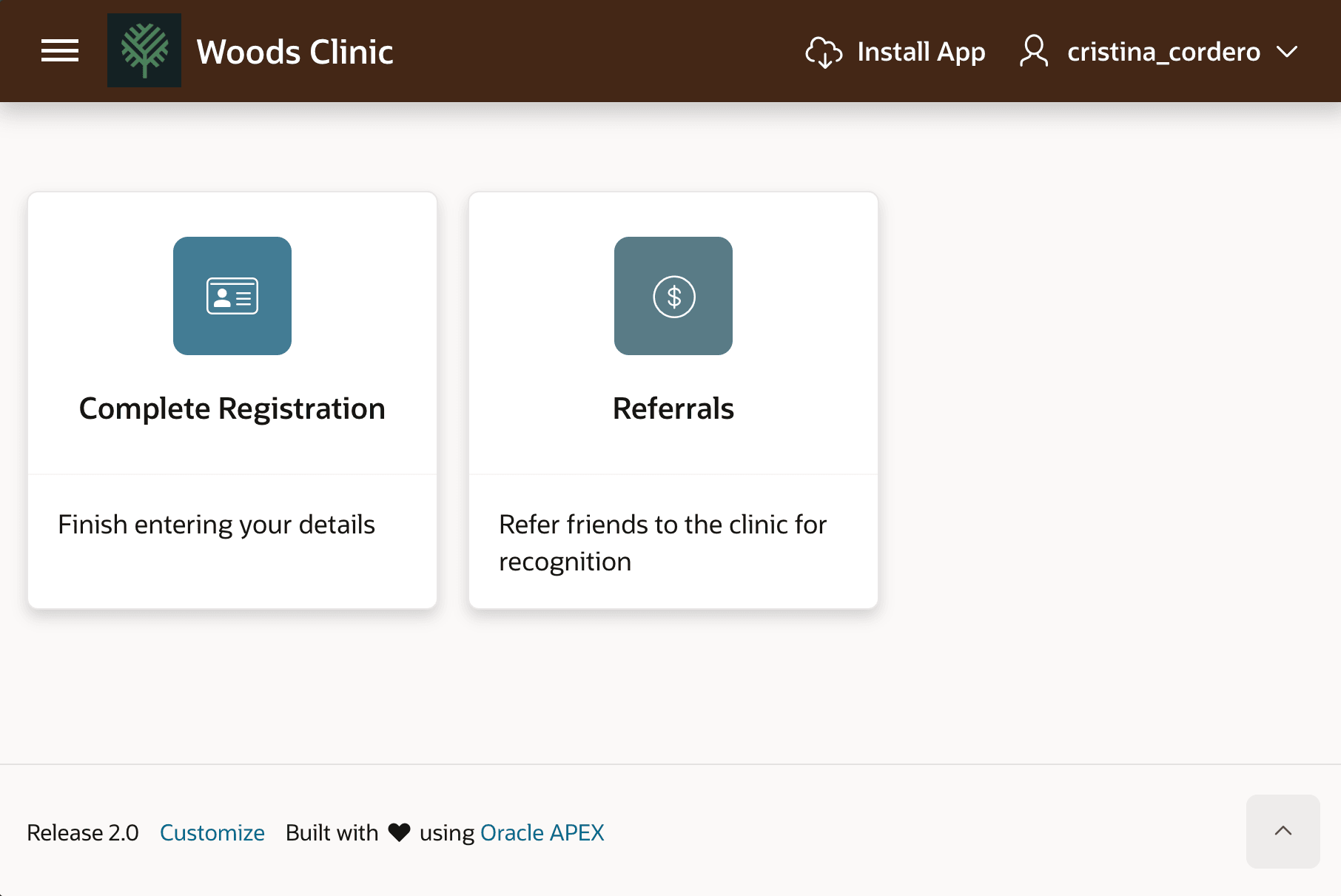
Description of the illustration cristina-cordero-first-login.png
As shown below, Cristina enters her date of birth on the first step of the Complete Registration wizard, then clicks (Next >).
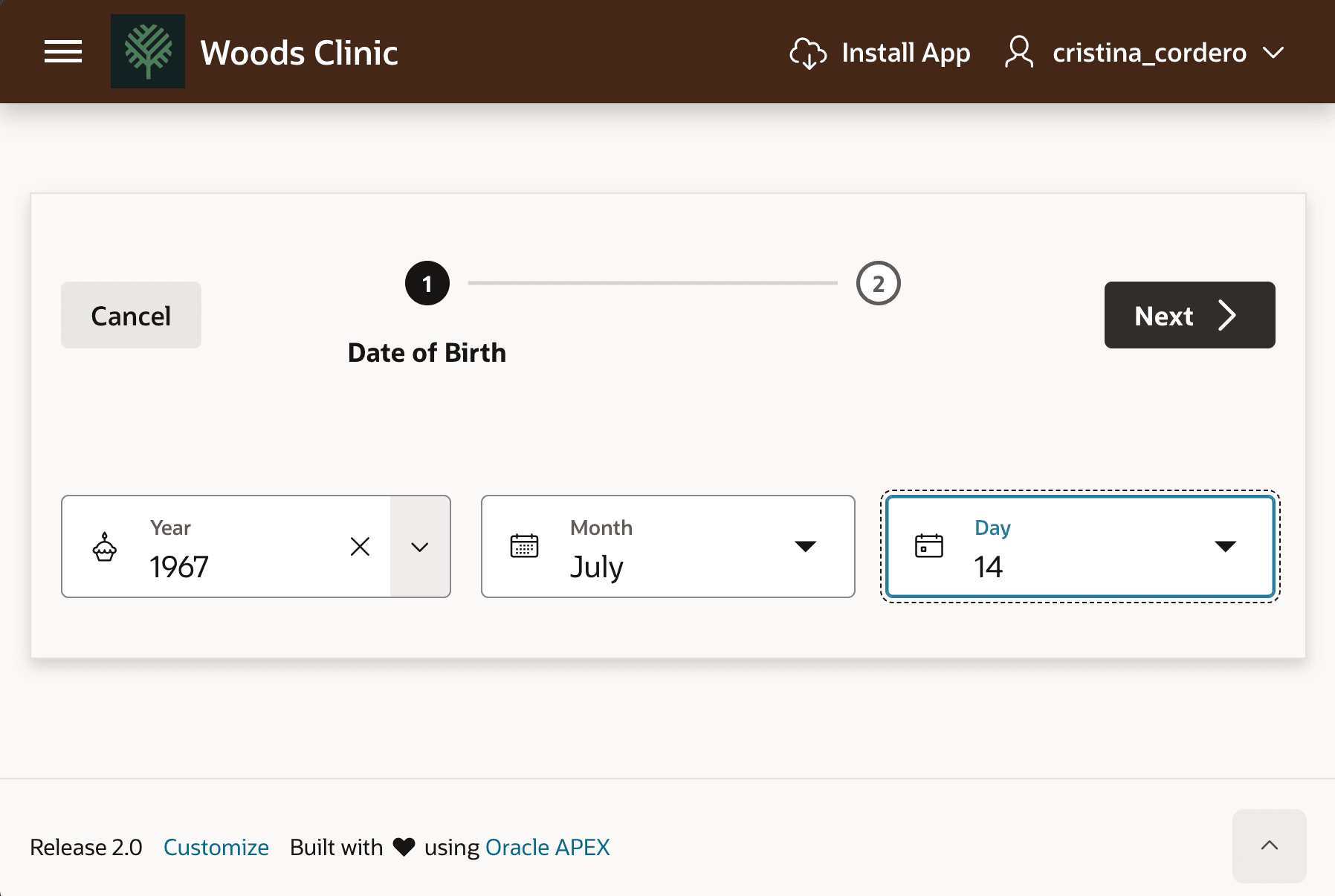
Description of the illustration cristina-cordero-complete-reg1.png
On step 2 of the wizard, she uploads her proof of insurance and enters her insurance policy number, then clicks (Finish).
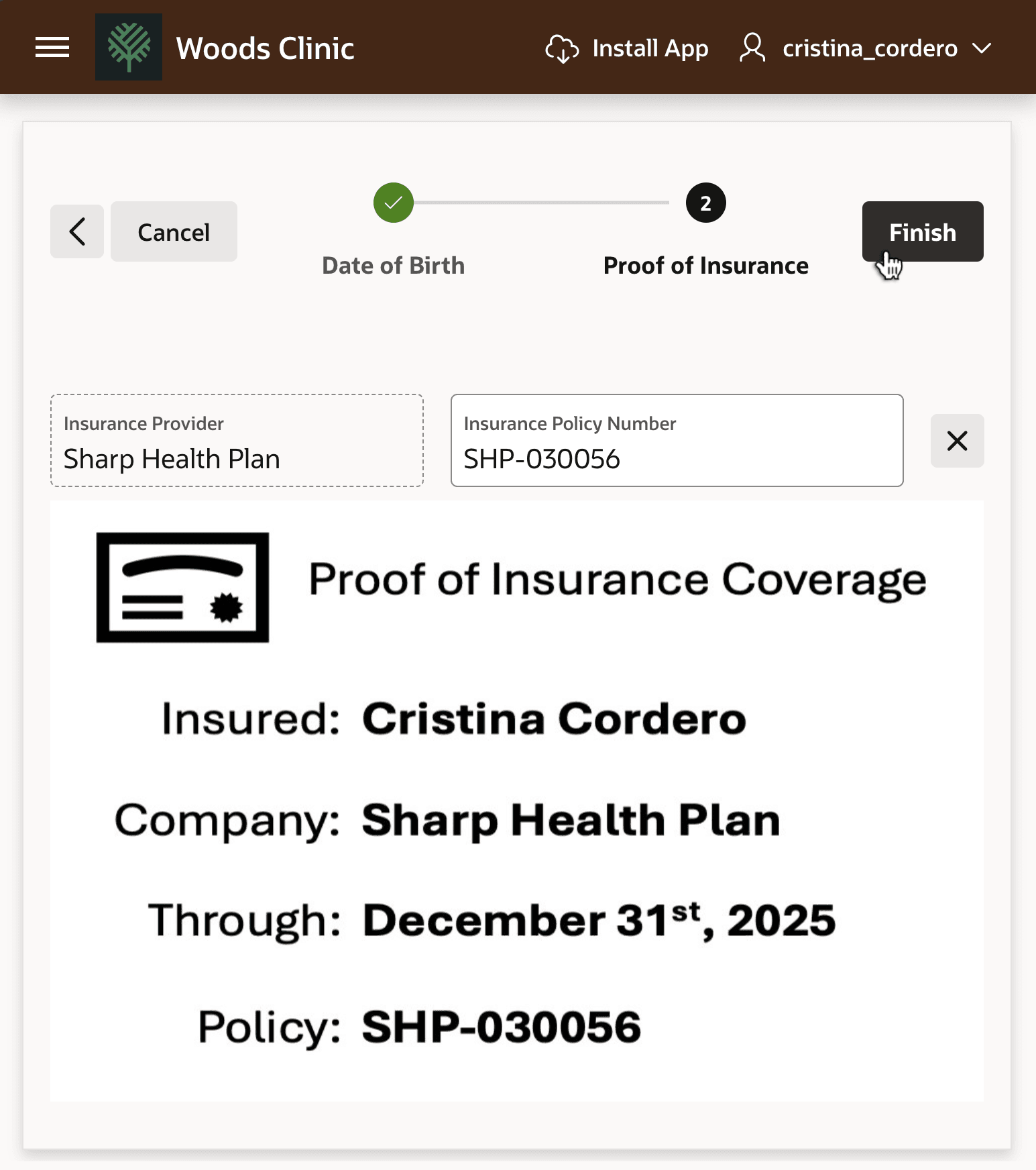
Description of the illustration cristina-cordero-complete-reg2.png