Configuring Confidential App for APEX
A domain’s Integrated applications tab lists applications you allowed to authenticate through it.
Notice the Woods HR APEX App in the list shown below. You created it from this page using the (Add application) button and supplying the application URL to the Woods HR APEX application.
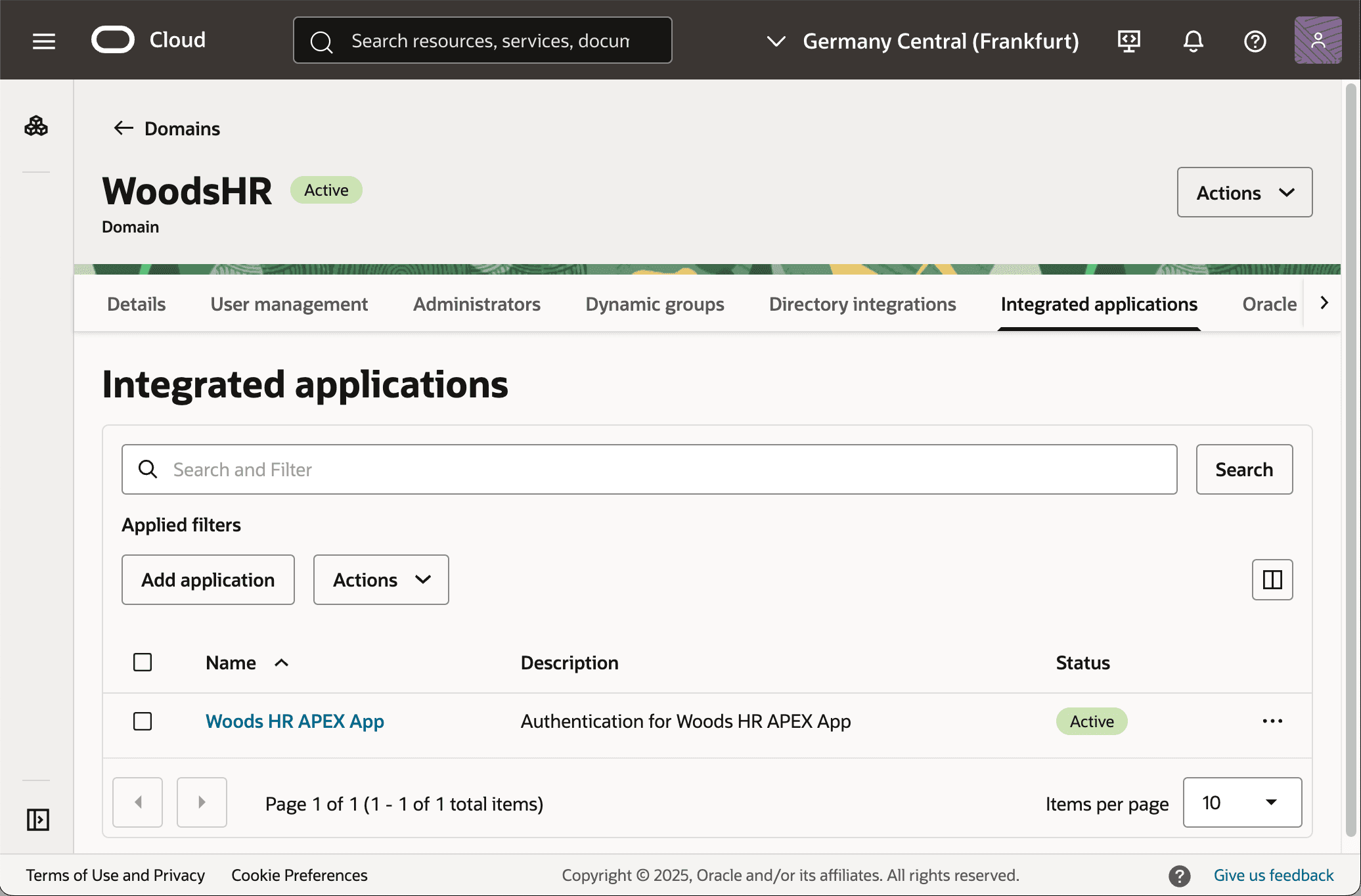
Description of the illustration idcs-integrated-app.png
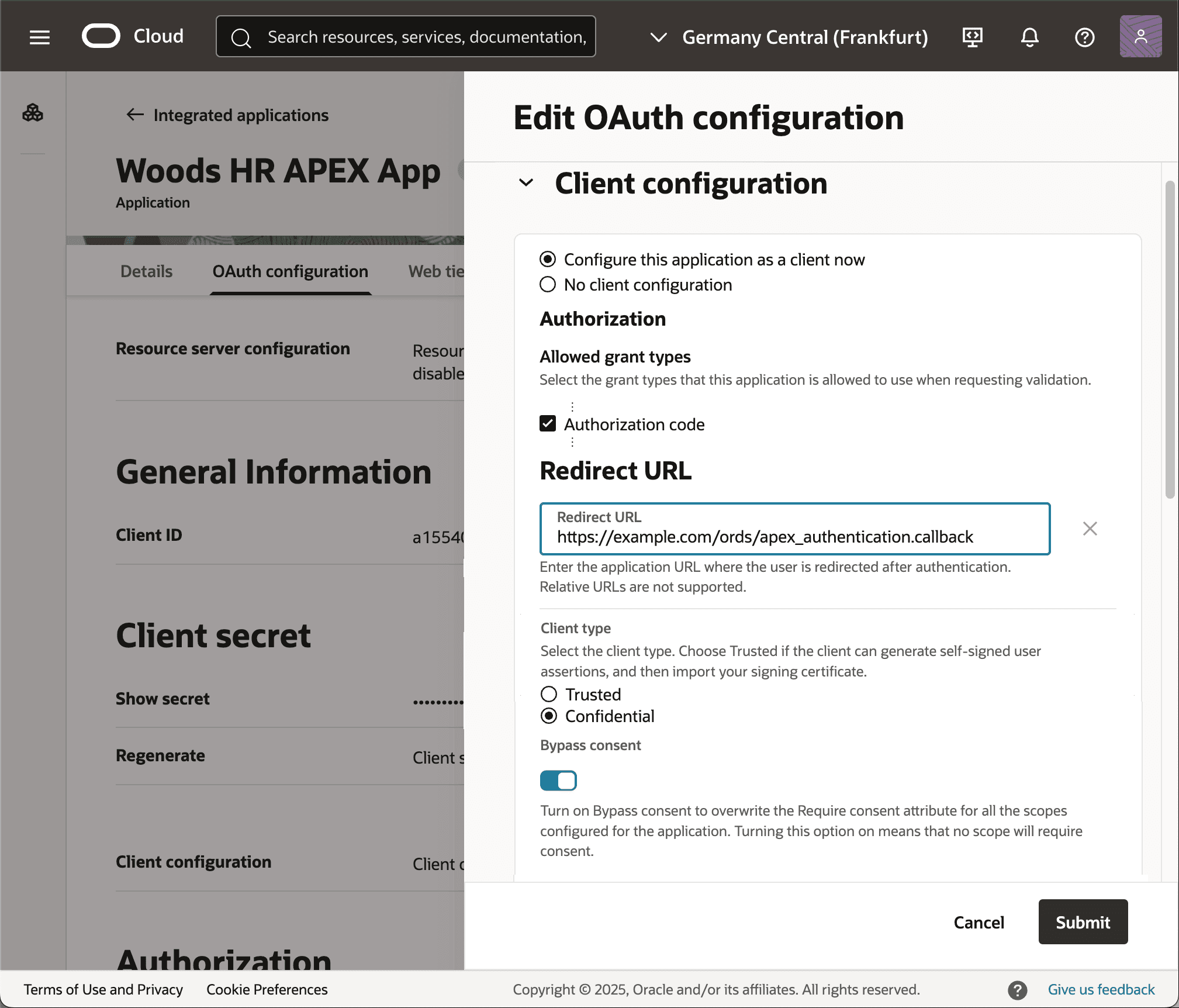
After initial creation, as shown below, you edit the OAuth configuration to enable:
-
Configure this application as a client now – selected
-
Allowed grant types – Authorization code
-
Redirect URL – Absolute URL to your APEX instance’s
/ords/apex_authentication.callback -
Client type – Confidential
-
Bypass consent – optionally enable to skip user consent to return profile & group info.
This process yields a Client ID and Client Secret to communicate securely to the app developer who needs to authenticate users using this IAM domain as its identity provider. In this exercise, that is you. The key pieces of information you need are:
-
Confidential App Client ID and Secret
-
Domain URL
https://idcs-xx⋯xx.identity.oraclecloud.com
-
Discovery URL
https://idcs-xx⋯xx.identity.oraclecloud.com/.well-known/openid-configuration
Description of the illustration idcs-client-auth-code-redirect.png