Configuring Content Row for Bucket Files
Use a REST Data Source as the Content Row source and map its columns into the row display.
Like all regions, the Content Row can directly use a REST Data Source for the data to display. As shown below, just select REST Source for Location and choose Bucket Objects in the REST Source list.
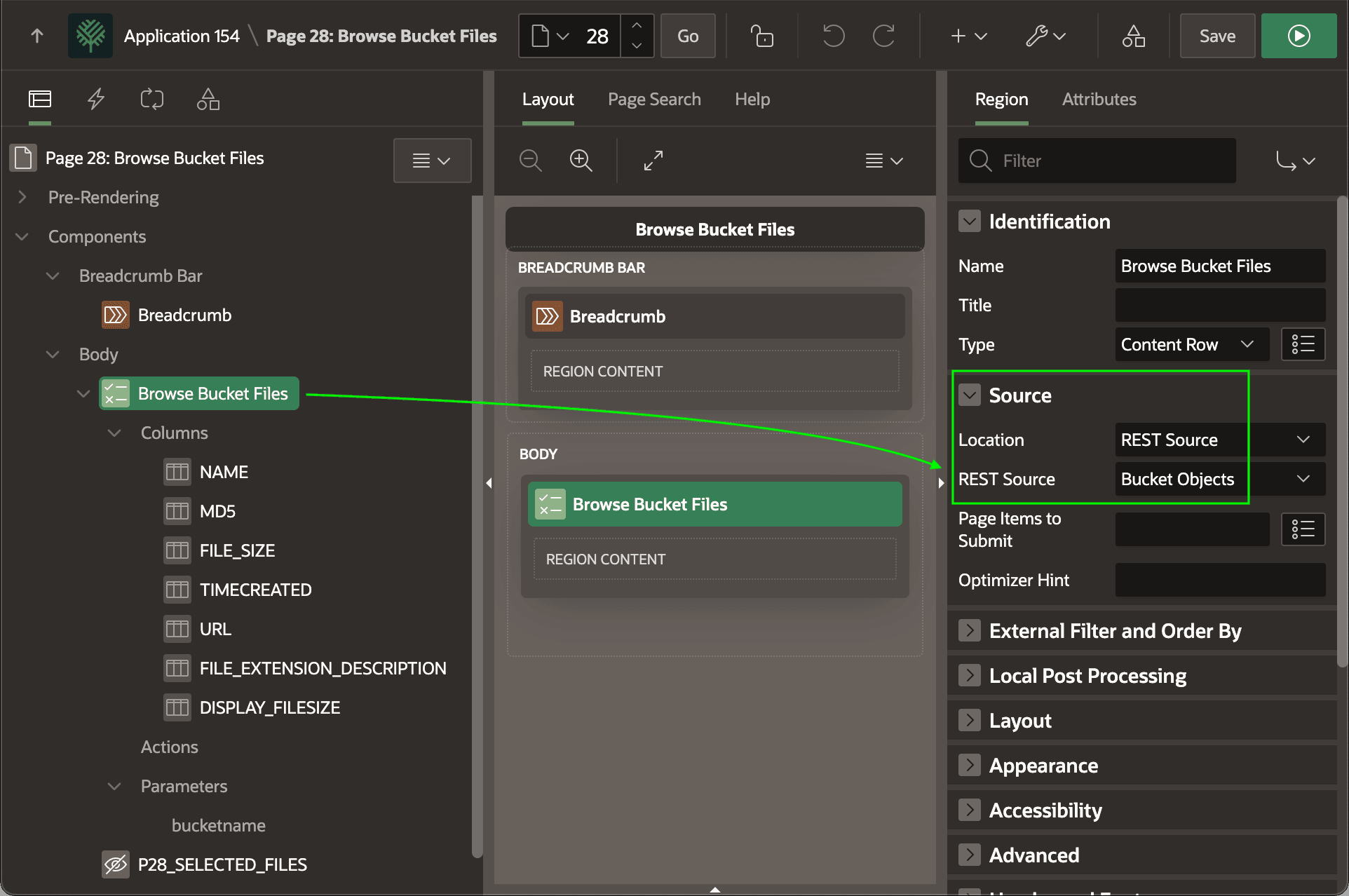
Description of the illustration content-row-rest-data-source.png
All the available data profile columns appear under the Columns heading in the rendering tree. As shown below, reference any of the columns on the Attributes tab using &NAME. notation in appropriate slots like Overline, Title, and Description. The setting of Multiple (Report) for the Appearance > Display setting confirms you want the Content Row template component to work with multiple rows. This also enables the Pagination settings.
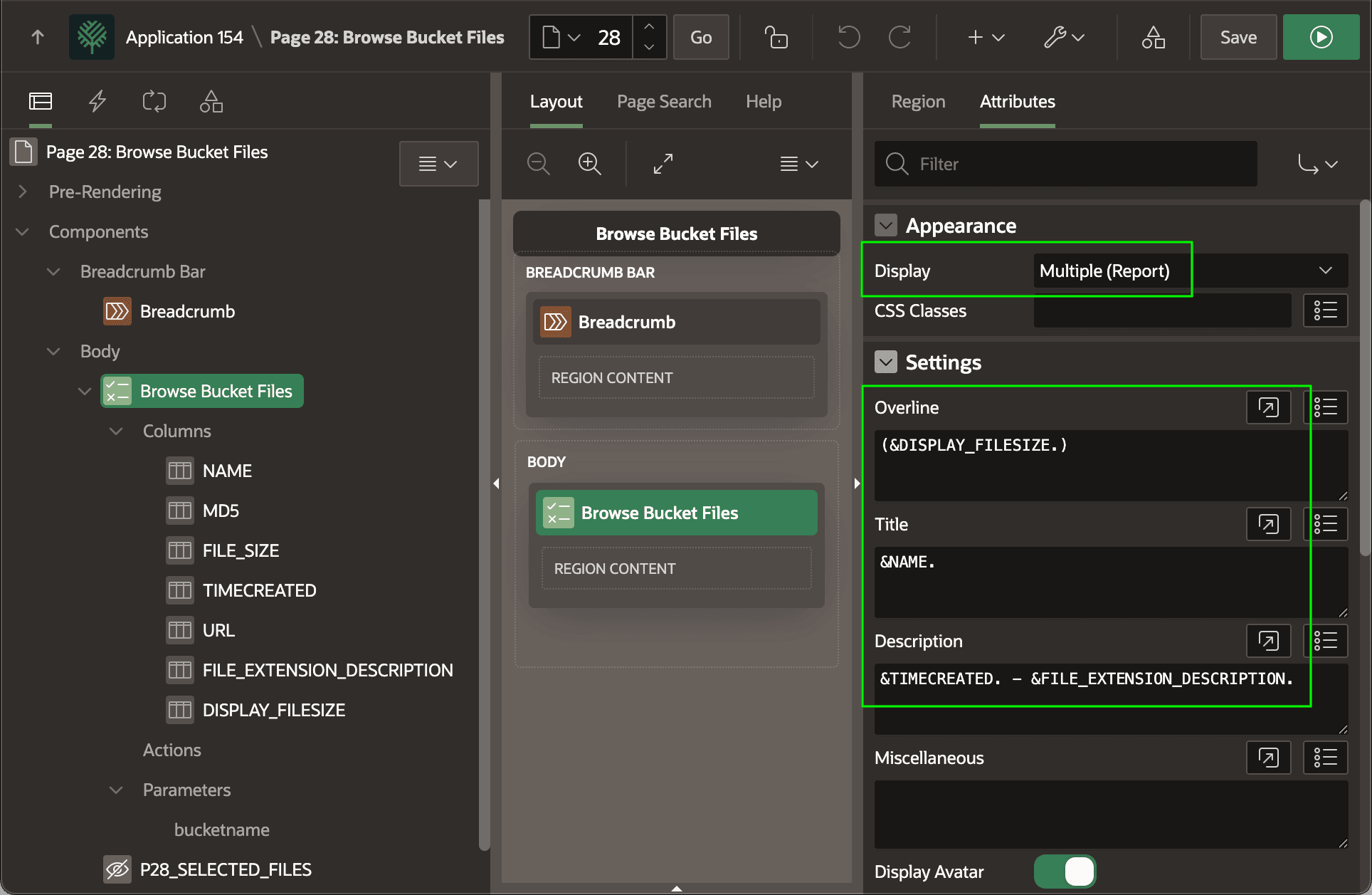
Description of the illustration content-row-slot-contents.png