Configuring Report Region Columns
If a region lets you configure settings on its data source columns, then they appear in Page Designer under a heading in the component tree.
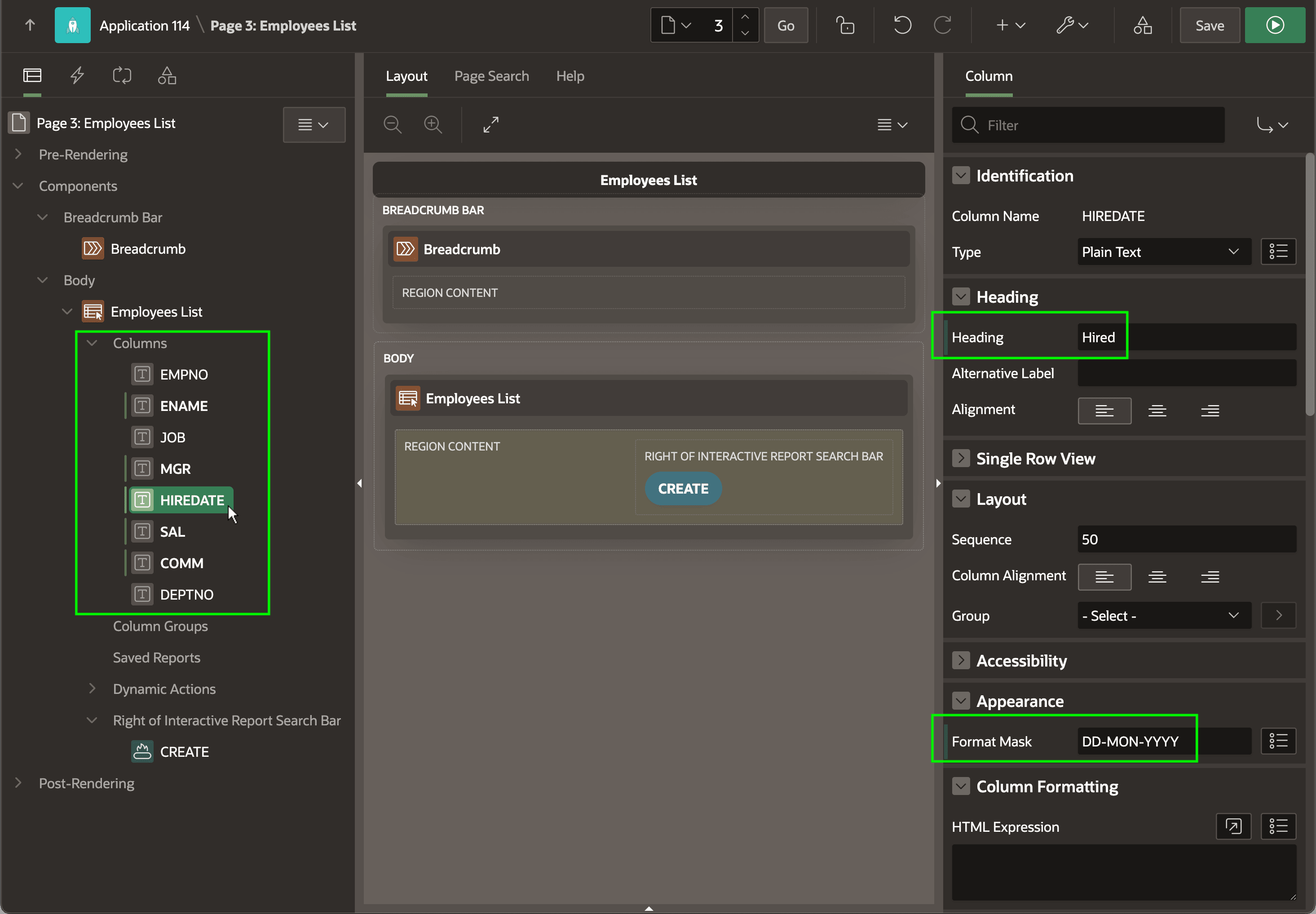
The figure below shows an Employees List region in Page Designer with its columns highlighted. Selecting a column like HIREDATE in the tree, the Property Editor lets you see and adjust its appearance and behavior. If you change properties like Heading and Format Mask , Page Designer indicates these unsaved changes with a vertical bar to the left of the property name as called out below. The next time you save the page, these change indicators disappear.